
Clean master data, ready from day one.
Every list your team picks from, kept in one place: parties, ports, cities, HS codes, currencies, container types and more, with imports so you do not start from scratch.
- master files
- 60+
- master files
- exchange rates
- Daily
- exchange rates
- & PDF imports
- Excel
- & PDF imports
How it works
1 steps, one system.
Press ? on any step to read the same help your team sees inside LogiSoft.
- 01
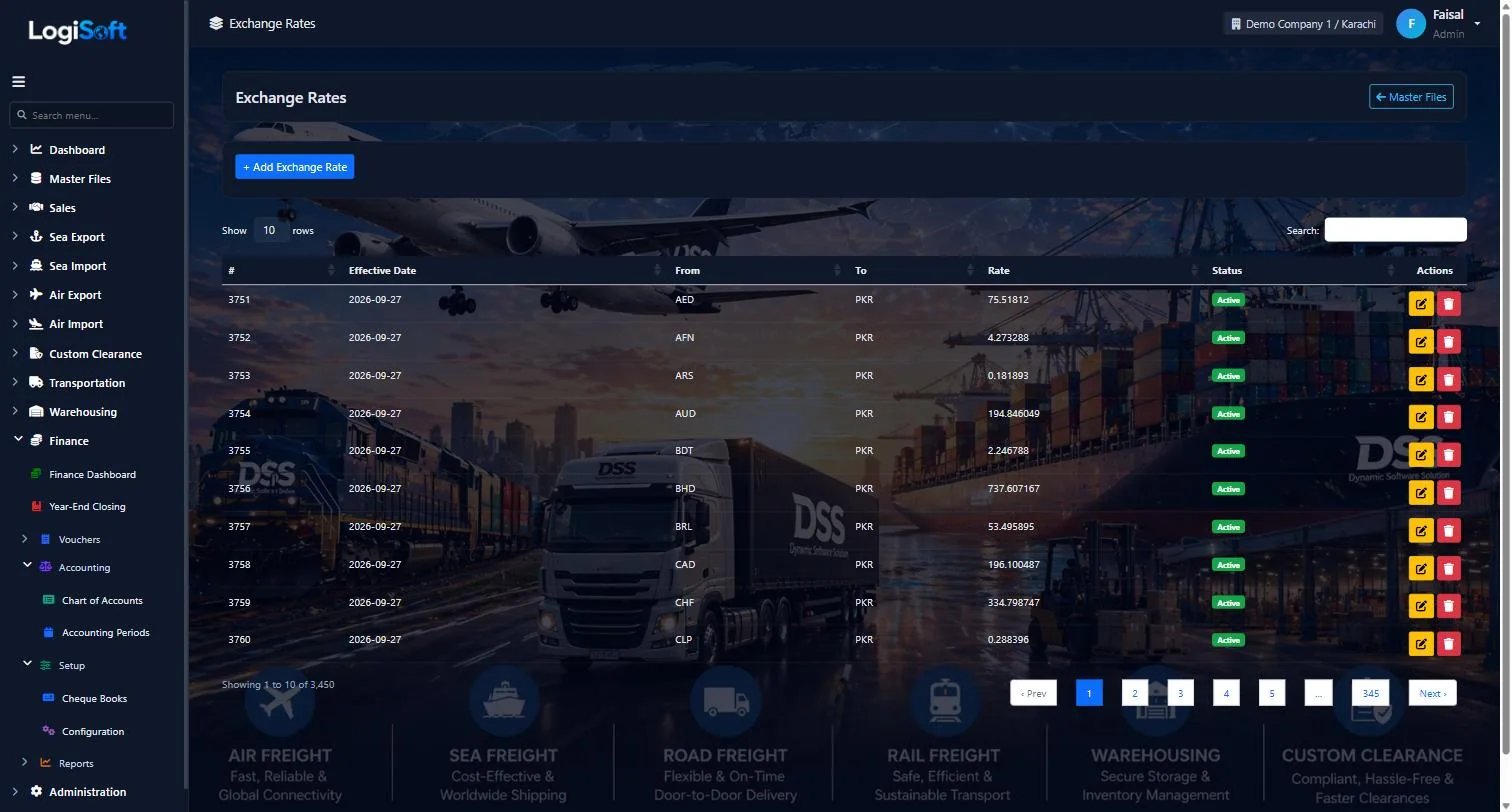
Exchange rates, updated every day
?LogiSoft help
Exchange Rates
Daily FX rates relative to base currency. Auto-fetched at 02:00 UTC; usable for invoice conversion.
Exchange Rates stores FX rates per (from-currency, to-base, date). The Daily Exchange Rate Job pulls rates at 02:00 UTC from fawazahmed0 currency-api (free, no key). Manual refresh via Import Master Files button.
Common tasks
- 1. Most data auto-fetched daily — no manual entry usually
- 2. Manual override: + Add rate, pick currency, enter rate, date
The same help appears on this screen inside LogiSoft.
Rates for every currency against PKR are downloaded daily, so bookings and quotations always use current rates.
Every screen
45 screens in Master Files.
The complete list of screens in this module, described in LogiSoft's own help. Press ? for the full explanation.
Dashboard
-
Master Files Dashboard
?LogiSoft help
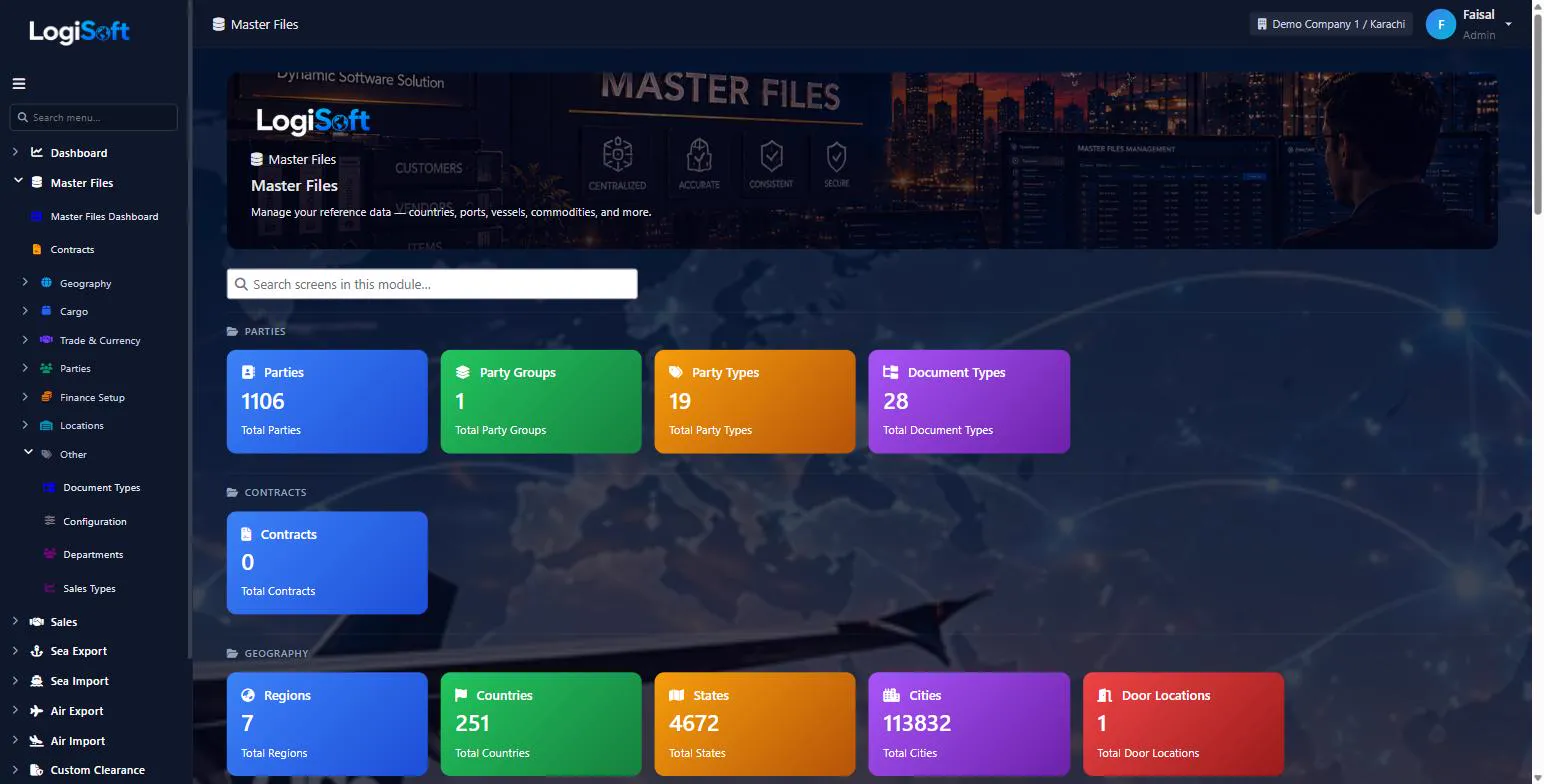
Master Files
Reference data shared across every module — Geography, Cargo, Ports, Vessels, Parties, Charges.
Master Files is the central library of reference data every operational module reads from.
- Geography: Regions, Countries, States, Cities
- Trade Terms: Incoterms, Freight Terms, Payment Terms, Service Types
- Cargo: Commodities, Commodity Groups, HS Codes, Units of Measure
- Transport: Sea Ports, Air Ports, Vessels, Vessel Types, Yards, Terminals
- Network: Networks, Network Types (sub-forwarder offices)
- Parties: Customers, Suppliers, Carriers, Agents (single Parties table, role flags)
- Money: Currencies, Exchange Rates, Charges, Taxes, Tax Groups
Most masters auto-seed via the Import Master Files screen (UN/LOCODE, FBR Tariff, etc.).
Common tasks
- Run the UN/LOCODE import once to populate Countries/States/Cities/Ports
- Maintain Parties + their bank accounts + contacts
- Add Charges + Taxes before any invoice screen
The same help appears on this screen inside LogiSoft.
Reference data shared across every module — Geography, Cargo, Ports, Vessels, Parties, Charges.
Parties
-
Parties
?LogiSoft help
Parties
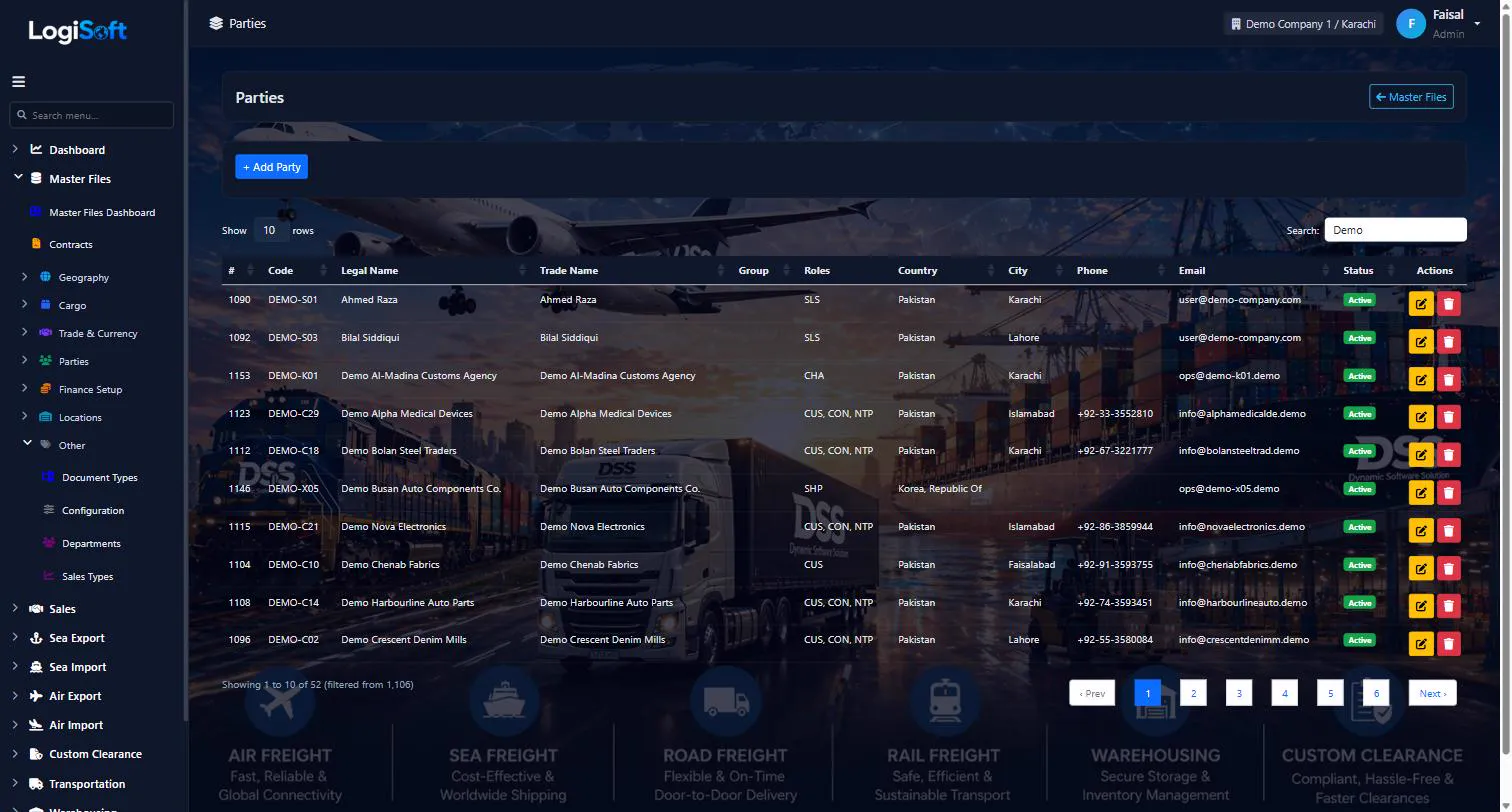
The single master for every external organization — customers, carriers, agents, vendors, transporters. Each party can play multiple roles.
Parties is LogiSoft's unified master for every external organization you do business with. One party can be a Customer (sells to), Vendor (buys from), Carrier (ships with), Agent (partners with), and a Trucker — multiple roles on the same record.
Each party has Legal Name, Trade Name, address (Country/State/City), tax/license numbers, contact info, default payment terms, default tax group, and bank accounts.
Common tasks
- 1. + Add Party, enter Legal Name (auto-generates PartyCode)
- 2. Tick role(s): IsCustomer / IsVendor / IsCarrier / IsAgent / IsTrucker
- 3. Address, contact details, tax number
- 4. Save
- 5. Open Bank Accounts tab to add bank details (one default for AR/AP postings)
The same help appears on this screen inside LogiSoft.
The single master for every external organization — customers, carriers, agents, vendors, transporters. Each party can play multiple roles.
-
Party Groups
?LogiSoft help
Party Groups
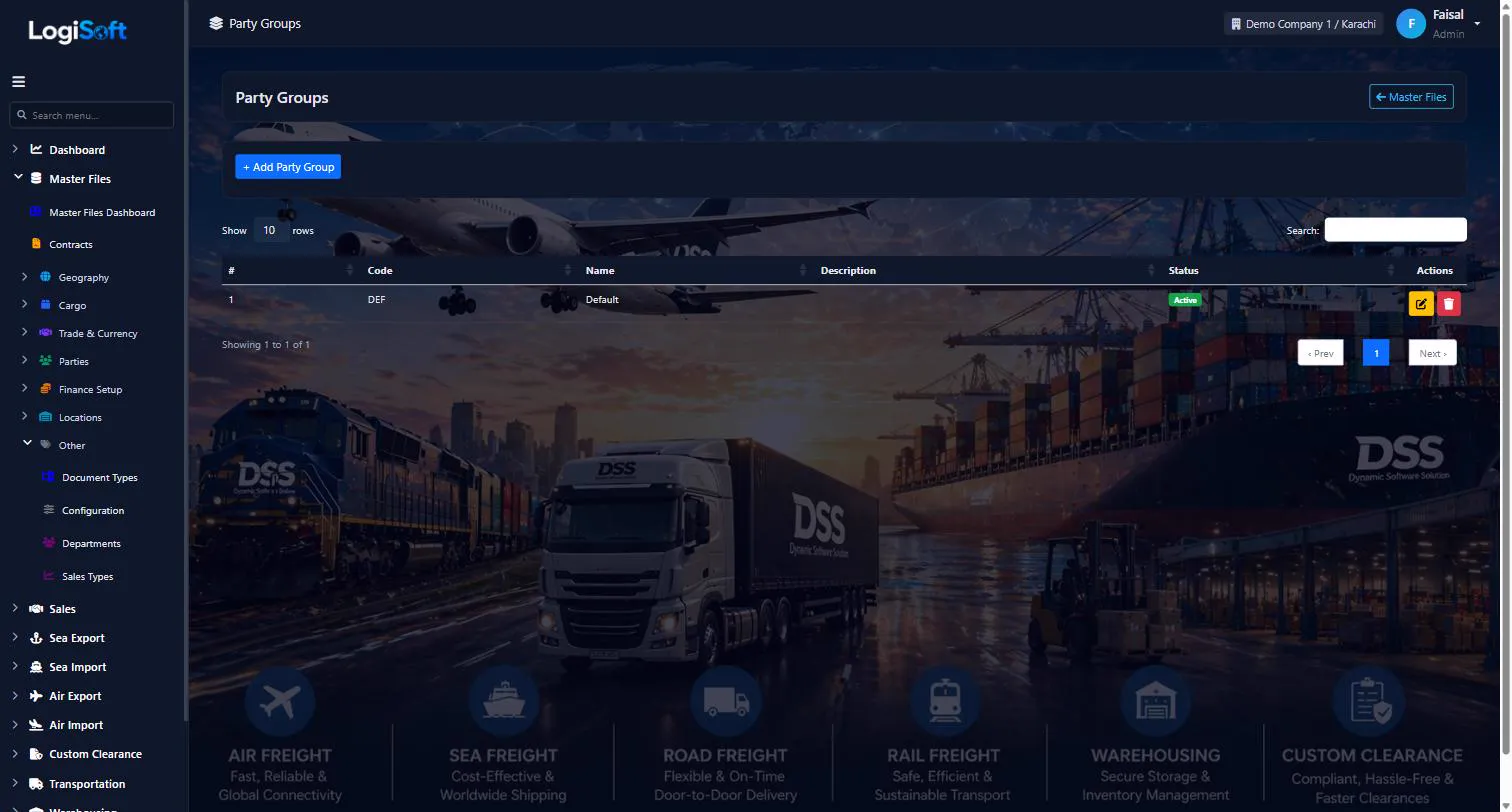
Optional grouping for parties (e.g. corporate group, conglomerate, agent network).
Party Groups let you cluster related parties so you can report on the group as a whole — e.g. a parent company with 5 subsidiaries, or an agent network with 12 country offices.
The same help appears on this screen inside LogiSoft.
Optional grouping for parties (e.g. corporate group, conglomerate, agent network).
-
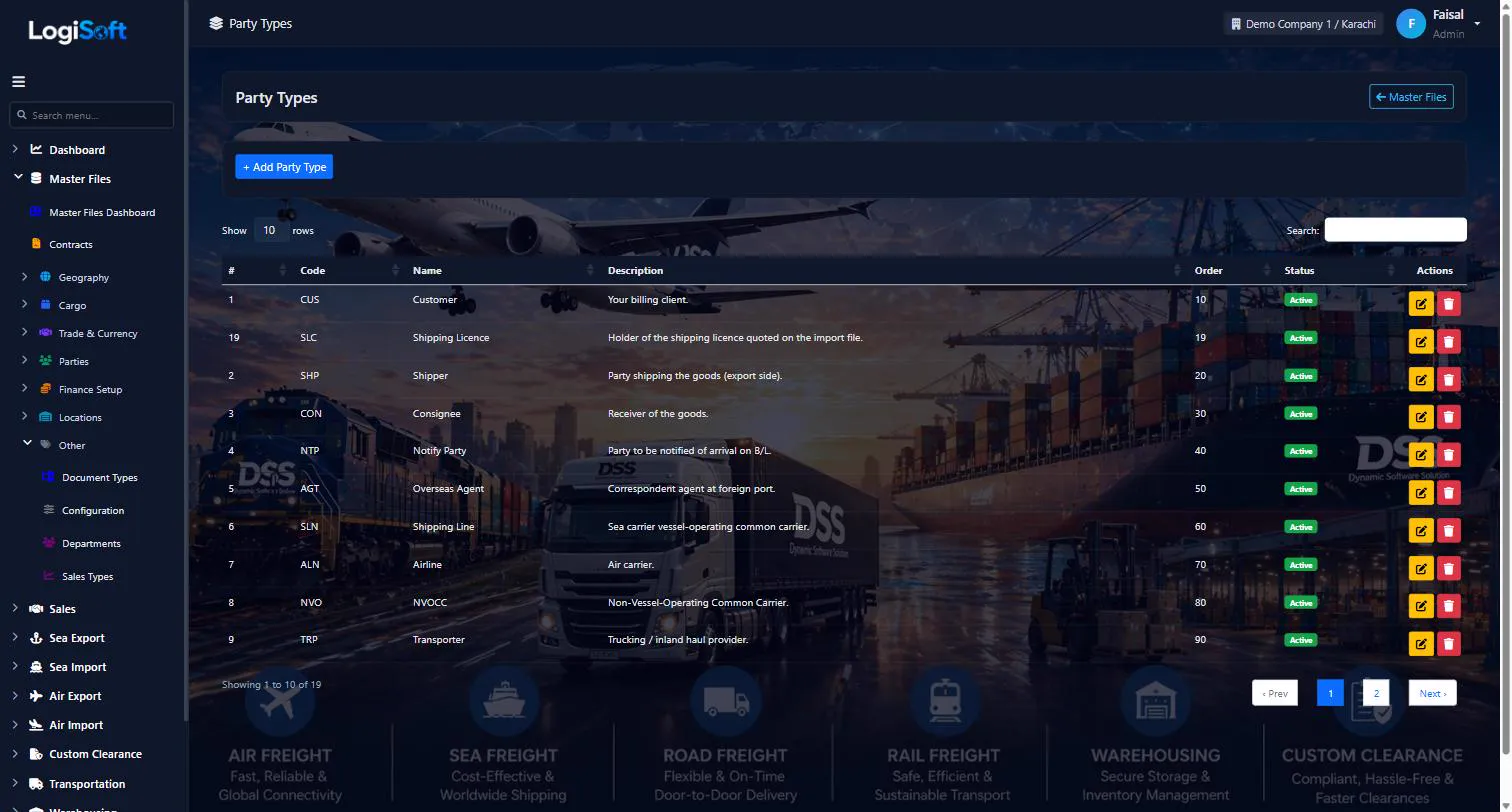
Party Types
?LogiSoft help
Party Types
Classification dimensions for parties (e.g. Corporate, SME, Government, Free-Zone).
Party Types are an extra classification on top of role flags. While role flags (Customer / Shipper / Carrier / Agent) say what a party does, Party Types say what kind (Corporate vs SME, Free-Zone, Government, etc.).
The same help appears on this screen inside LogiSoft.
Classification dimensions for parties (e.g. Corporate, SME, Government, Free-Zone).
-
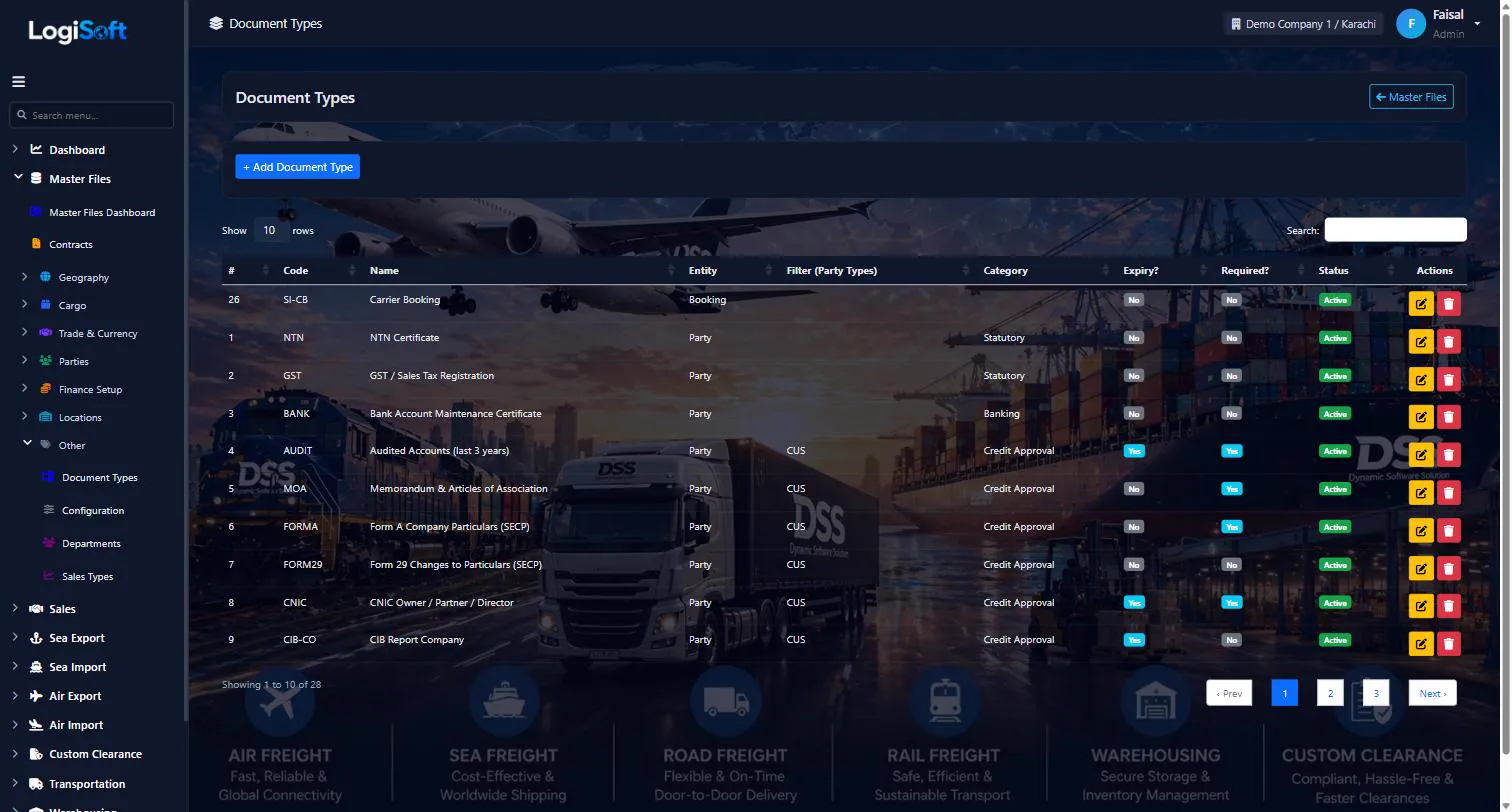
Document Types
?LogiSoft help
Document Types
Bill of Lading, Commercial Invoice, Packing List, Certificate of Origin, Insurance Certificate, etc.
Document Types classify uploaded files attached to bookings/shipments/parties. Used to enforce a checklist (e.g. "this shipment is missing the Packing List").
Common tasks
- 1. + Add Document Type, enter Name + Code
The same help appears on this screen inside LogiSoft.
Bill of Lading, Commercial Invoice, Packing List, Certificate of Origin, Insurance Certificate, etc.
Contracts
-
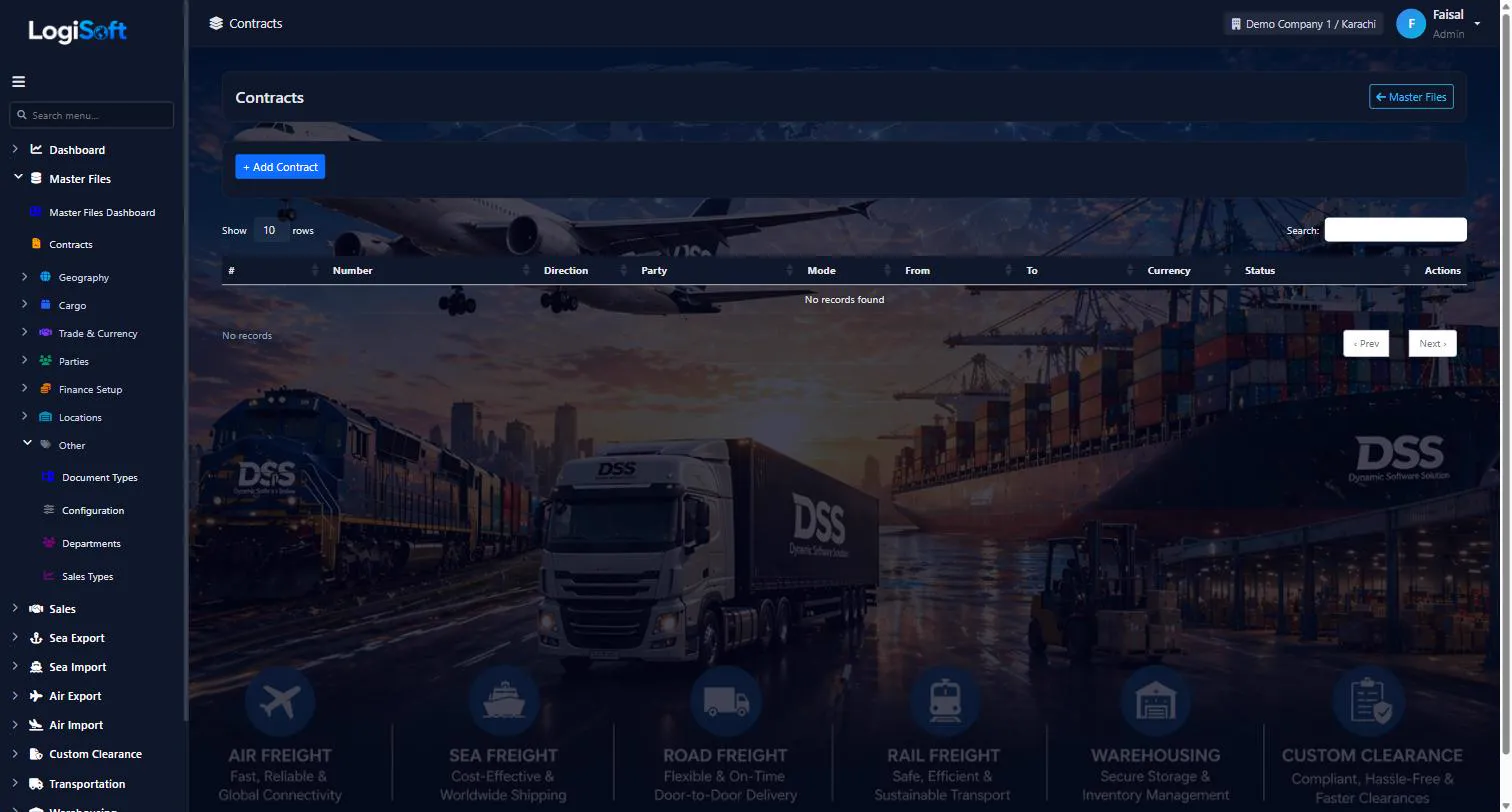
Contracts
?LogiSoft help
Contracts
Signed rate agreements with customers or carriers. Has rate lines + surcharges.
A Contract is a signed rate agreement, normally the result of a won Quotation or Tender.
- Header: parties, validity period, currency, payment terms.
- Lines: per-lane / per-charge rate.
- Surcharges: BAF/CAF/PSS/etc., recomputed when fuel index changes.
Common tasks
- Create a Contract from a won Quotation
- Add rate lines and surcharges
- Reference the Contract on operational bookings to lock the rates
The same help appears on this screen inside LogiSoft.
Signed rate agreements with customers or carriers. Has rate lines + surcharges.
Geography
-
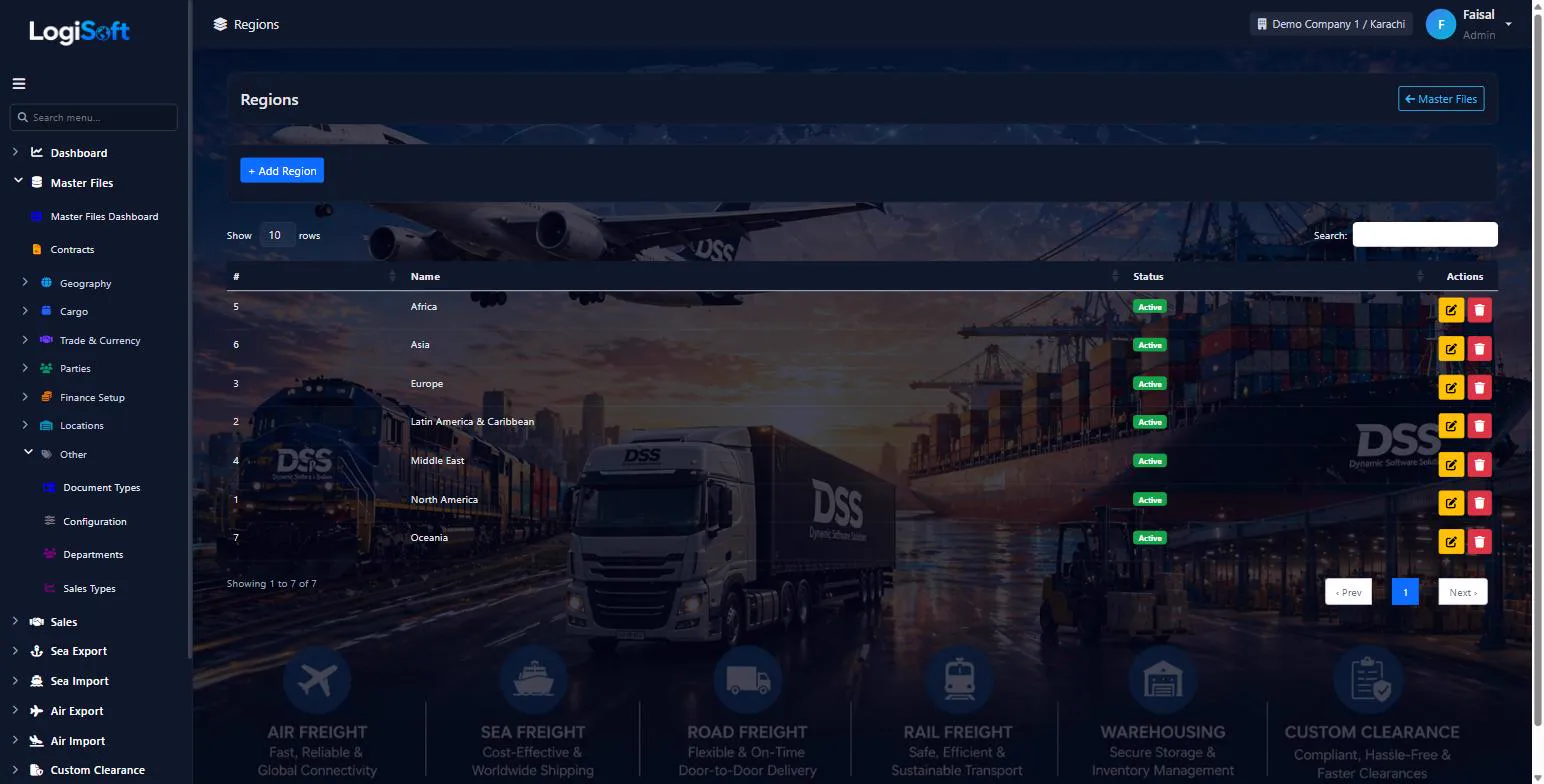
Regions
?LogiSoft help
Regions
World regions used to group countries (e.g. APAC, EMEA, Americas). Reports filter by region; trade lanes group by region.
A Region is a coarse geographic grouping for countries. LogiSoft uses regions for high-level reporting and trade-lane grouping. Country master files reference a RegionId.
Common tasks
- 1. Click **+ Add Region**
- 2. Enter Code (e.g. APAC) and Name
- 3. Save
The same help appears on this screen inside LogiSoft.
World regions used to group countries (e.g. APAC, EMEA, Americas). Reports filter by region; trade lanes group by region.
-
Countries
?LogiSoft help
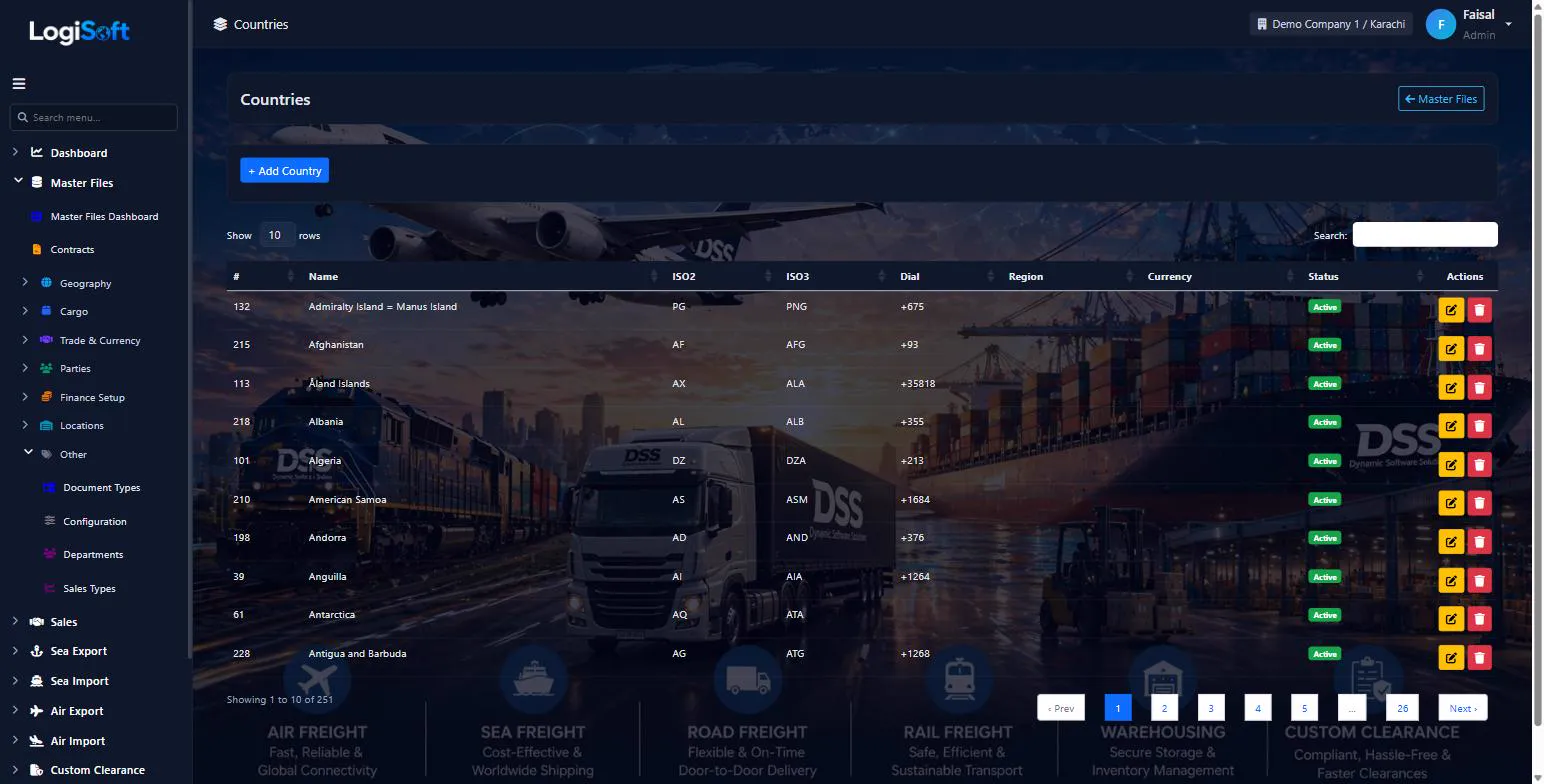
Countries
ISO countries with codes (ISO2 / ISO3 / numeric / dial code) and currency. Pre-seeded from REST Countries; rarely needs manual edit.
Countries is the master list of nations. Every Country has ISO2 (2-letter), ISO3 (3-letter), numeric code, dialing code, currency, and parent Region. Used by every address-bearing entity (Parties, Branches, Cities, Sea/Air Ports).
Common tasks
- 1. Most data is auto-seeded. Use the **Import Master Files** screen to refresh.
- 2. To add a new country manually: + Add Country, fill ISO2/ISO3/Name, save.
The same help appears on this screen inside LogiSoft.
ISO countries with codes (ISO2 / ISO3 / numeric / dial code) and currency. Pre-seeded from REST Countries; rarely needs manual edit.
-
States
?LogiSoft help
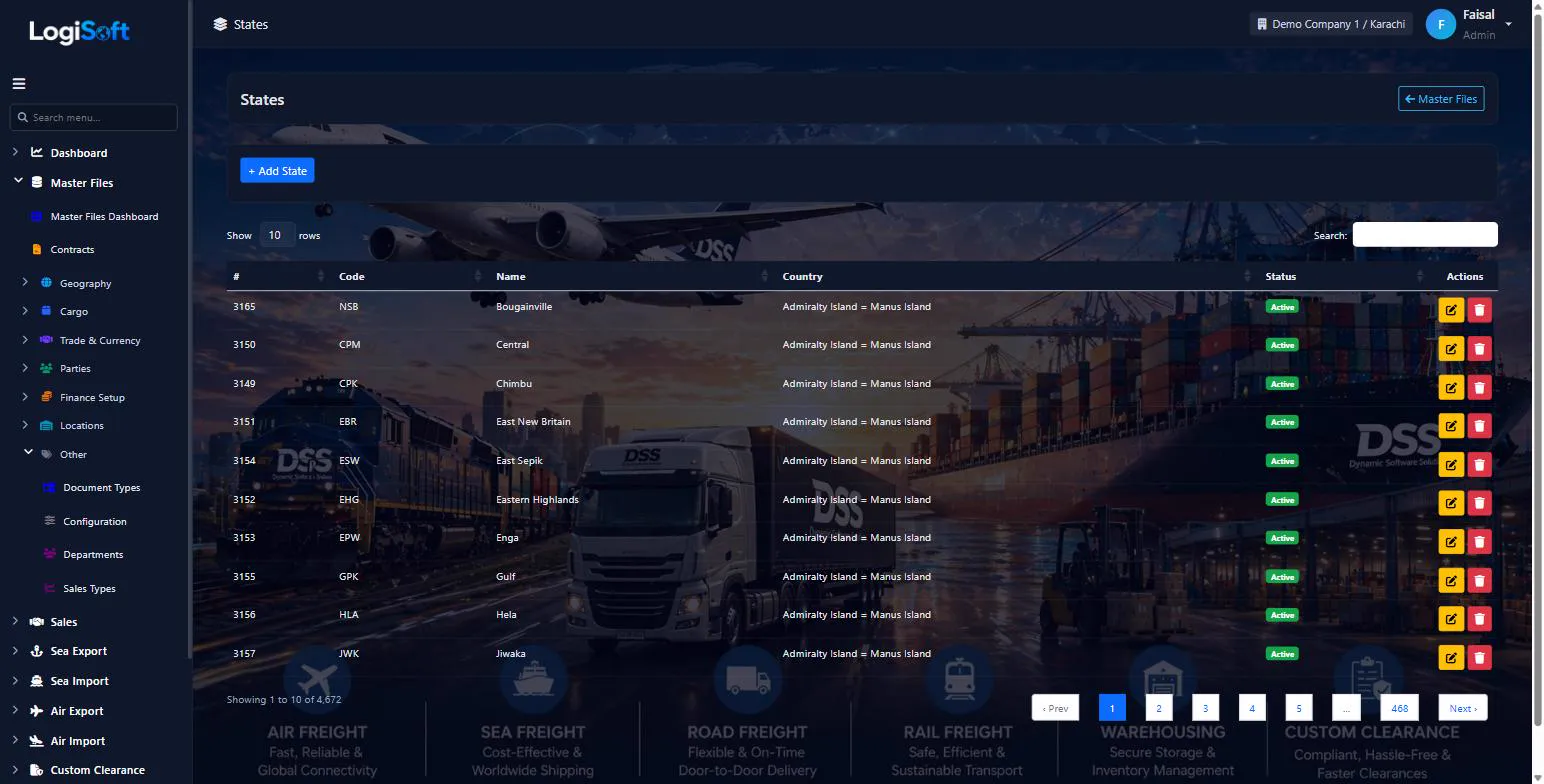
States / Provinces
States or provinces under each country. Used for addresses (Parties, Branches) and reports.
States are sub-national divisions (US states, Indian states, Pakistani provinces, etc.). Each state belongs to a Country. Cities reference a State.
Common tasks
- 1. Click **+ Add State**
- 2. Pick Country, enter Code + Name
- 3. Save
The same help appears on this screen inside LogiSoft.
States or provinces under each country. Used for addresses (Parties, Branches) and reports.
-
Cities
?LogiSoft help
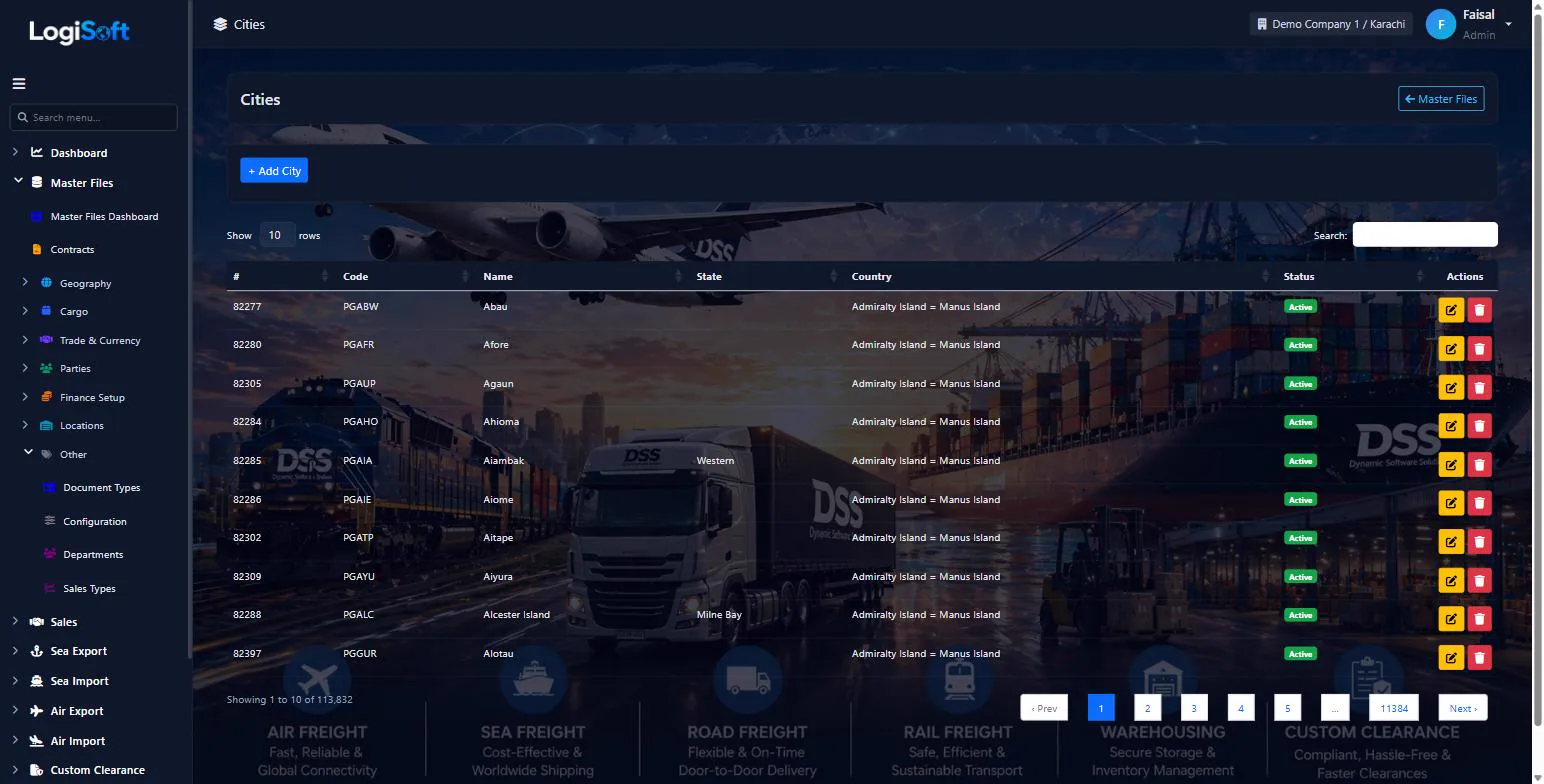
Cities
~115k cities seeded from UN/LOCODE. Every Party, Sea Port, Air Port references a City.
Cities is the master location list, seeded from UN/LOCODE 5-character codes (e.g. PKKHI = Karachi). Auto-fill happens via the Import Master Files UN/LOCODE button.
Common tasks
- 1. Most data auto-imported via Import Master Files → UN/LOCODE
- 2. To add manually: + Add City, pick Country/State, enter UN/LOCODE 5-char code + Name
- 3. Save
The same help appears on this screen inside LogiSoft.
~115k cities seeded from UN/LOCODE. Every Party, Sea Port, Air Port references a City.
-
Door Locations
?LogiSoft help
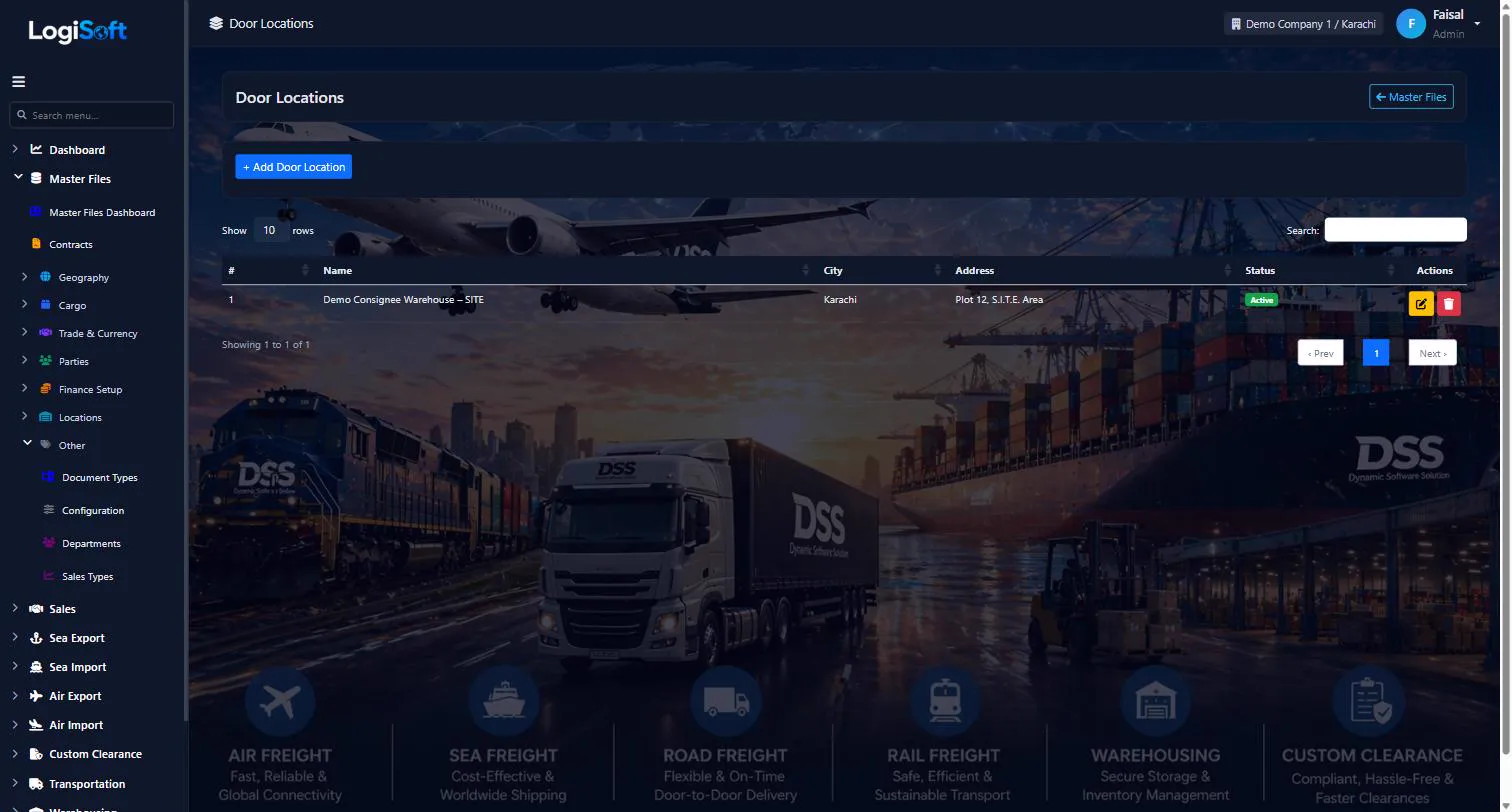
Door Locations
Master file of door pickup/delivery addresses used in DR/CY, CY/DR and DR/DR service types.
When a Sea Import shipment uses a service type with DR (Door) at either end, the operator picks the specific door address from this master rather than typing it on every booking.
Common tasks
- Add a new door location and use it from a fresh Sea Import Customer Booking.
- Edit an existing entry's address.
The same help appears on this screen inside LogiSoft.
Master file of door pickup/delivery addresses used in DR/CY, CY/DR and DR/DR service types.
Trade Terms
-
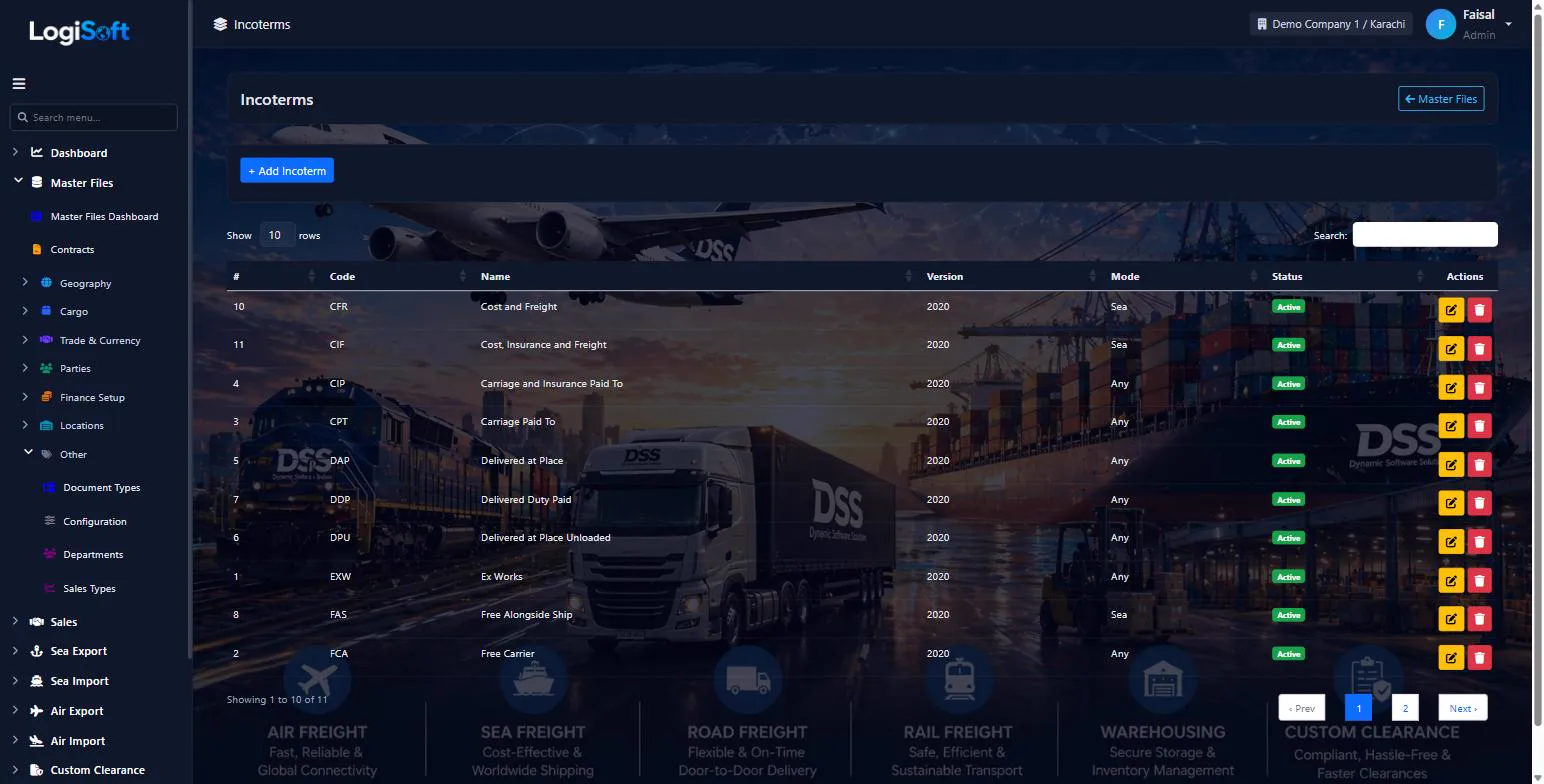
Incoterms
?LogiSoft help
Incoterms
International Commercial Terms (FOB, CIF, EXW, DDP, etc.) defining buyer/seller responsibility for shipping costs and risks.
Incoterms are standardized 3-letter codes published by ICC that define which party (buyer or seller) pays for transport, insurance, and customs at each stage. Pre-seeded with Incoterms 2020. Used on Quotations, Bookings, BLs, Invoices.
Common: EXW (Ex Works), FCA (Free Carrier), FOB (Free on Board), CIF (Cost Insurance Freight), DAP (Delivered at Place), DDP (Delivered Duty Paid).
Common tasks
- 1. Pre-seeded — usually no edits needed
- 2. To add custom: + Add Incoterm, enter code + name + version (2020/2010), save
The same help appears on this screen inside LogiSoft.
International Commercial Terms (FOB, CIF, EXW, DDP, etc.) defining buyer/seller responsibility for shipping costs and risks.
-
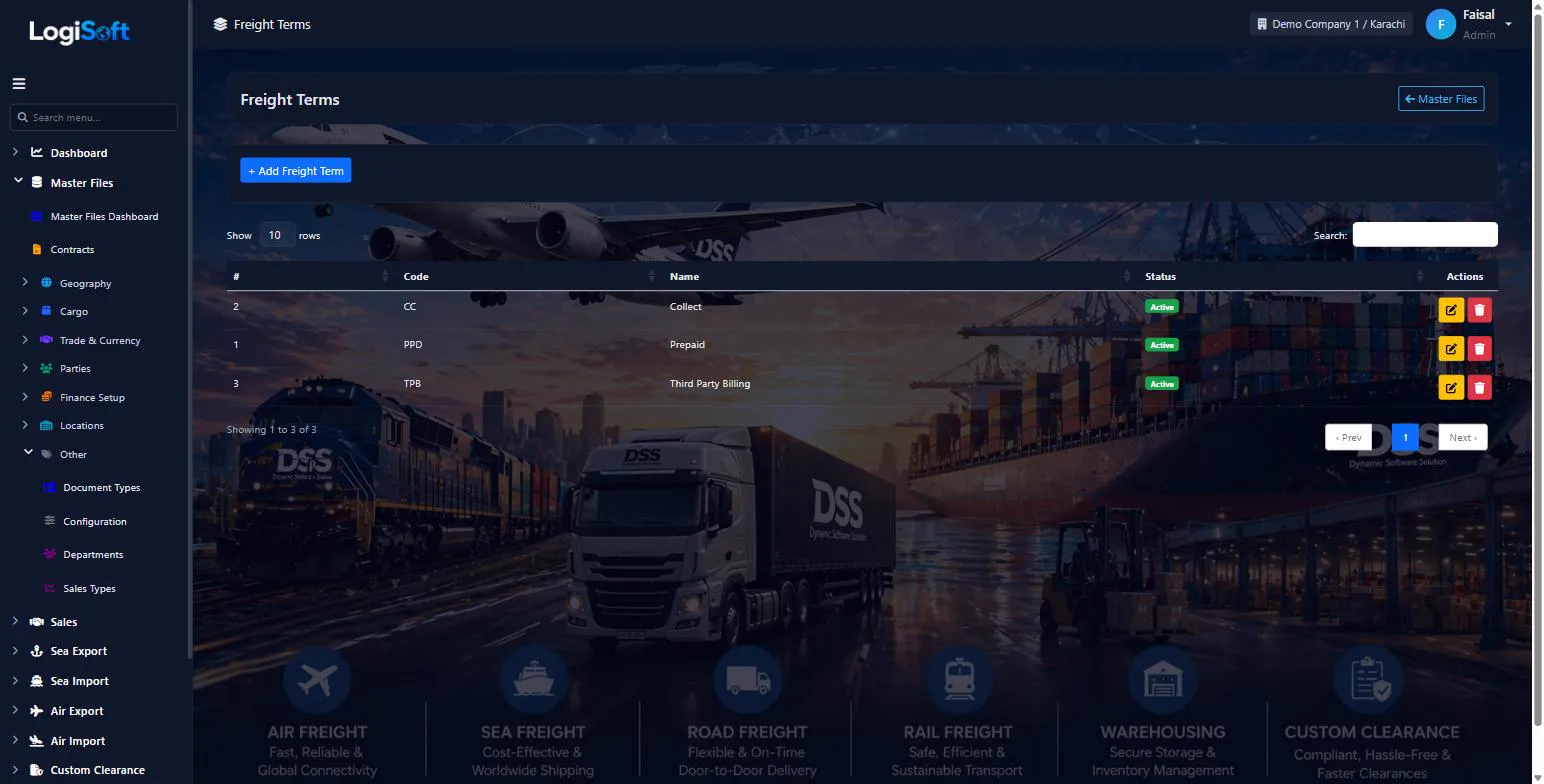
Freight Terms
?LogiSoft help
Freight Terms
Prepaid / Collect / Third Party — who pays the freight on each shipment.
Freight Terms = who pays the carrier. The 3 standard values (Prepaid by shipper, Collect from consignee, Third Party) cover most cases. Set on each booking and BL.
Common tasks
- 1. Pre-seeded with Prepaid / Collect / Third Party
- 2. Add custom only if your business has unusual payment arrangements
The same help appears on this screen inside LogiSoft.
Prepaid / Collect / Third Party — who pays the freight on each shipment.
-
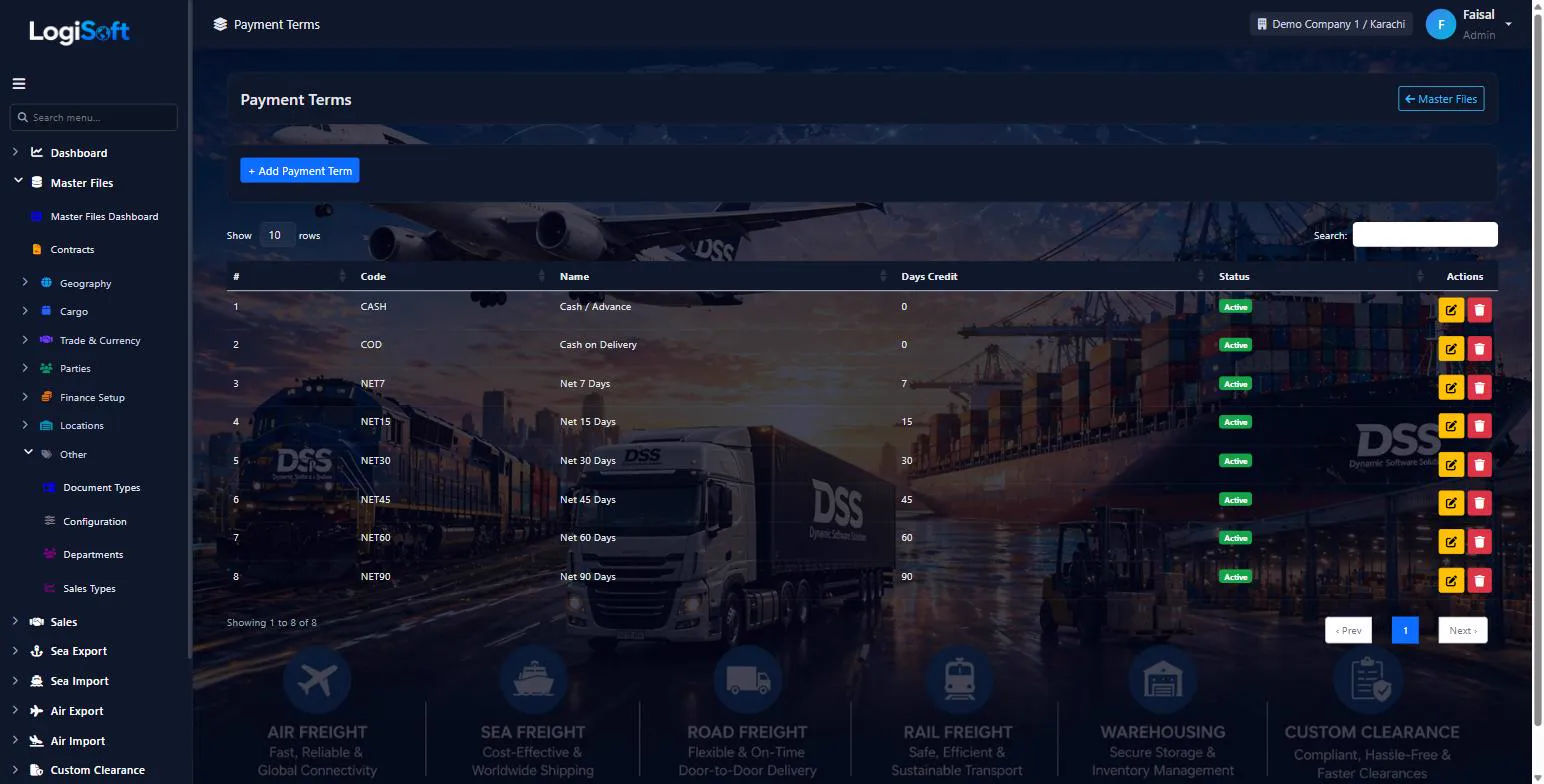
Payment Terms
?LogiSoft help
Payment Terms
Net 0 / Net 15 / Net 30 / Net 60 etc. — when the customer must pay your invoice.
Payment Terms define the credit period you give customers. Default term per Party (set on the Party master); overridable per invoice.
Common tasks
- 1. + Add Payment Term
- 2. Enter code (NET30) + name + days (30) + description
- 3. Save
The same help appears on this screen inside LogiSoft.
Net 0 / Net 15 / Net 30 / Net 60 etc. — when the customer must pay your invoice.
-
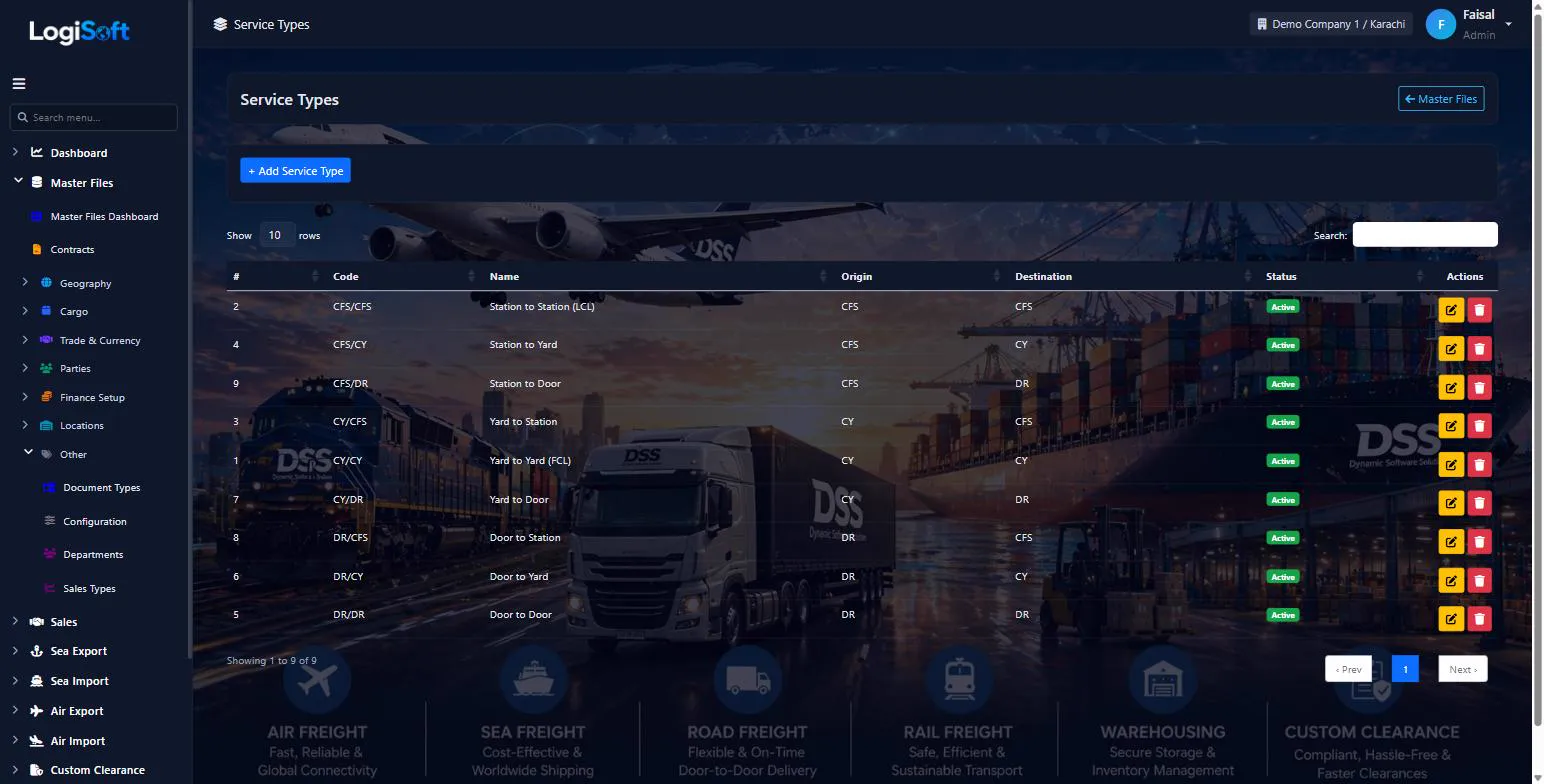
Service Types
?LogiSoft help
Service Types
CY/CY, CY/Door, Door/CY, Door/Door — describes which leg of pickup-and-delivery you handle.
Service Types describe the door-to-door scope of a booking. Standard values:
- CY/CY — Container Yard to Container Yard (port-to-port only)
- CY/Door — pickup at port, deliver to consignee's door
- Door/CY — pickup at shipper's door, deliver to port
- Door/Door — full door-to-door
Set on Bookings; affects which charges apply (haulage, customs, etc.).
Common tasks
- 1. Pre-seeded with the 4 standard types
- 2. Edit if you have custom variants (e.g. "Door/Rail" for inland)
The same help appears on this screen inside LogiSoft.
CY/CY, CY/Door, Door/CY, Door/Door — describes which leg of pickup-and-delivery you handle.
Cargo
-
Commodity Groups
?LogiSoft help
Commodity Groups
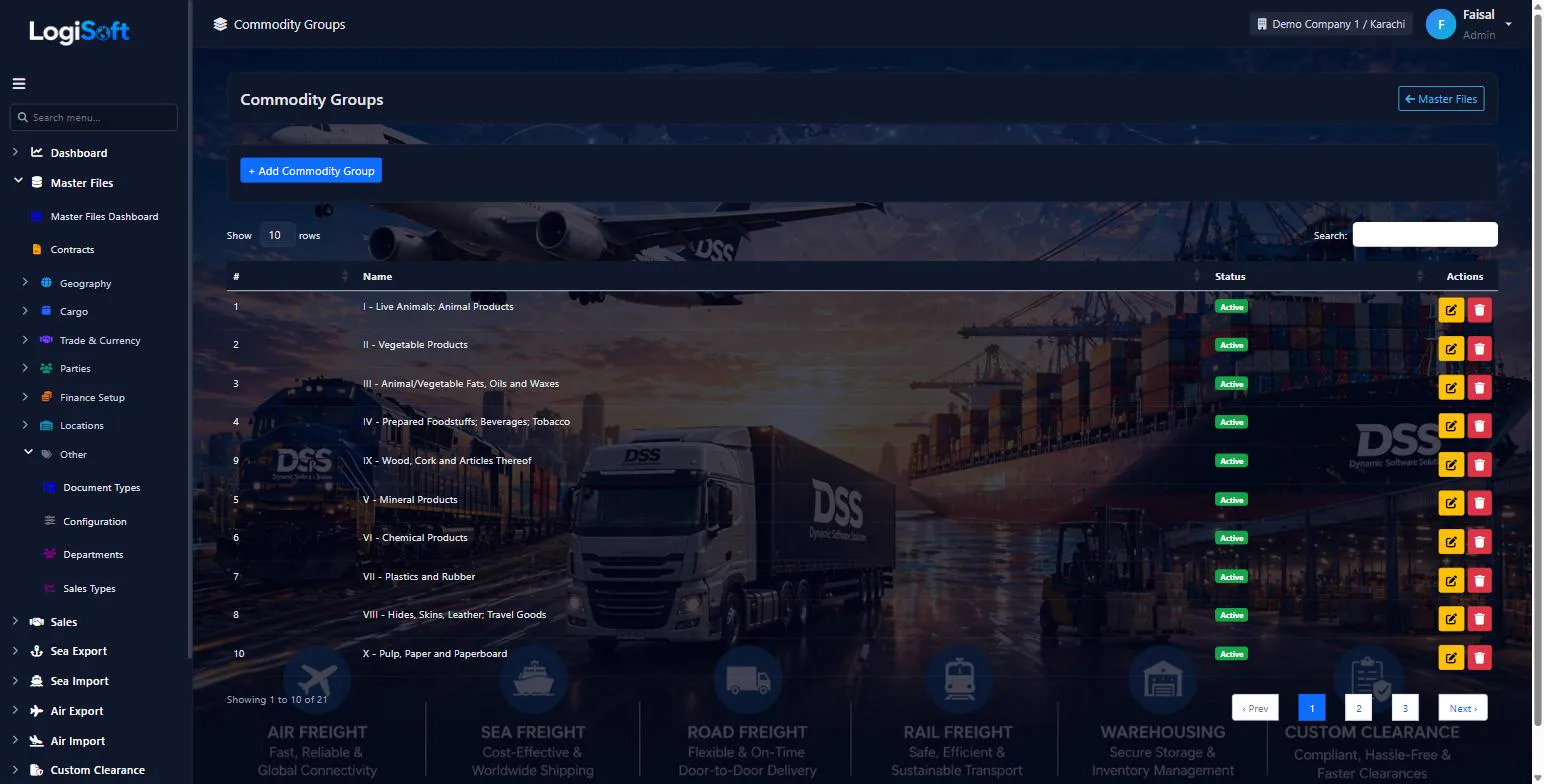
High-level cargo categories (e.g. Electronics, Garments, Chemicals). Commodities sit under groups for reporting.
Commodity Groups roll up Commodities for reports — "we shipped 200 TEU of Electronics this year". Pre-seeded with common categories.
Common tasks
- 1. + Add Commodity Group
- 2. Enter Code + Name
- 3. Save
- 4. Open Commodities to assign existing commodities to this group
The same help appears on this screen inside LogiSoft.
High-level cargo categories (e.g. Electronics, Garments, Chemicals). Commodities sit under groups for reporting.
-
Commodities
?LogiSoft help
Commodities
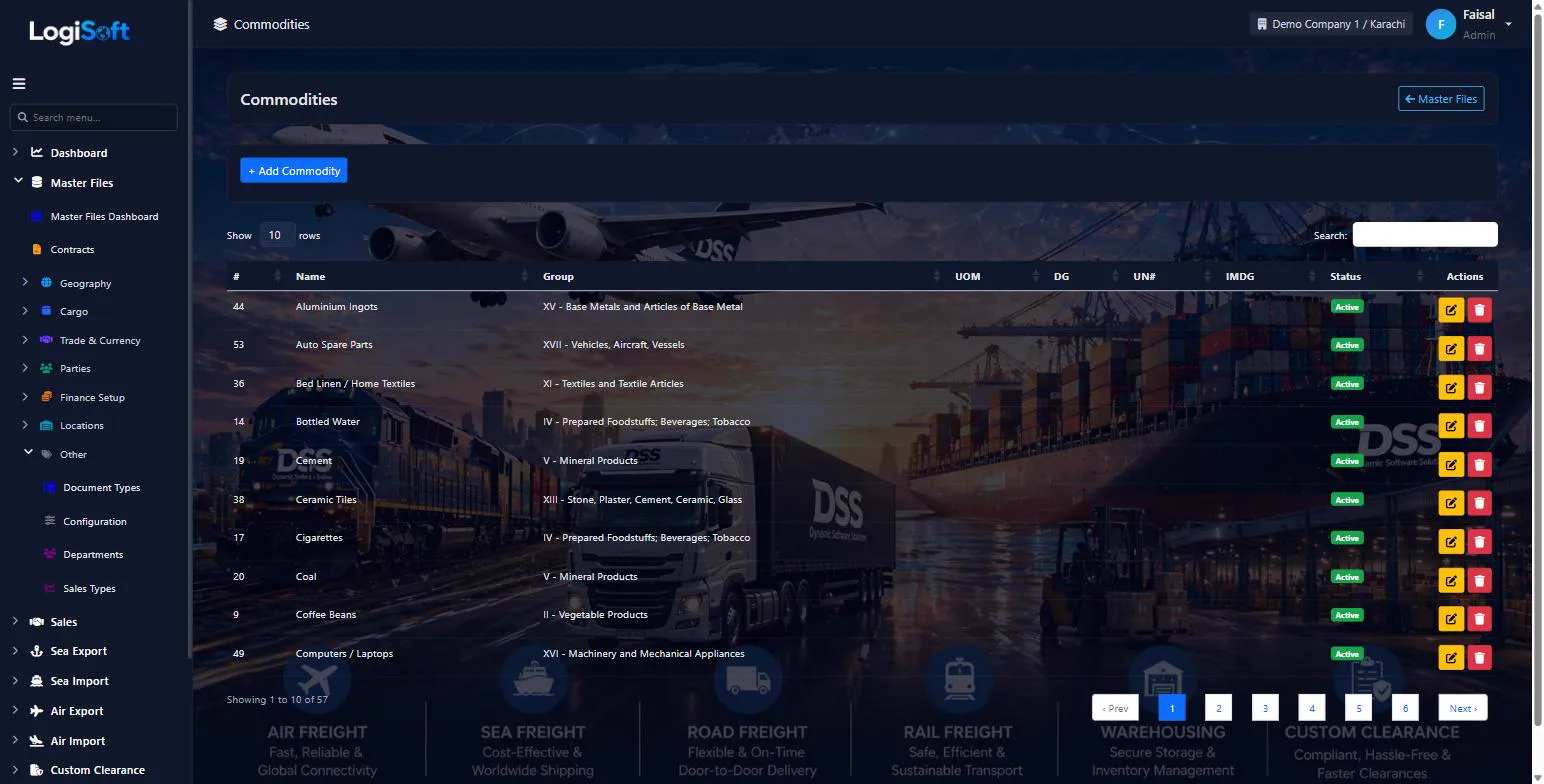
Specific cargo descriptions used on bookings (e.g. "Cotton T-shirts", "Lithium batteries"). Linked to HS Codes for customs.
Commodities are specific cargo types. Each commodity belongs to a Commodity Group, has a default UoM (e.g. PCS, KG, MT), can be flagged as Hazardous (with UN number + IMDG class), and links to one or more HS Codes for customs declarations.
Common tasks
- 1. + Add Commodity
- 2. Enter Name, pick Group + default UoM
- 3. If hazardous: tick IsHazardous + enter UN number + IMDG class
- 4. Link to HS Codes for customs use
The same help appears on this screen inside LogiSoft.
Specific cargo descriptions used on bookings (e.g. "Cotton T-shirts", "Lithium batteries"). Linked to HS Codes for customs.
-
Equipment
?LogiSoft help
Equipment
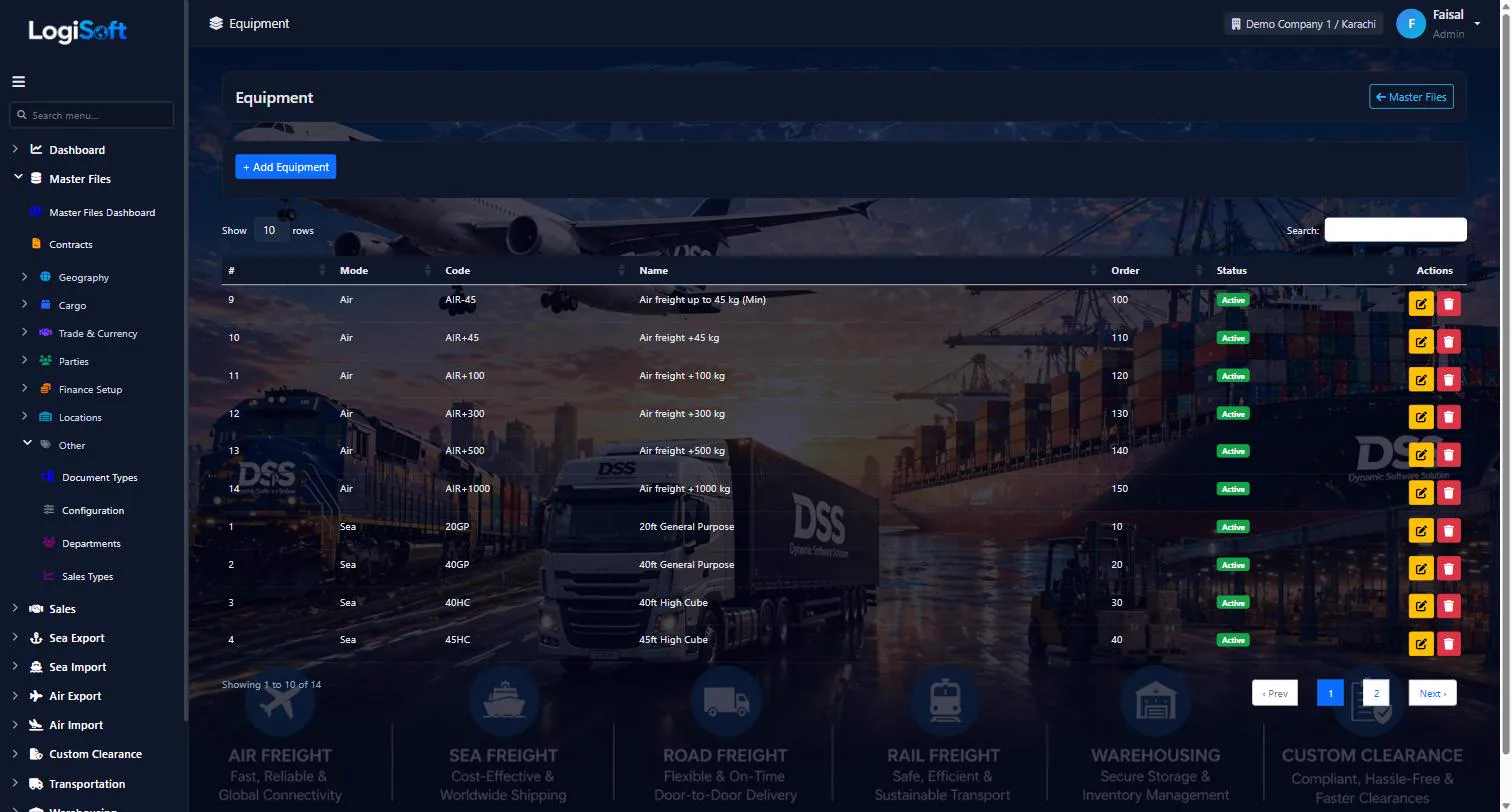
Unified equipment master used on rate lines: Sea container codes, Air weight bands, Land truck types.
Equipment is the cross-mode rate-dimension master:
- Sea: 20GP, 40GP, 40HC, 45HC, 20RF, 40RF, FLAT, OPEN
- Air: weight bands (-45 / +45 / +100 / +300 / +500 / +1000 kg)
- Land: truck types (40ft trailer, 20ft trailer, container truck, flatbed)
Used by Allotments, Bookings, Contracts, and rate lines.
Common tasks
- 1. + Add Equipment, pick Mode (Sea/Air/Land), enter Code + Name + Display Order
The same help appears on this screen inside LogiSoft.
Unified equipment master used on rate lines: Sea container codes, Air weight bands, Land truck types.
-
HS Codes
?LogiSoft help
HS Codes
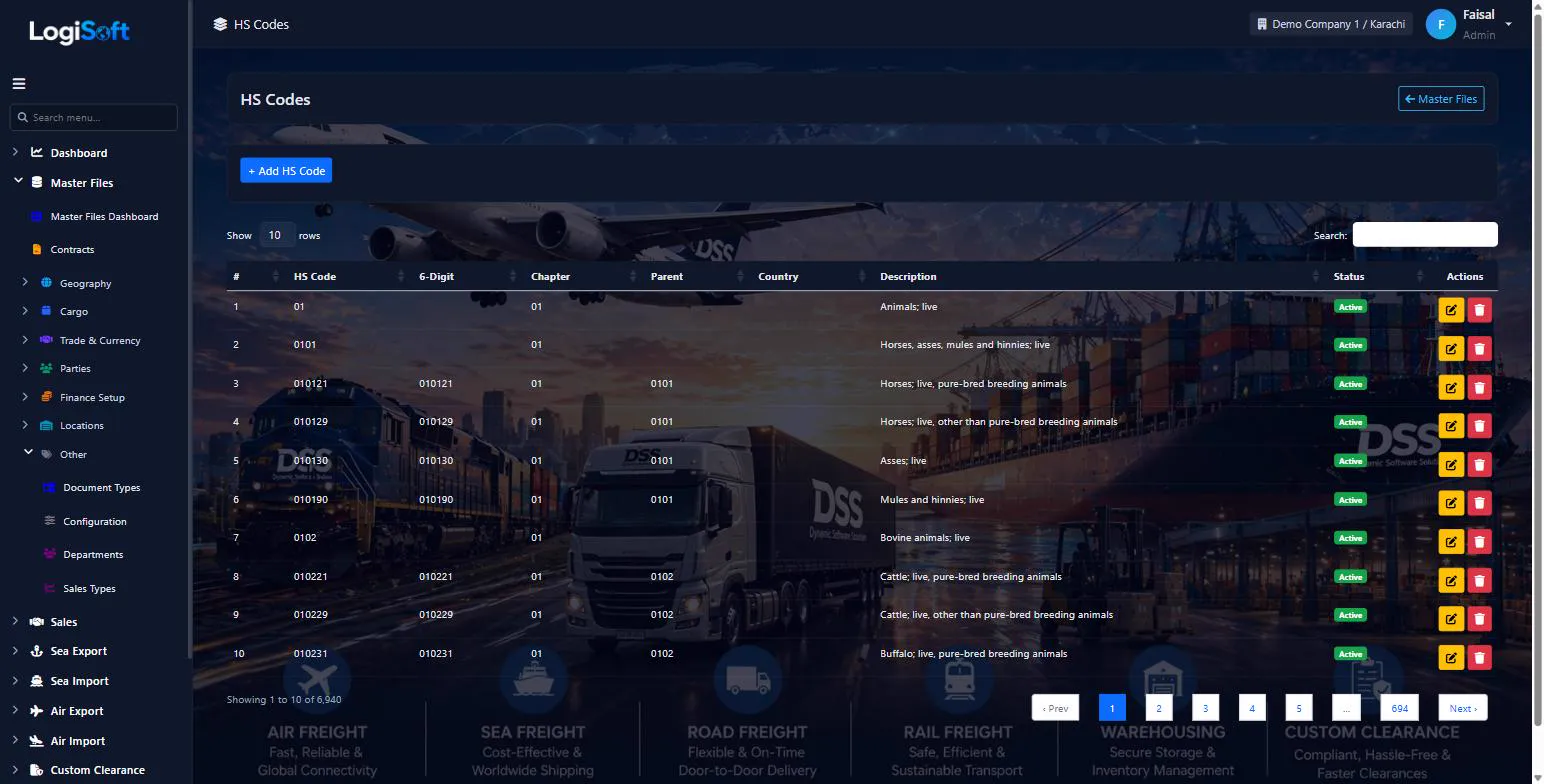
Harmonized System tariff codes (4-digit headings + 8-digit PCT codes). Used on customs declarations and commercial invoices.
HS Codes (Harmonized System) is the international tariff classification system. LogiSoft is seeded with FBR Pakistan Customs Tariff 2025-26 (1,037 headings + 7,633 PCT codes). Each commodity declaration on a customs form needs the right HS Code.
Common tasks
- 1. Use search at top to find by description (e.g. "cotton")
- 2. Codes are auto-imported — usually just look up, rarely add
- 3. To add manually: + Add HS Code with PCT 8-digit number, description, parent heading
The same help appears on this screen inside LogiSoft.
Harmonized System tariff codes (4-digit headings + 8-digit PCT codes). Used on customs declarations and commercial invoices.
-
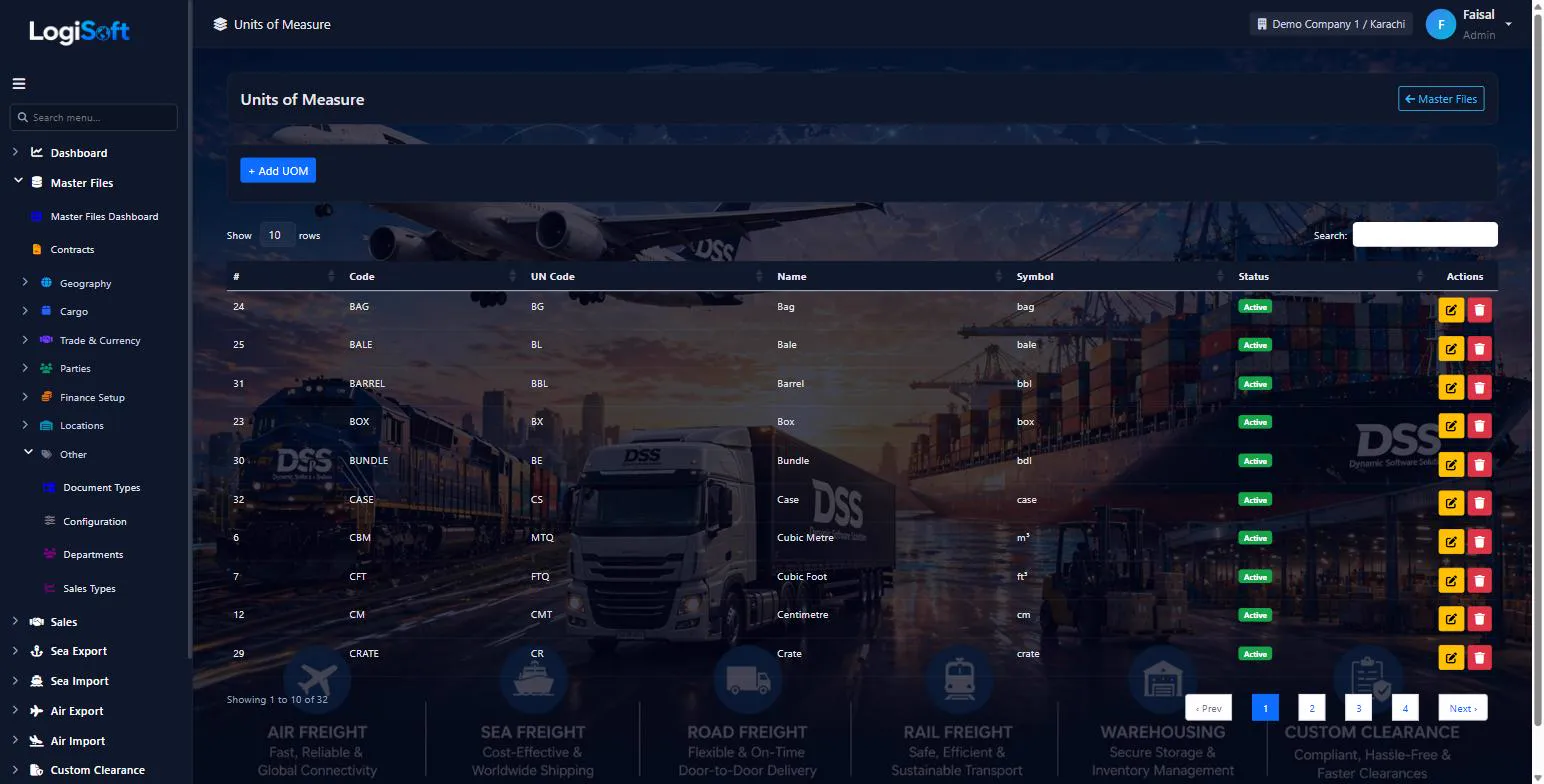
Units of Measure
?LogiSoft help
Units of Measure
PCS, KG, MT, CBM, LITER, etc. Used on commodities, bookings, charges.
Units of Measure (UoM) are the quantity units for cargo and charges. Pre-seeded with UN/CEFACT Rec 20 standard units (KG, MT, CBM, PCS, LTR, etc.).
Common tasks
- 1. + Add UoM
- 2. Enter Code + Name + Symbol
- 3. Save
The same help appears on this screen inside LogiSoft.
PCS, KG, MT, CBM, LITER, etc. Used on commodities, bookings, charges.
-
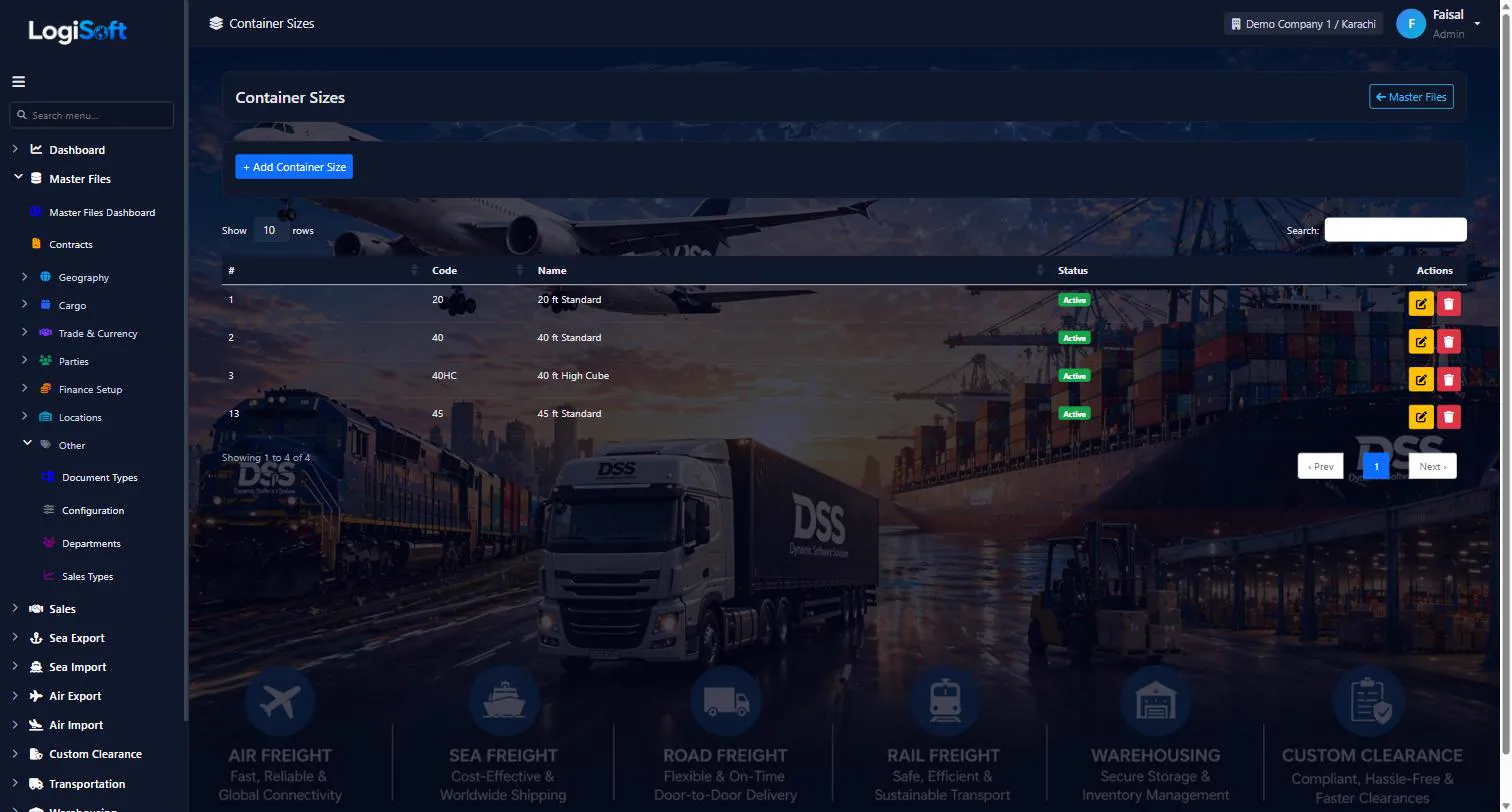
Container Sizes
?LogiSoft help
Container Sizes
4 standard sizes: 20, 40, 40HC, 45. Each has CbmCapacity (33/67/76/86) for booking auto-fill.
Container Sizes are the 4 canonical ISO container sizes. Each row has a CbmCapacity column (33 / 67 / 76 / 86) used to auto-fill the CBM column on Sea booking container lines. Override per booking if cargo doesn't fill the box.
Common tasks
- 1. Rarely edited — these 4 are the global standard
- 2. Adjust CbmCapacity if your container fleet has unusual variants
The same help appears on this screen inside LogiSoft.
4 standard sizes: 20, 40, 40HC, 45. Each has CbmCapacity (33/67/76/86) for booking auto-fill.
-
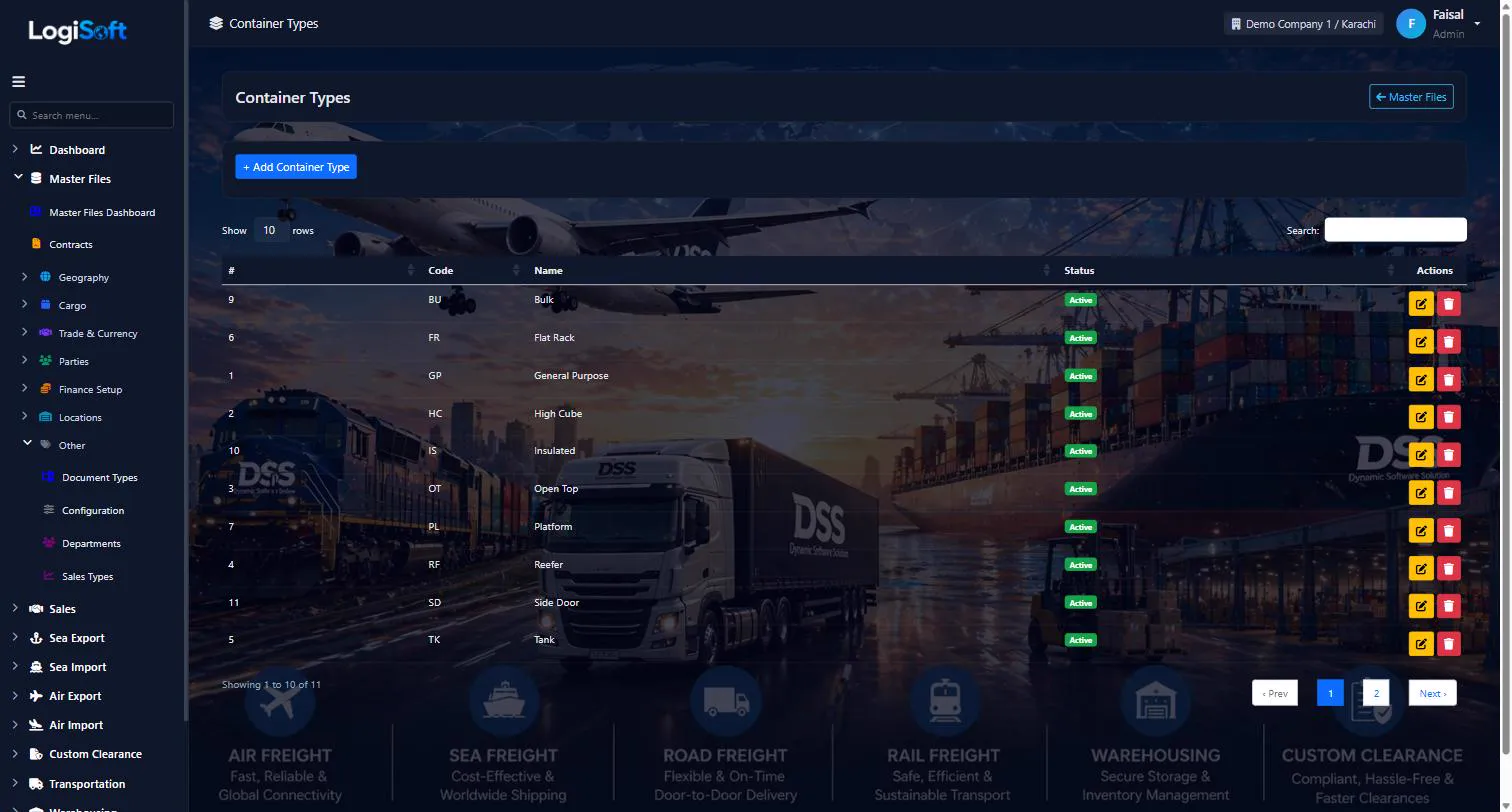
Container Types
?LogiSoft help
Container Types
GP, HC, OT (Open Top), RF (Reefer), TK (Tank), FR (Flat Rack), PL (Platform), VH (Ventilated), BU (Bulk), IS (Insulated), SD (Side Door).
Container Types classify containers by purpose / build. The orthogonal pair with Container Sizes — a specific container = Size × Type (e.g. 40HC + RF = 40-foot High Cube Reefer).
Common tasks
- 1. + Add Container Type only for unusual variants
- 2. Enter Code + Name
The same help appears on this screen inside LogiSoft.
GP, HC, OT (Open Top), RF (Reefer), TK (Tank), FR (Flat Rack), PL (Platform), VH (Ventilated), BU (Bulk), IS (Insulated), SD (Side Door).
-
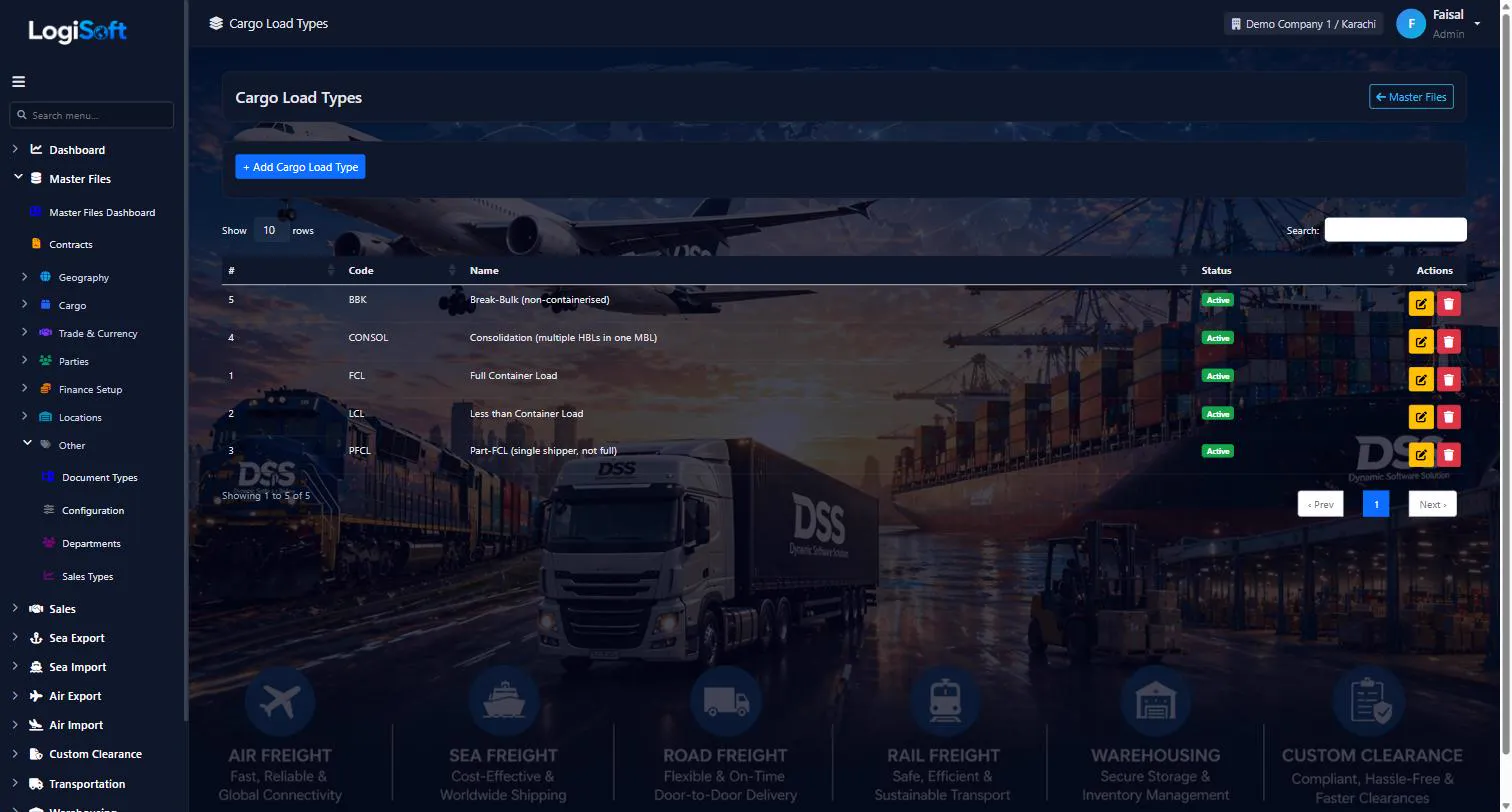
Cargo Load Types
?LogiSoft help
Cargo Load Types
Master list of cargo load types — FCL / LCL / Part-FCL / Consol / BBK.
Defines the Cargo Load Type picker shown on every shipment-bearing form:
- Customer Booking + Carrier Booking (12 variants)
- Sea Import MBL (Master B/L)
- Sea Import HBL (House B/L)
Standard codes (seeded)
| Code | Name |
|------|------|
| FCL | Full Container Load — single shipper fills the container |
| LCL | Less than Container Load — cargo too small, consolidated with others |
| PFCL | Part-FCL — single shipper, dedicated container, not full |
| CONSOL | Consolidation — MBL containing multiple LCL HBLs |
| BBK | Break-Bulk — non-containerised cargo (machinery, project cargo) |
Adding your own
Click + Add to register additional types (e.g. RoRo, Reefer-LCL). The code goes onto every shipment screen automatically.
The same help appears on this screen inside LogiSoft.
Master list of cargo load types — FCL / LCL / Part-FCL / Consol / BBK.
Finance
-
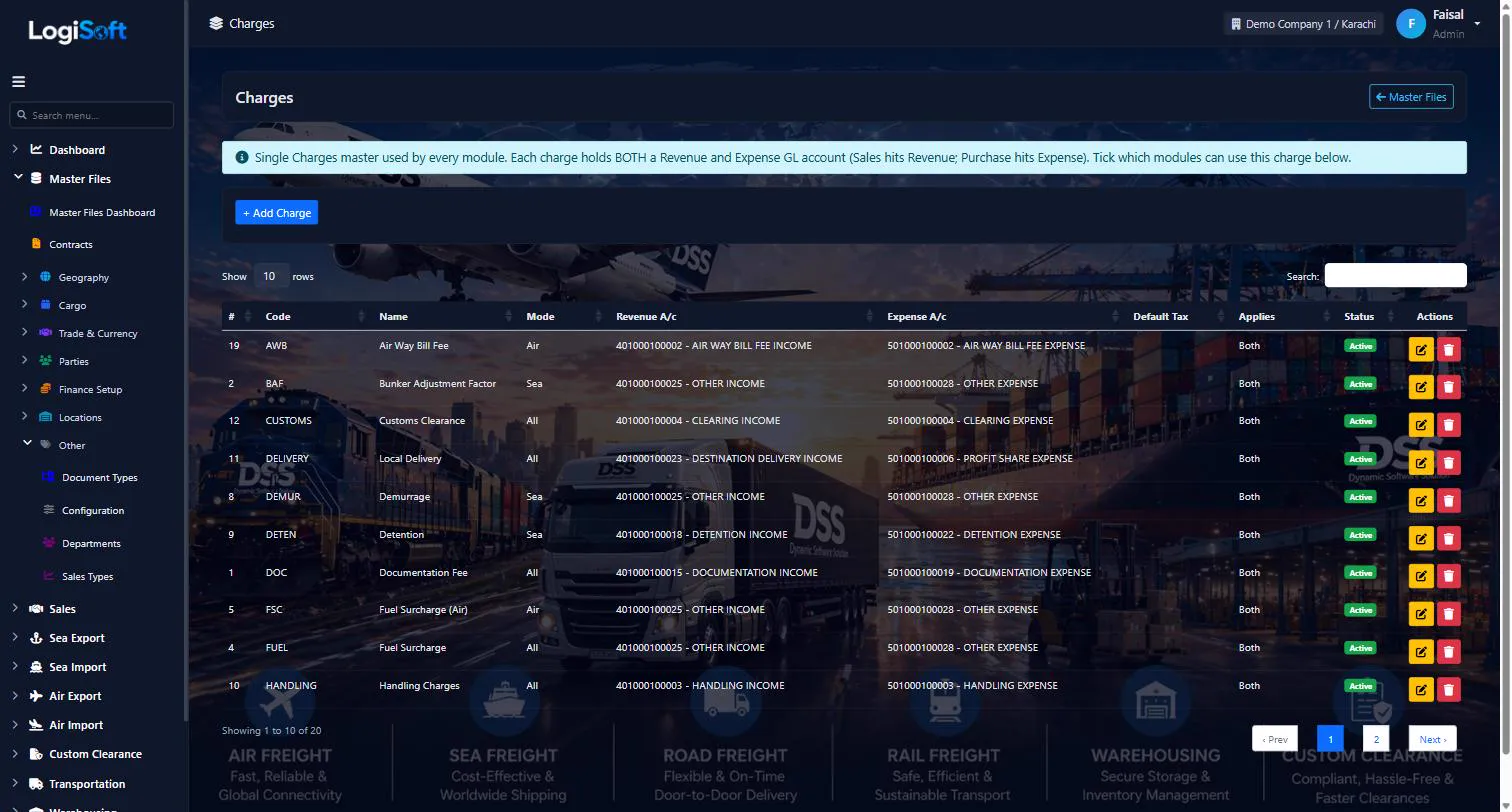
Charges
?LogiSoft help
Charges
Master list of charges that can appear on quotations, bookings, and invoices (Ocean Freight, BAF, THC, Doc Fee, etc.).
Charges is the master list of fees. Each Charge has:
- Code + Name + Default Description
- Mode (Sea / Air / Land / All)
- Revenue Account + Expense Account (Chart of Accounts FKs — auto-routes invoice/cost postings)
- Default Tax (auto-applies tax when used)
- AppliesTo (Sales / Purchase / Both)
Read [Charges + Taxes + Invoice numbering design](/Configuration/Index) for the full design.
Common tasks
- 1. + Add Charge, enter Code + Name + Mode
- 2. Pick Revenue Account + Expense Account
- 3. Pick Default Tax (optional)
- 4. Save
The same help appears on this screen inside LogiSoft.
Master list of charges that can appear on quotations, bookings, and invoices (Ocean Freight, BAF, THC, Doc Fee, etc.).
-
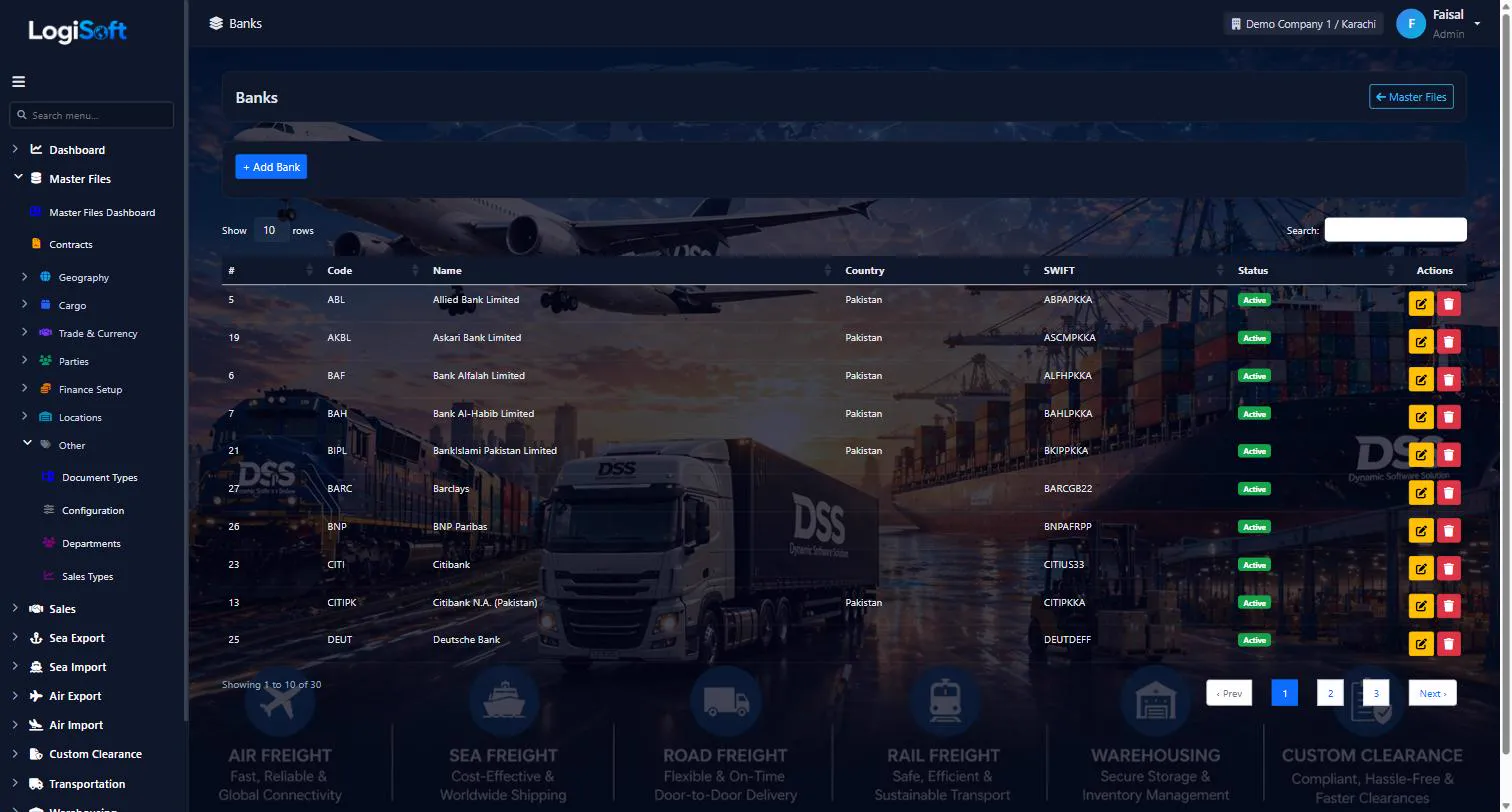
Banks
?LogiSoft help
Banks
Bank accounts attached to Parties — for AR receipts (customer accounts) and AP payments (vendor accounts).
Banks stores bank-account details linked to Parties. One Party can have multiple bank accounts (USD account + PKR account at different banks); flag one as Default for AR/AP postings.
Fields per account: Bank Name, Branch Name, Account Title, Account Number, IBAN, SWIFT Code, Currency.
Common tasks
- 1. Open the Party first
- 2. Bank Accounts tab → + Add Bank
- 3. Enter details, tick Is Default if this is the primary account
- 4. Save
The same help appears on this screen inside LogiSoft.
Bank accounts attached to Parties — for AR receipts (customer accounts) and AP payments (vendor accounts).
-
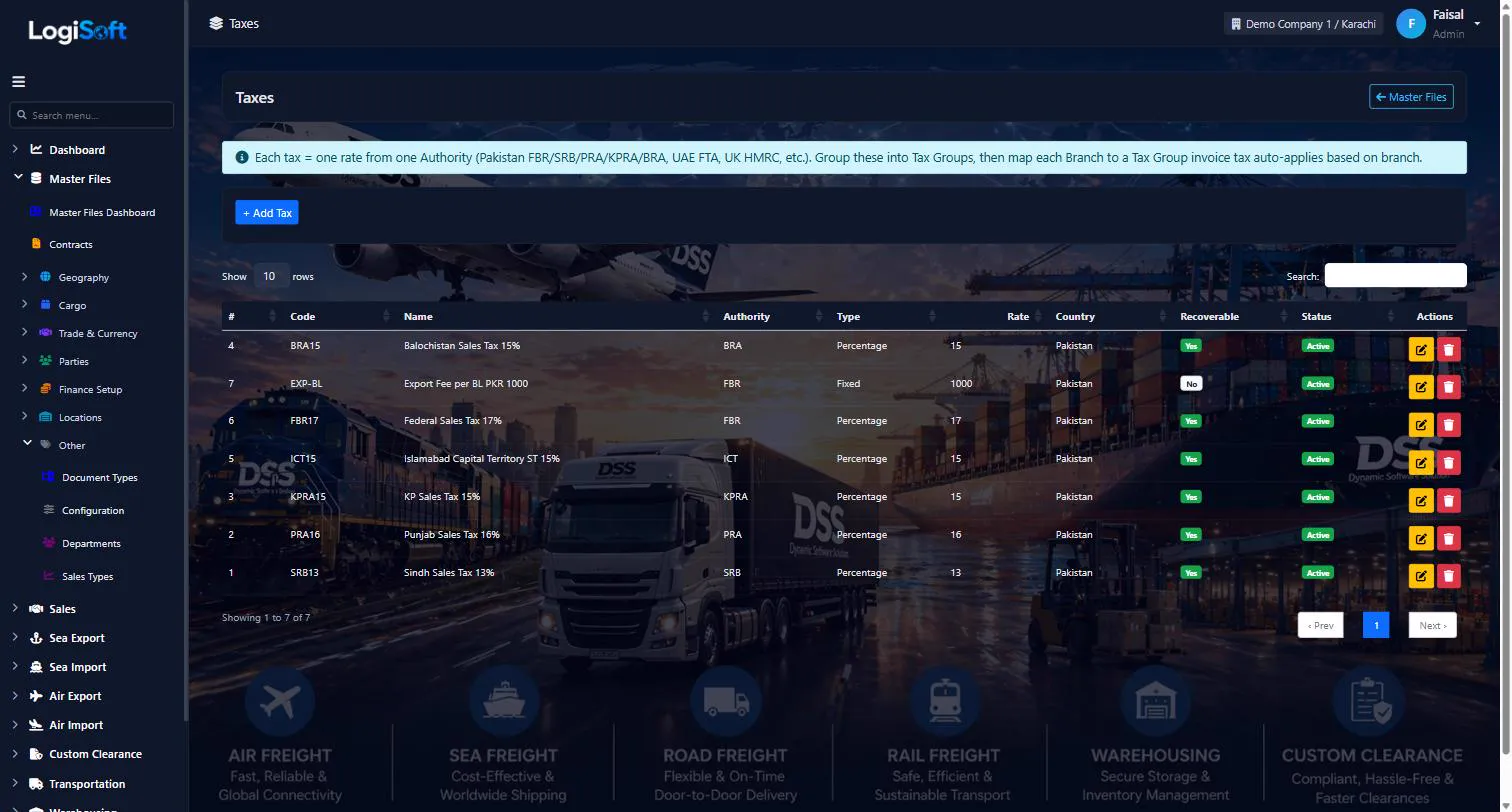
Taxes
?LogiSoft help
Taxes
Tax rates (GST 18%, VAT 5%, etc.) with output/input GL accounts.
Taxes stores per-jurisdiction tax rates. Each Tax has Code, Name, Authority (FBR / SRB / PRA / FTA / IRS / etc.), Type (Percentage / Fixed), Rate, Country, OutputAccount (Tax Payable when WE charge), InputAccount (Tax Recoverable when supplier charges US).
Common tasks
- 1. + Add Tax, enter Code + Name + Authority + Rate
- 2. Pick Output and Input GL accounts
- 3. Save
The same help appears on this screen inside LogiSoft.
Tax rates (GST 18%, VAT 5%, etc.) with output/input GL accounts.
-
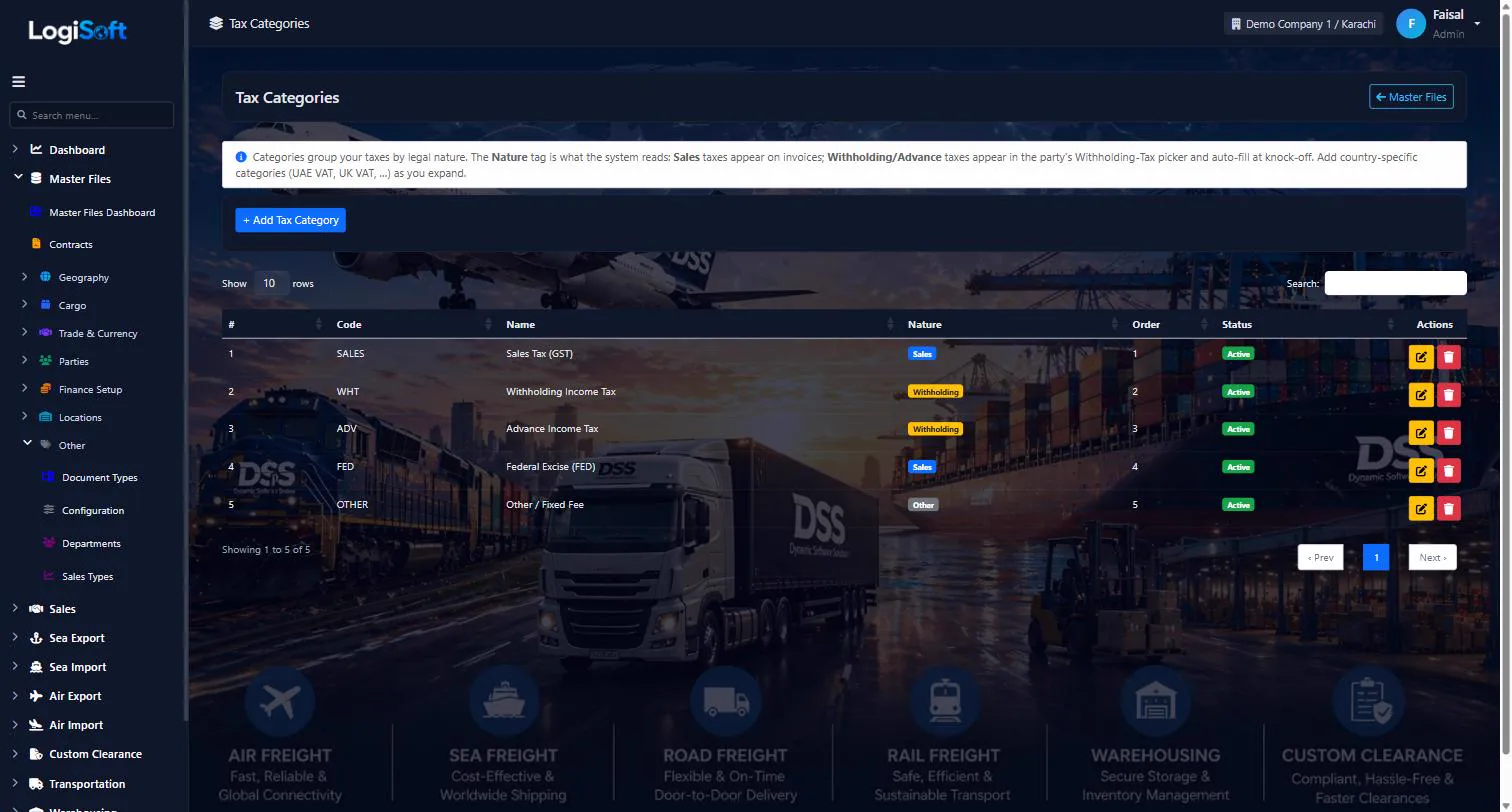
Tax Categories
Part of the Master Files module.
-
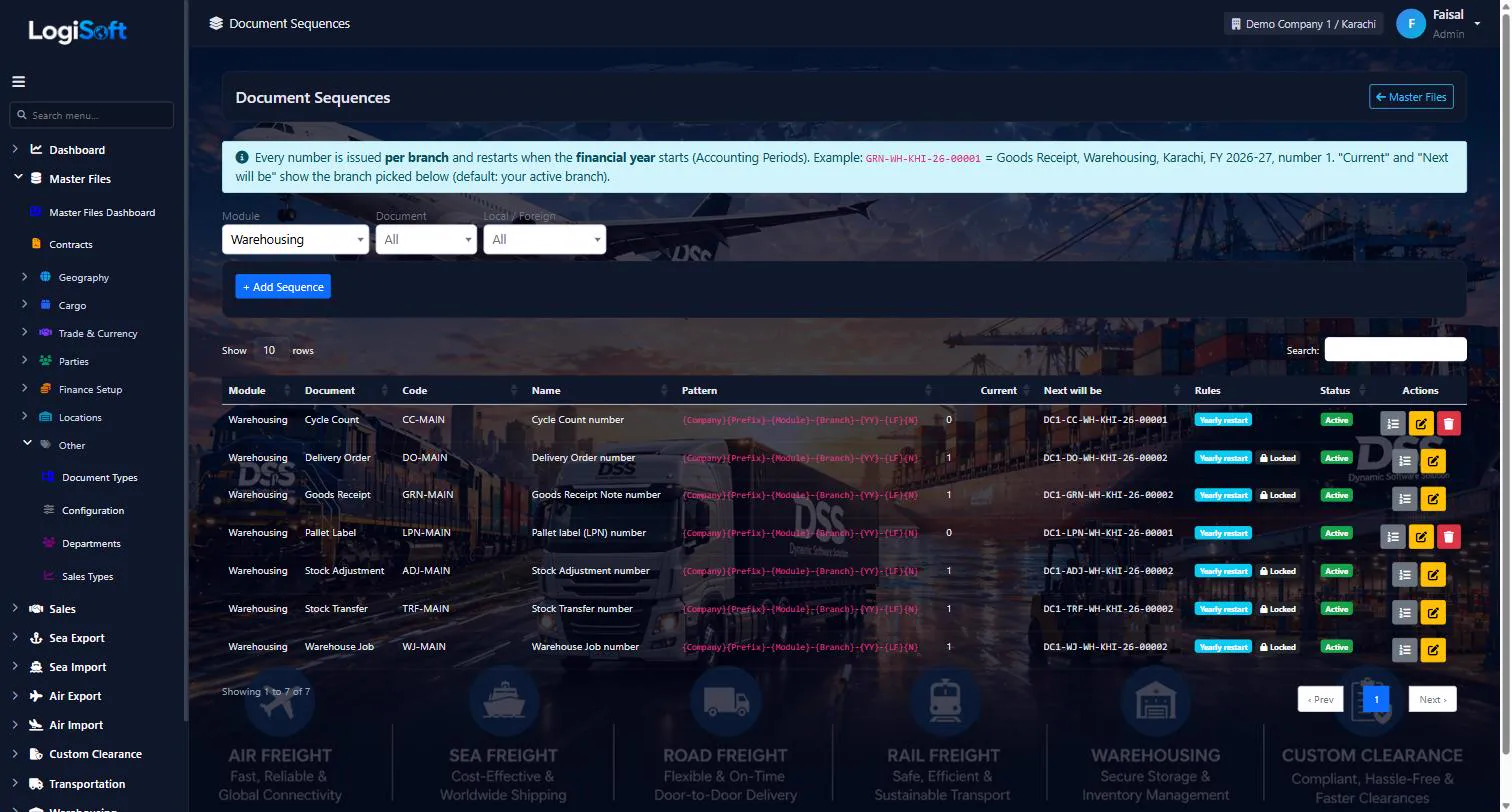
Document Sequences
?LogiSoft help
Document Sequences
How every document number is built - per branch, per financial year, per module.
Document Sequences make every document number in LogiSoft (Leads, Quotations, Bookings, Sea Import jobs, invoices, tax invoices, GRN, DO, transfers ...).
- Per branch - each branch counts on its own; the branch code is part of the number.
- Per financial year - with Reset each year ticked the counter restarts at the start of the year set in Finance > Accounting Periods; {YY} is the year the financial year starts.
- Pattern - builds the number from parts: {Company}{Prefix}-{Module}-{Branch}-{YY}-{LF}{N}. {Company} appears only when more than one company is active.
- Local / Foreign - optional separate counters (L- / F-).
- Counters button - shows each branch / year counter; it can only be moved forward.
- Released numbers - when a document moves to another branch or year its old number is released and, if allowed, re-used.
- Locked - once a document has been numbered, the format fields are read-only and the series cannot be deleted.
- Tax invoice series (TAX-INV, TAX-CN) are shared by all modules of a branch and are issued only when an invoice is posted with tax.
- Print Name is the heading printed on the document; the Screen Name is what screens show.
The same help appears on this screen inside LogiSoft.
How every document number is built - per branch, per financial year, per module.
-
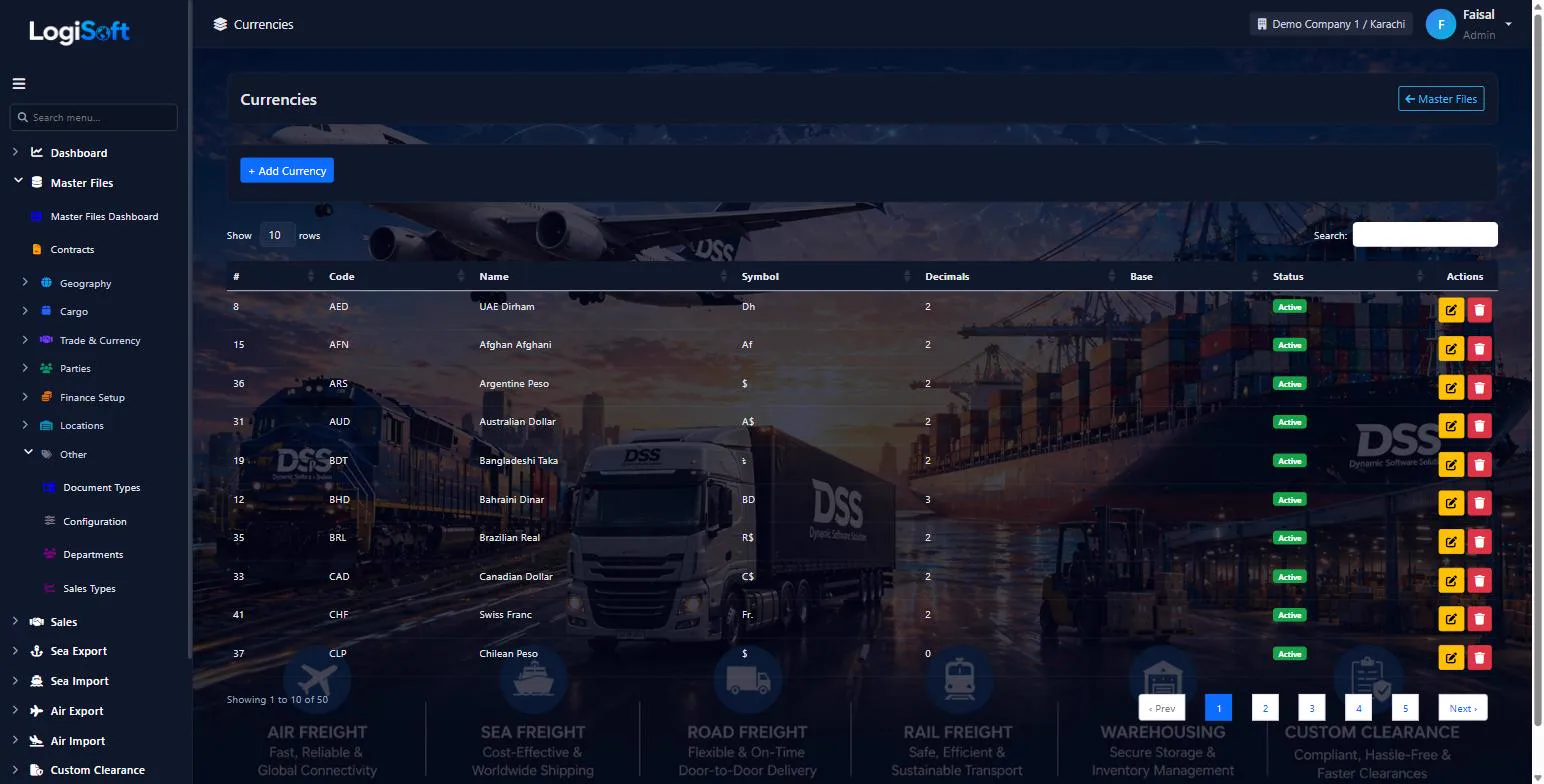
Currencies
?LogiSoft help
Currencies
ISO 4217 currencies with code (USD, PKR, EUR…). Pre-seeded.
Currencies is the master currency list using ISO 4217 codes. Used by every monetary field in the system (rates, charges, invoices). PKR is the system base currency by default.
Common tasks
- 1. Pre-seeded with all ISO currencies
- 2. Edit symbol or active flag if needed
- 3. Refresh exchange rates via Import Master Files → Exchange Rates
The same help appears on this screen inside LogiSoft.
ISO 4217 currencies with code (USD, PKR, EUR…). Pre-seeded.
-
Exchange Rates
?LogiSoft help
Exchange Rates
Daily FX rates relative to base currency. Auto-fetched at 02:00 UTC; usable for invoice conversion.
Exchange Rates stores FX rates per (from-currency, to-base, date). The Daily Exchange Rate Job pulls rates at 02:00 UTC from fawazahmed0 currency-api (free, no key). Manual refresh via Import Master Files button.
Common tasks
- 1. Most data auto-fetched daily — no manual entry usually
- 2. Manual override: + Add rate, pick currency, enter rate, date
The same help appears on this screen inside LogiSoft.
Daily FX rates relative to base currency. Auto-fetched at 02:00 UTC; usable for invoice conversion.
-
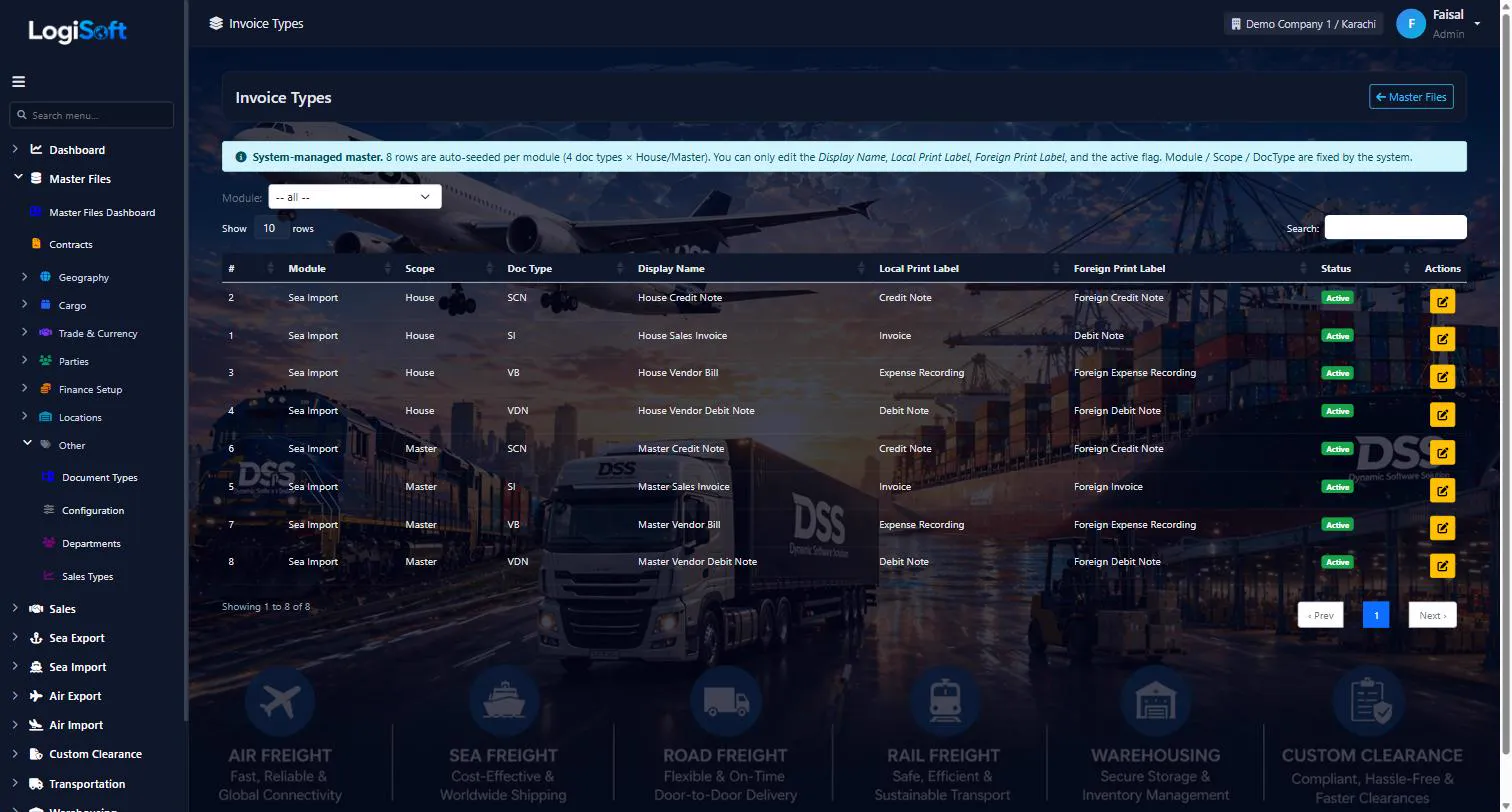
Invoice Types
?LogiSoft help
Invoice Types
Per-module display labels for the 8 invoice scope × document-type combos.
Configures the 8 invoice types per module (4 document types × 2 scopes).
You cannot add or delete rows — they are system-managed structure.
You can edit:
- Display Name — appears in menus and screen titles.
- Local Print Label — printed on PDF when invoice currency = branch currency.
- Foreign Print Label — printed when invoice currency ≠ branch currency.
Print label resolution
Three-level priority at print time:
- Invoice has tax lines + Branch.TaxGroup.PrintTitle is set → use that ("Sindh Sales Tax Invoice", etc.)
- Per-invoice override (if filled by the operator)
- Local/Foreign Print Label from this master
Accounting impact
Each row also shows a read-only Accounting Explanation describing what the type does in financial terms — defines whether it increases AR / AP and whether it books or reverses revenue / expense.
The same help appears on this screen inside LogiSoft.
Per-module display labels for the 8 invoice scope × document-type combos.
Settings
-
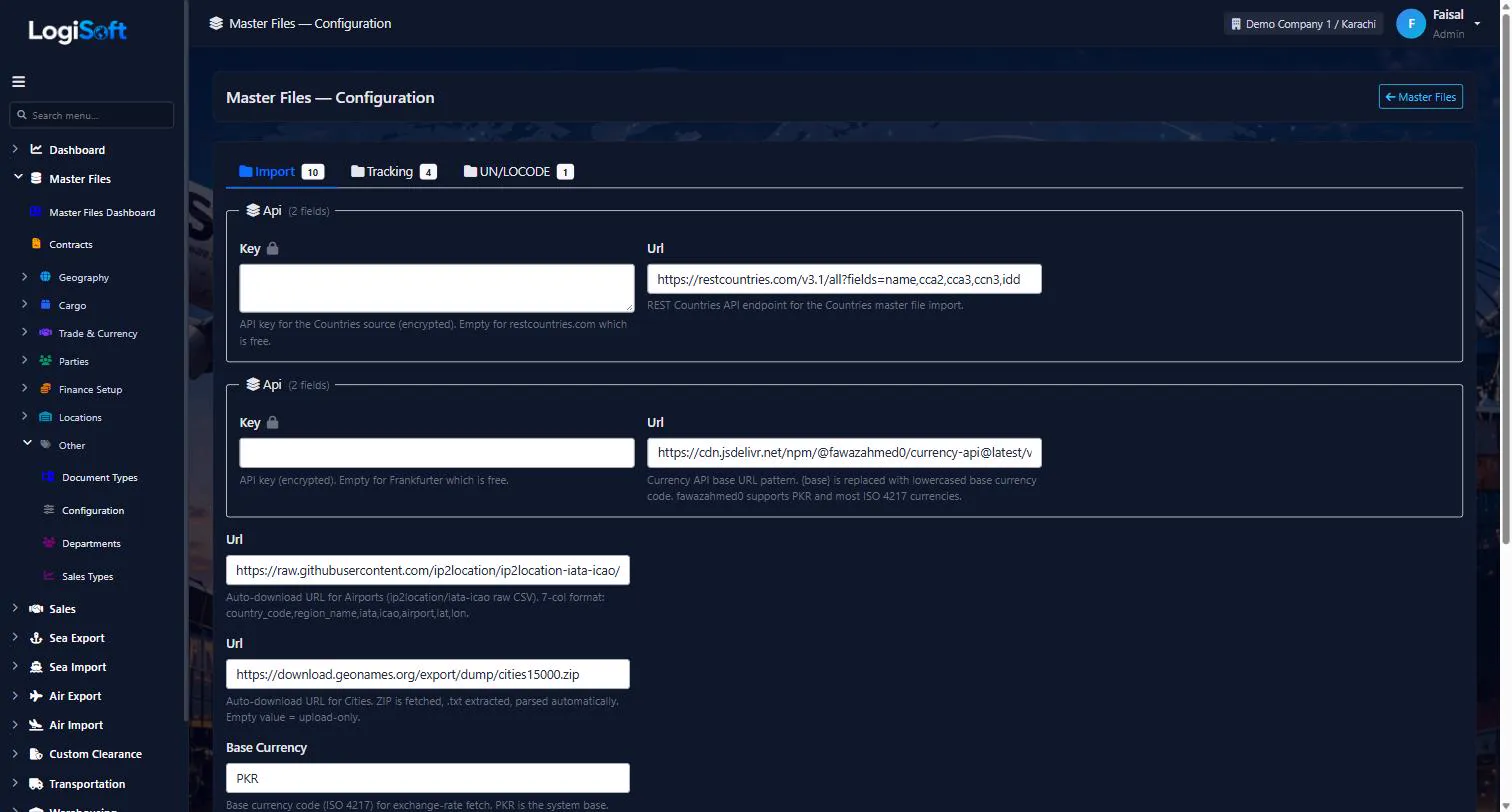
Configuration
Part of the Master Files module.
Sea
-
Sea Ports
?LogiSoft help
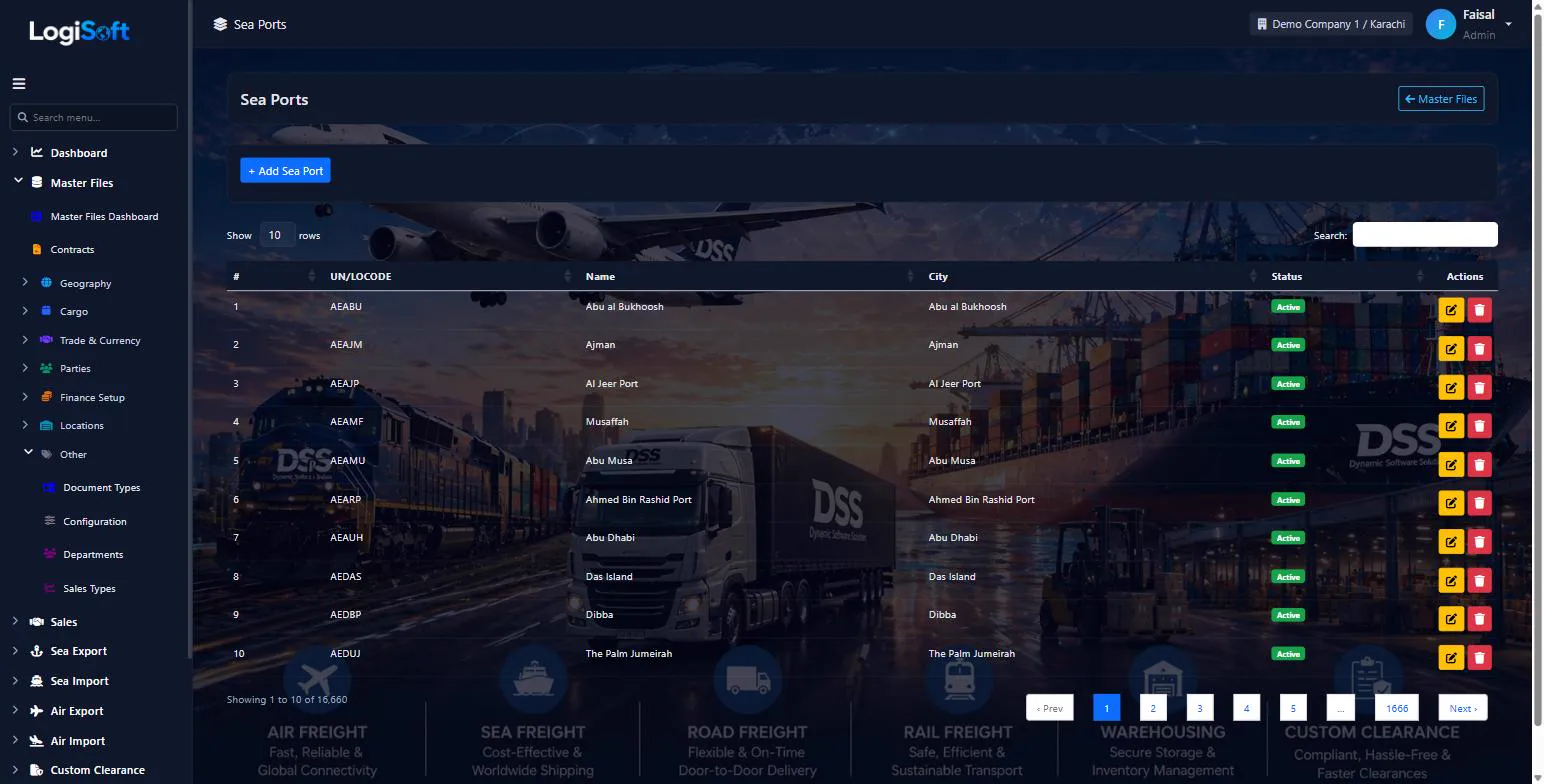
Sea Ports
17,500+ sea ports from UN/LOCODE. Used as Origin/Destination on Sea bookings, BLs, Manifests.
Sea Ports is the master port list, seeded from UN/LOCODE. Each port has a 5-character code (e.g. PKKHI = Karachi), name, and parent City.
Common tasks
- 1. Auto-imported via Import Master Files → UN/LOCODE
- 2. Search by code or name (e.g. "KHI", "Karachi")
- 3. Manual add rare — but supported
The same help appears on this screen inside LogiSoft.
17,500+ sea ports from UN/LOCODE. Used as Origin/Destination on Sea bookings, BLs, Manifests.
-
Vessels
?LogiSoft help
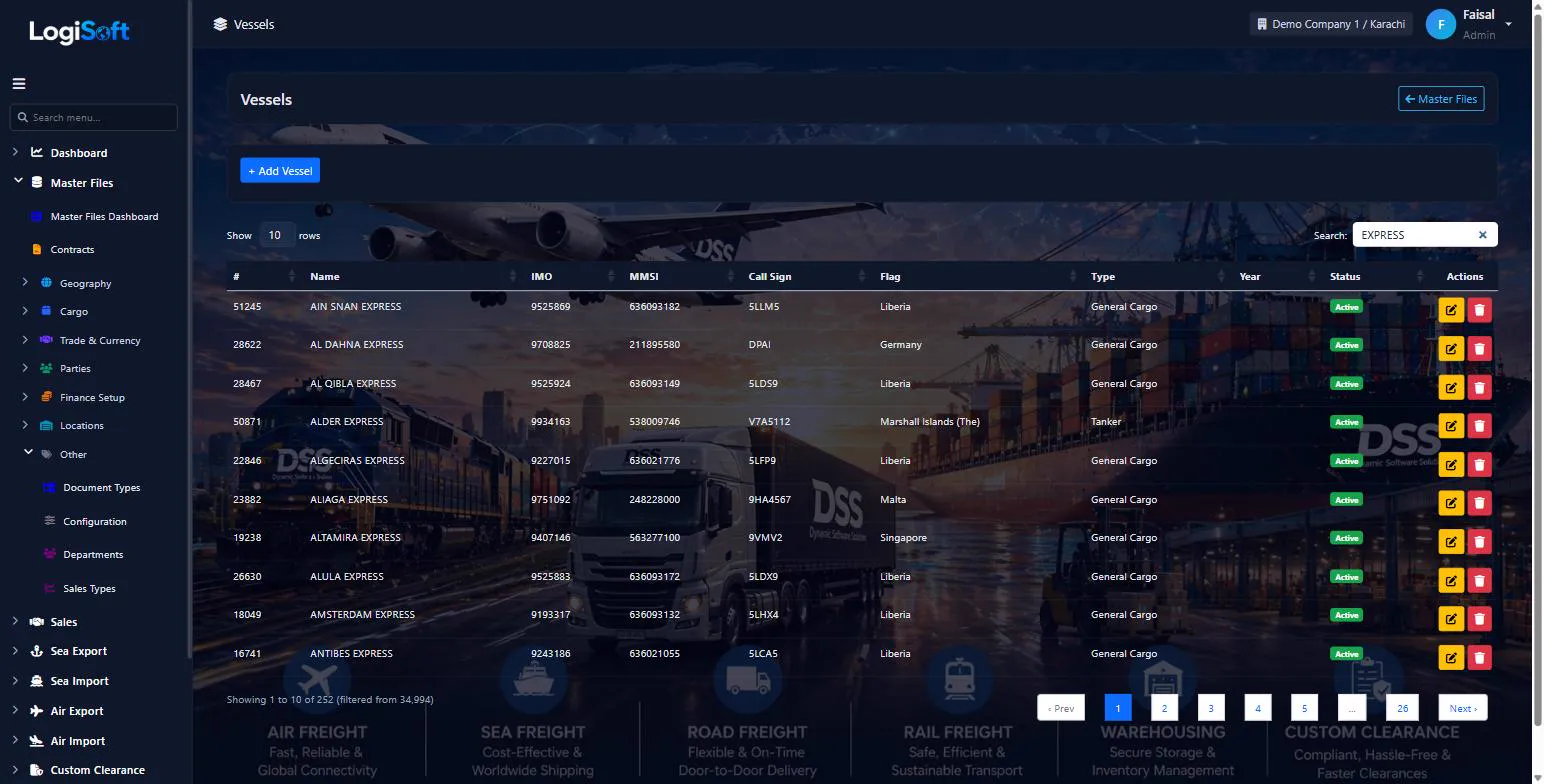
Vessels
Ship master with IMO, MMSI, callsign, flag country, gross tonnage. Auto-fed from AISStream when enabled.
Vessels is the master ship list. Each vessel has an IMO (7-digit International Maritime Organization number — globally unique), MMSI (radio call), CallSign, FlagCountryId, VesselTypeId, GrossTonnage. Used on Sea bookings + BLs.
When AISStream tracking is enabled (Module Settings), vessels broadcasting via AIS are auto-imported with up-to-date positions.
Common tasks
- 1. + Add Vessel
- 2. Enter IMO (most important — 7 digits)
- 3. Name, Flag Country, Vessel Type
- 4. Save
The same help appears on this screen inside LogiSoft.
Ship master with IMO, MMSI, callsign, flag country, gross tonnage. Auto-fed from AISStream when enabled.
-
Vessel Types
?LogiSoft help
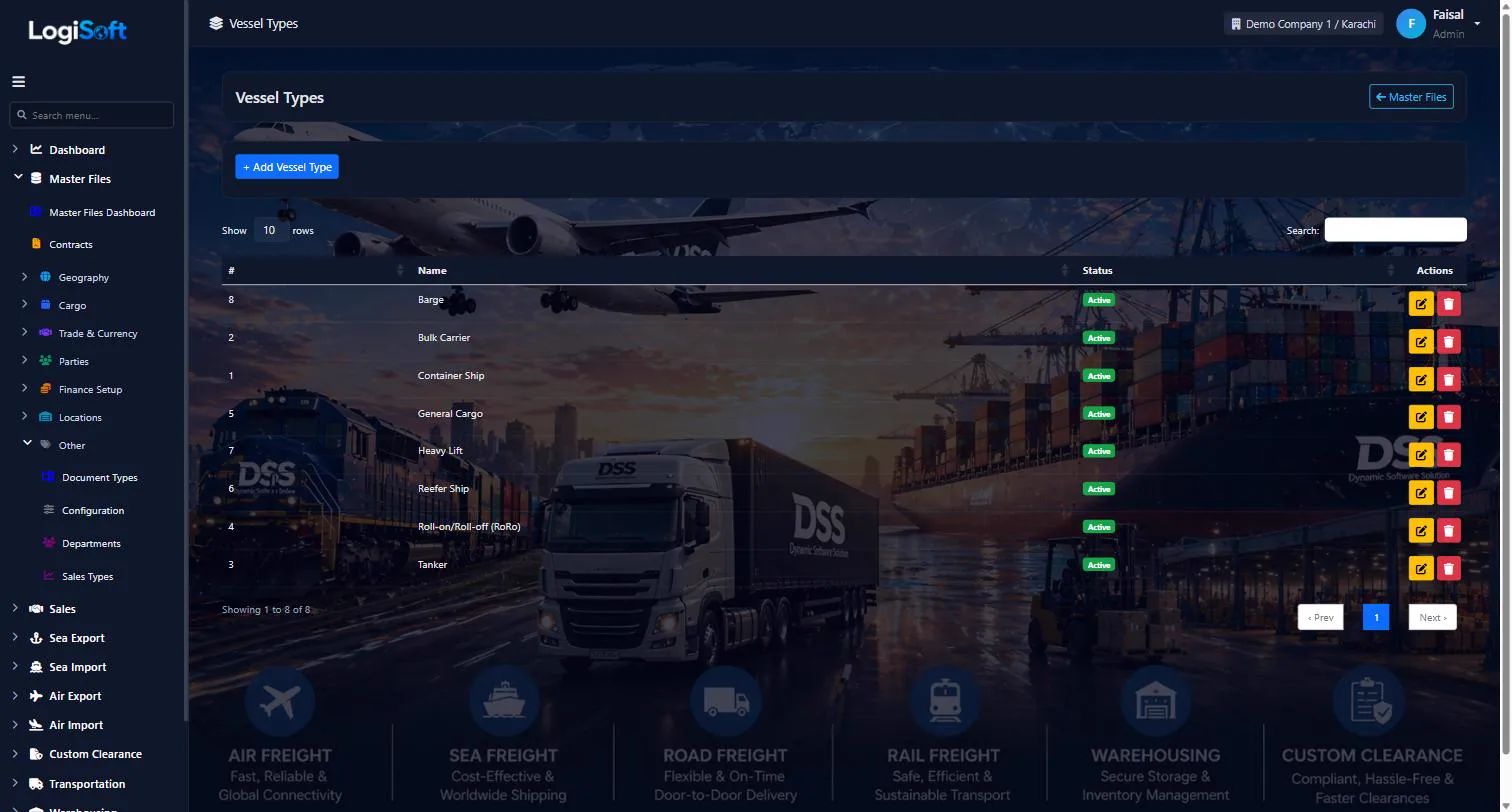
Vessel Types
Container, Bulk Carrier, Tanker, Reefer, RoRo, etc.
Vessel Types classify ships by purpose. Pre-seeded with standard categories.
Common tasks
- 1. + Add Vessel Type if needed
- 2. Enter Name (e.g. "Container Ship")
The same help appears on this screen inside LogiSoft.
Container, Bulk Carrier, Tanker, Reefer, RoRo, etc.
Air
-
Airports
?LogiSoft help
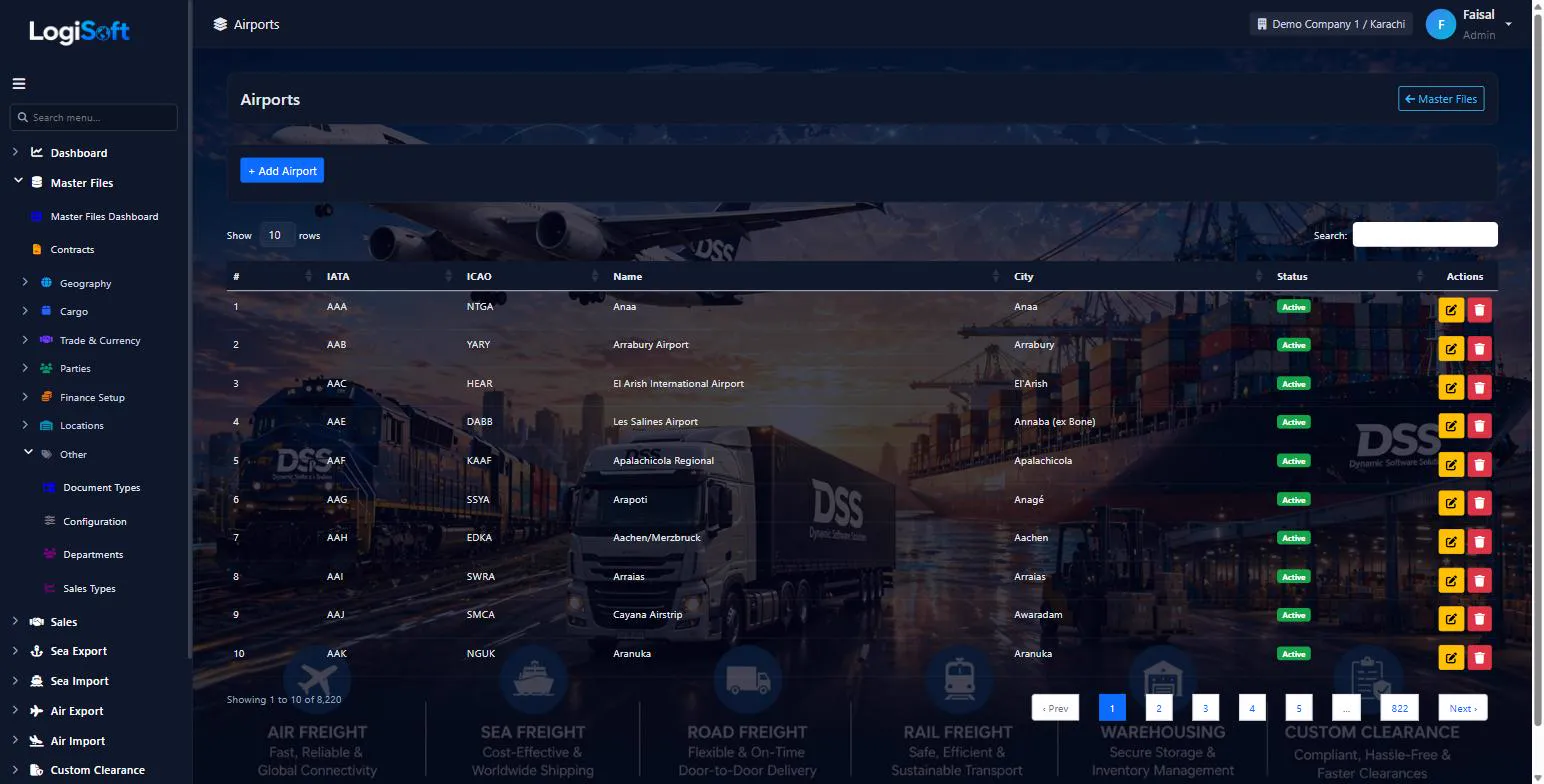
Air Ports
9,000+ commercial airports with IATA + ICAO codes. Used as Origin/Destination on Air bookings.
Air Ports is the master airport list, seeded from lxndrblz/Airports (commercial airports only — every entry has a valid IATA 3-letter code). Each airport has IATA code (e.g. KHI, DXB), ICAO 4-letter code, name, parent City.
Common tasks
- 1. Auto-imported via Import Master Files → UN/LOCODE step 5 (AirPorts)
- 2. Search by IATA code or name
- 3. Manual add for niche airports
The same help appears on this screen inside LogiSoft.
9,000+ commercial airports with IATA + ICAO codes. Used as Origin/Destination on Air bookings.
Locations
-
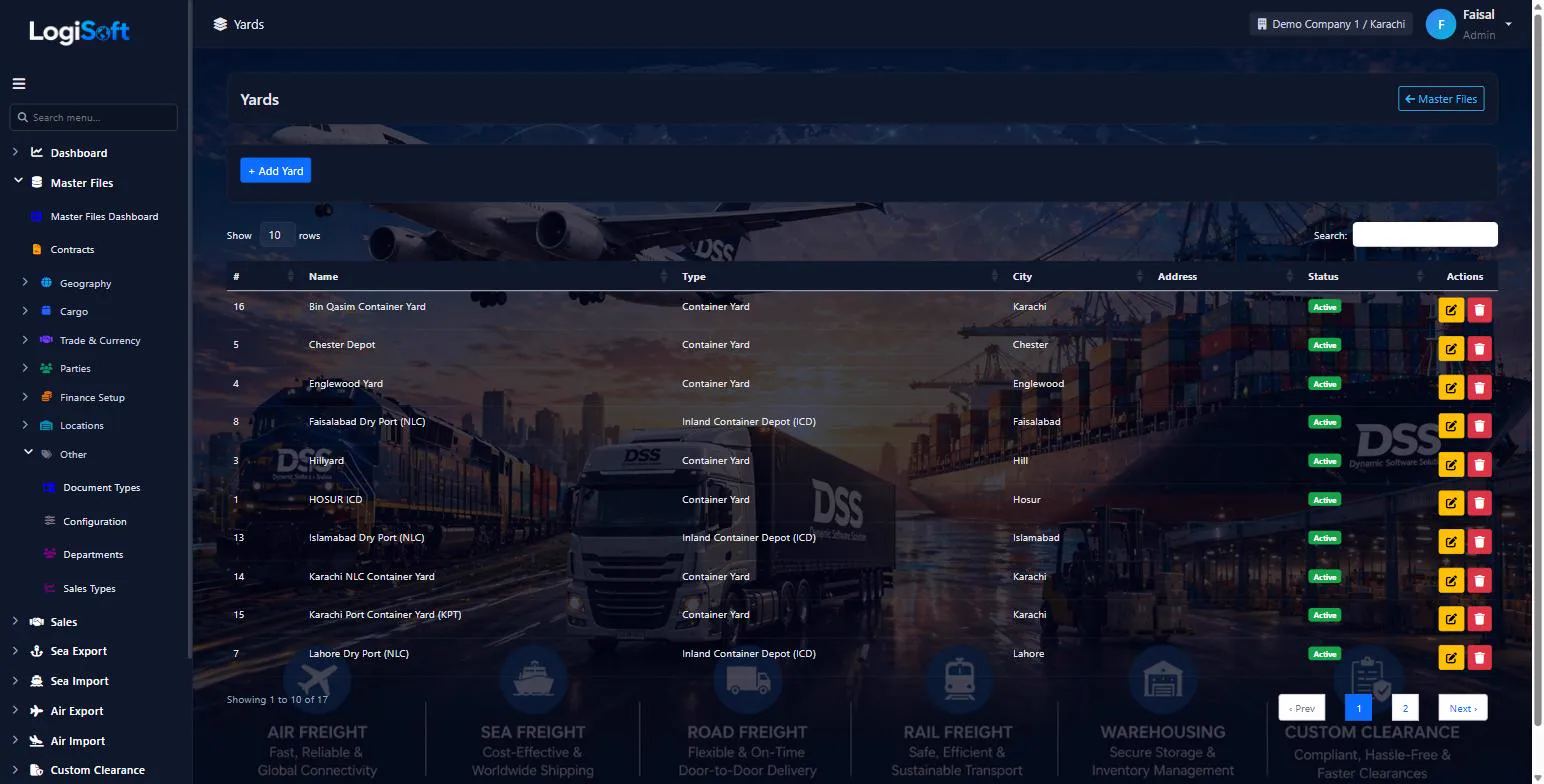
Yards
?LogiSoft help
Yards / Container Yards
Off-dock yards where containers are stored, stuffed, or repaired.
Yards are container yards / depots / ICDs near ports. Used in Sea bookings for stuffing/destuffing, repositioning, and storage.
Common tasks
- 1. + Add Yard, pick Type + City + Address
The same help appears on this screen inside LogiSoft.
Off-dock yards where containers are stored, stuffed, or repaired.
-
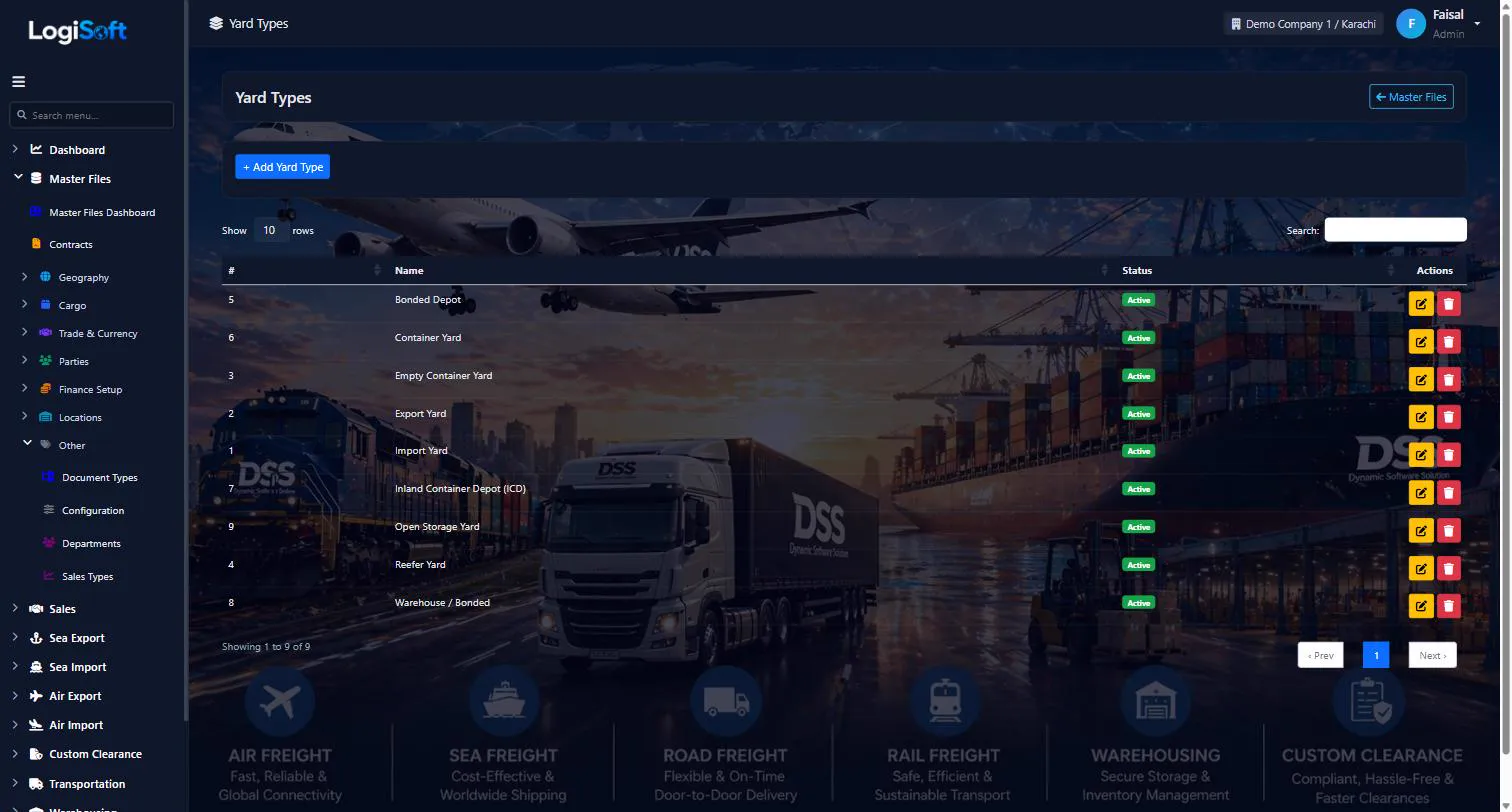
Yard Types
?LogiSoft help
Yard Types
CY (Container Yard), CFS (Container Freight Station), ICD (Inland Container Depot), Bonded, Empty depot.
Yard Types classify yards. Pre-seeded with standard categories.
Common tasks
- 1. + Add Yard Type if needed
The same help appears on this screen inside LogiSoft.
CY (Container Yard), CFS (Container Freight Station), ICD (Inland Container Depot), Bonded, Empty depot.
-
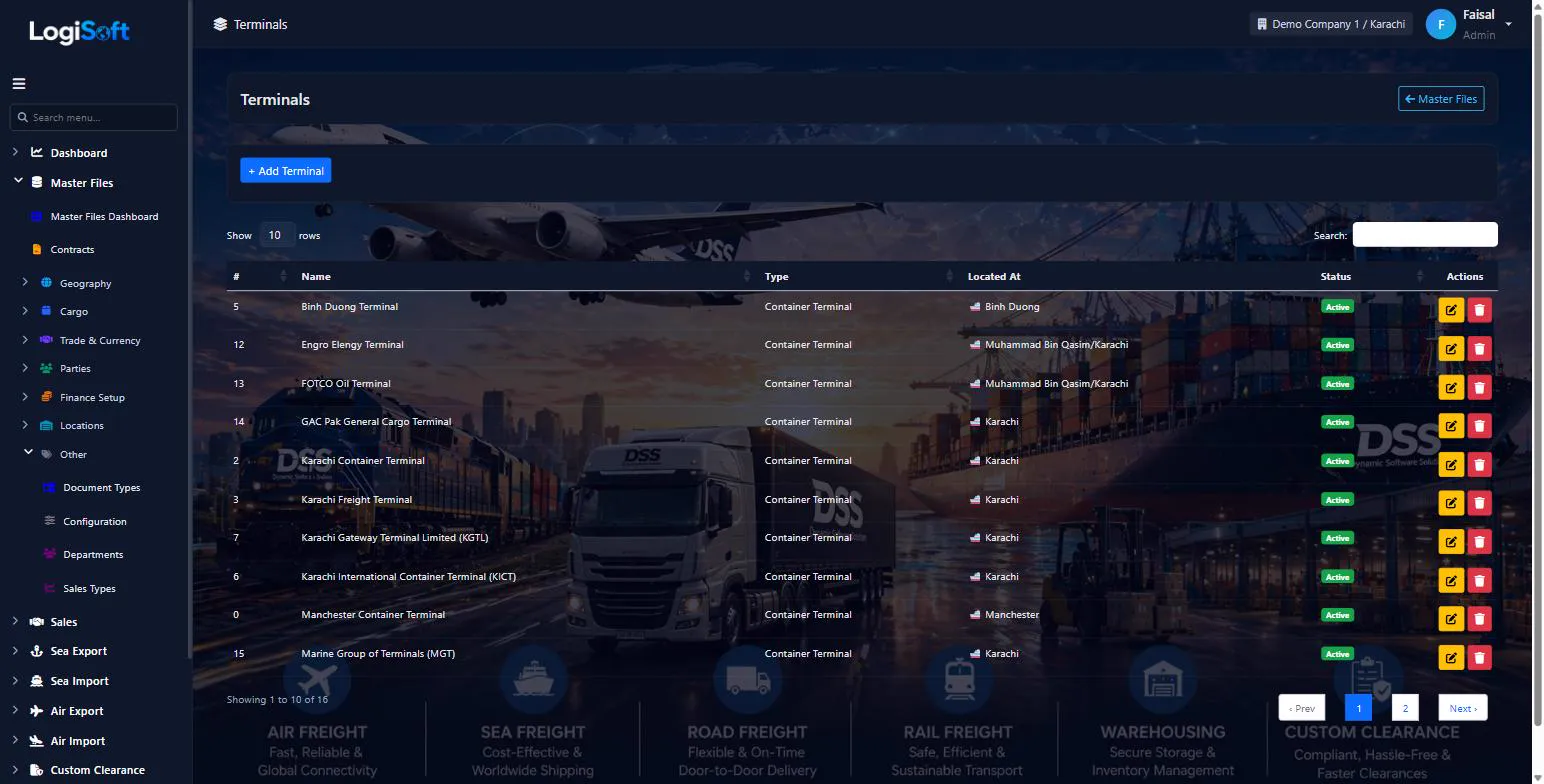
Terminals
?LogiSoft help
Terminals
Operational terminals at ports/airports — gate codes, address, capacity.
Terminals are the operational facilities inside a Sea Port or Air Port (e.g. KICT, QICT at Karachi Port; DBI Terminal at Karachi Airport). Used on bookings for cargo cut-off / VGM cut-off / pickup info.
Common tasks
- 1. + Add Terminal
- 2. Pick Sea/Air Port, Type, enter Code + Name
- 3. Save
The same help appears on this screen inside LogiSoft.
Operational terminals at ports/airports — gate codes, address, capacity.
-
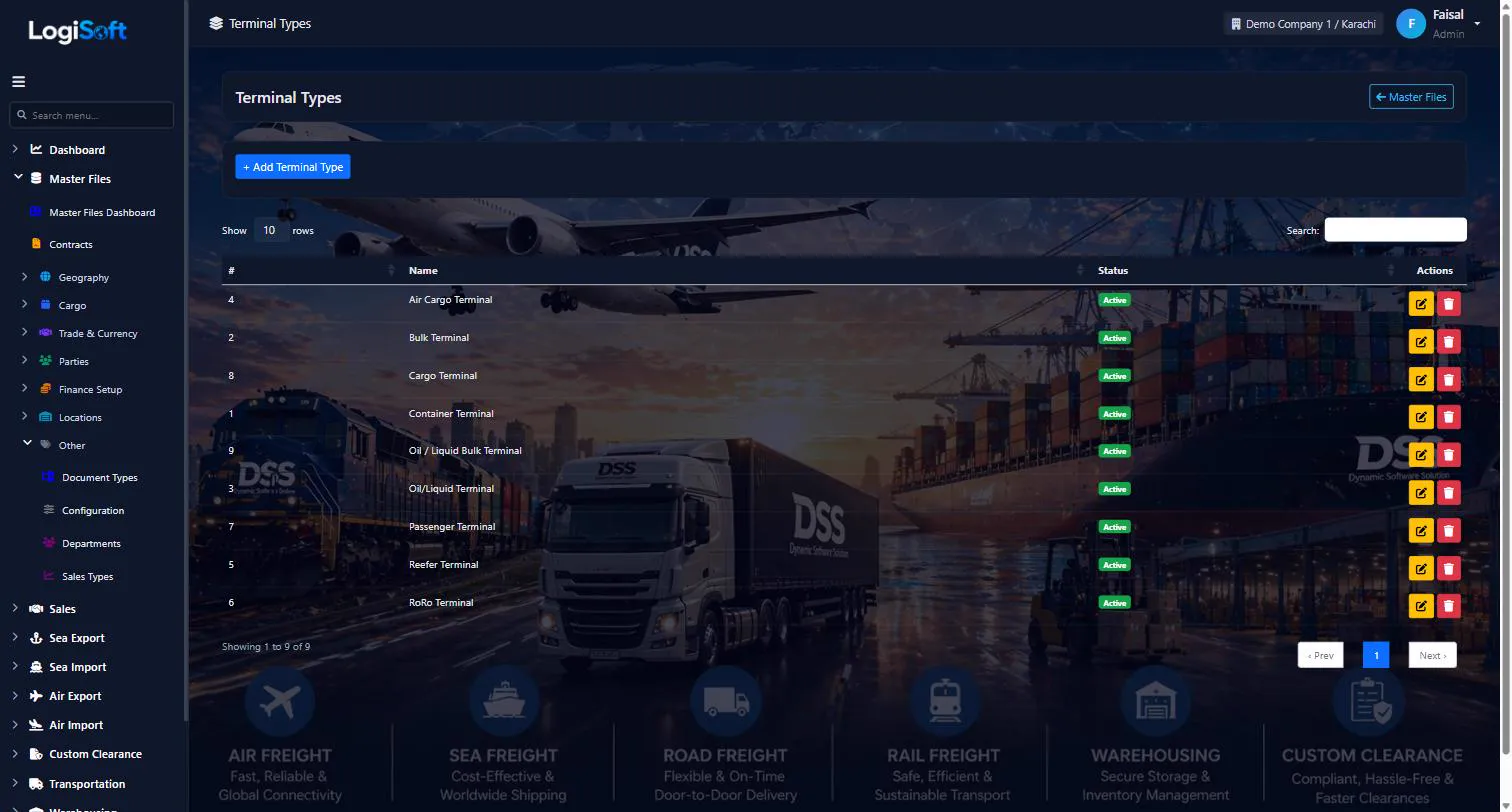
Terminal Types
?LogiSoft help
Terminal Types
Sea container terminal, Bulk terminal, Air cargo terminal, Passenger terminal, etc.
Terminal Types classify terminals by purpose.
Common tasks
- 1. + Add Terminal Type if needed
The same help appears on this screen inside LogiSoft.
Sea container terminal, Bulk terminal, Air cargo terminal, Passenger terminal, etc.
Network
-
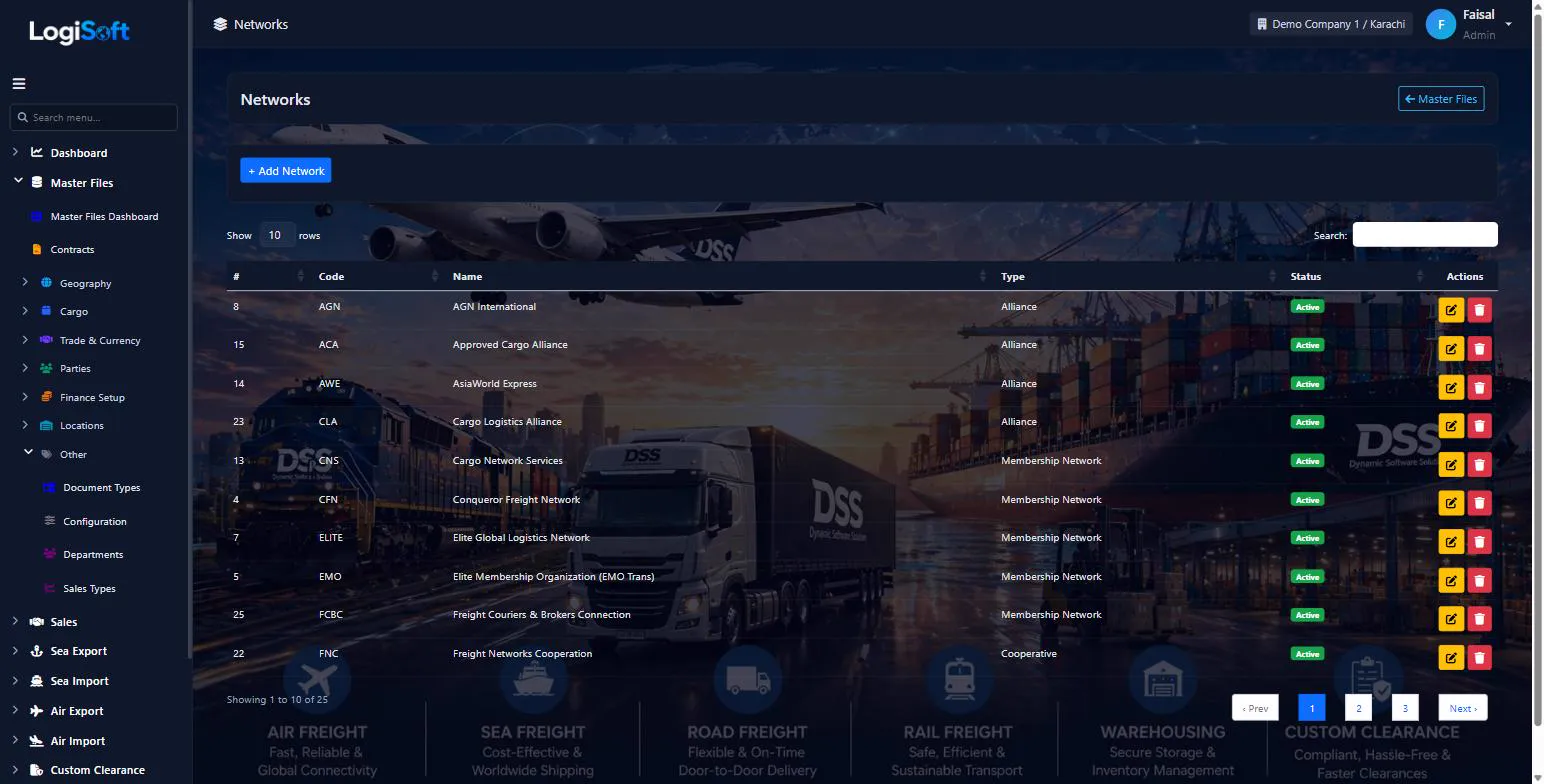
Networks
?LogiSoft help
Network Agents
Overseas agents/partners you work with. Used for HBL routing, agent billing, and consol trade.
Networks are your overseas agent partners — companies in other countries you trust to handle the destination side of an export shipment (or origin side of an import). Used for cross-border consolidation, HBL handling, agent billing.
Common tasks
- 1. + Add Network, pick Country + Type, enter contact details
- 2. Save
The same help appears on this screen inside LogiSoft.
Overseas agents/partners you work with. Used for HBL routing, agent billing, and consol trade.
-
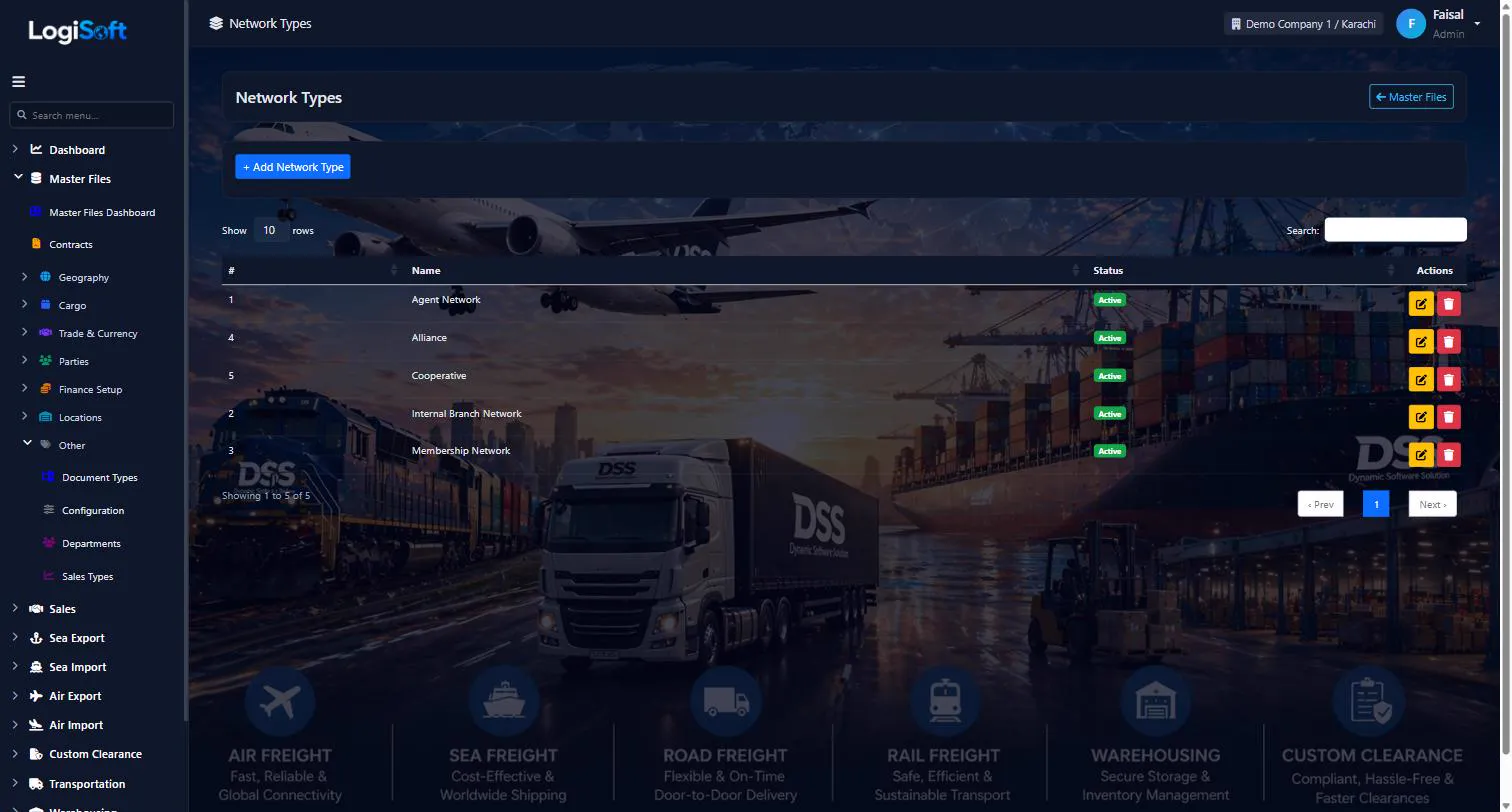
Network Types
?LogiSoft help
Network Types
Owned office / Affiliate / WCA member / Independent agent / etc.
Network Types classify your relationship with overseas partners.
Common tasks
- 1. + Add Network Type if needed
The same help appears on this screen inside LogiSoft.
Owned office / Affiliate / WCA member / Independent agent / etc.
Organization
-
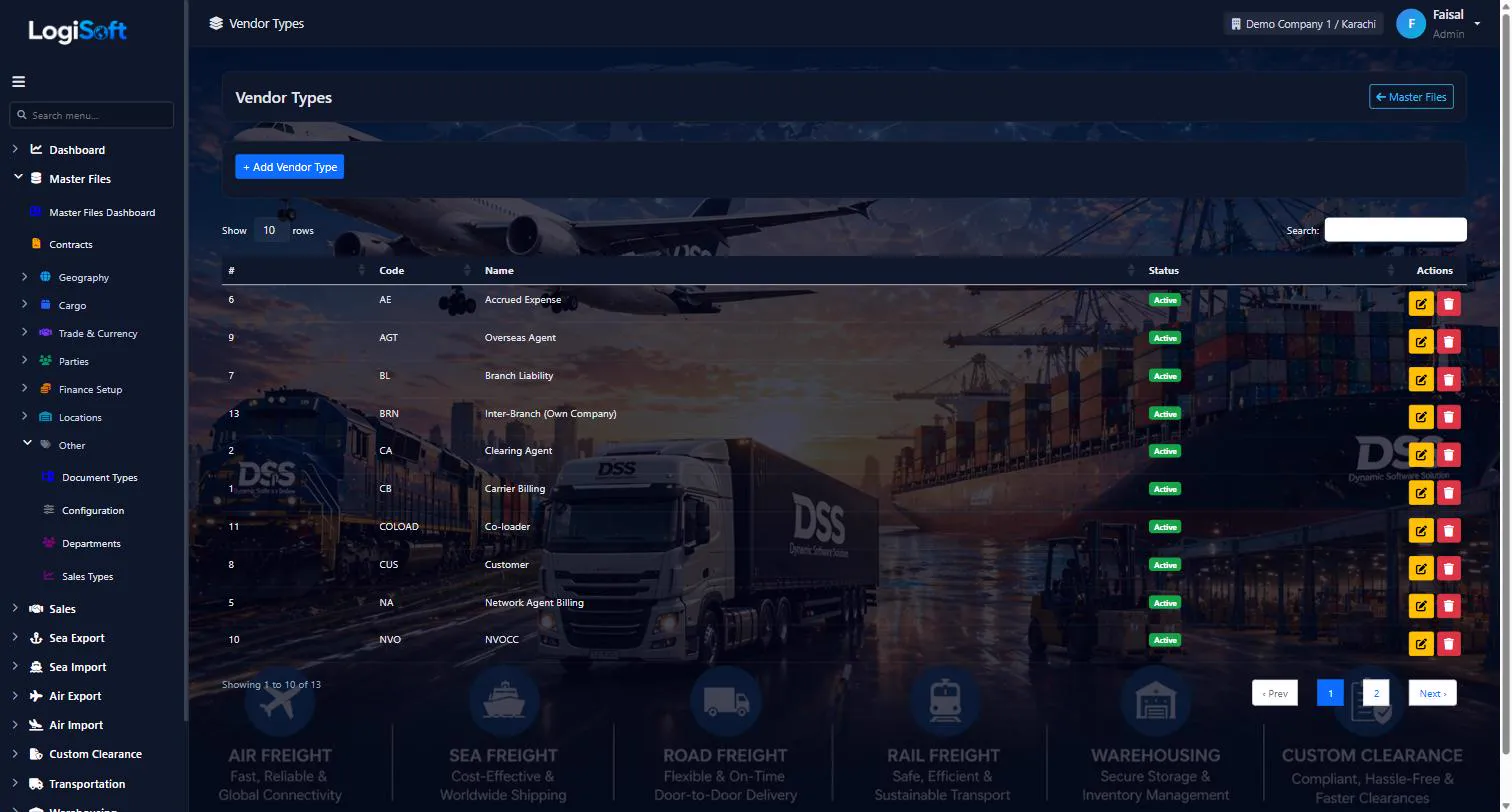
Vendor Types
?LogiSoft help
Vendor Types
Carrier Billing, Clearing Agent, Transporter, Warehousing, etc. — classifies suppliers on the cost side.
Vendor Types classify suppliers on cost lines (Charges side = Cost). Used to route accounts payable and group spend reporting.
Common tasks
- 1. + Add Vendor Type, enter Code + Name
The same help appears on this screen inside LogiSoft.
Carrier Billing, Clearing Agent, Transporter, Warehousing, etc. — classifies suppliers on the cost side.
-
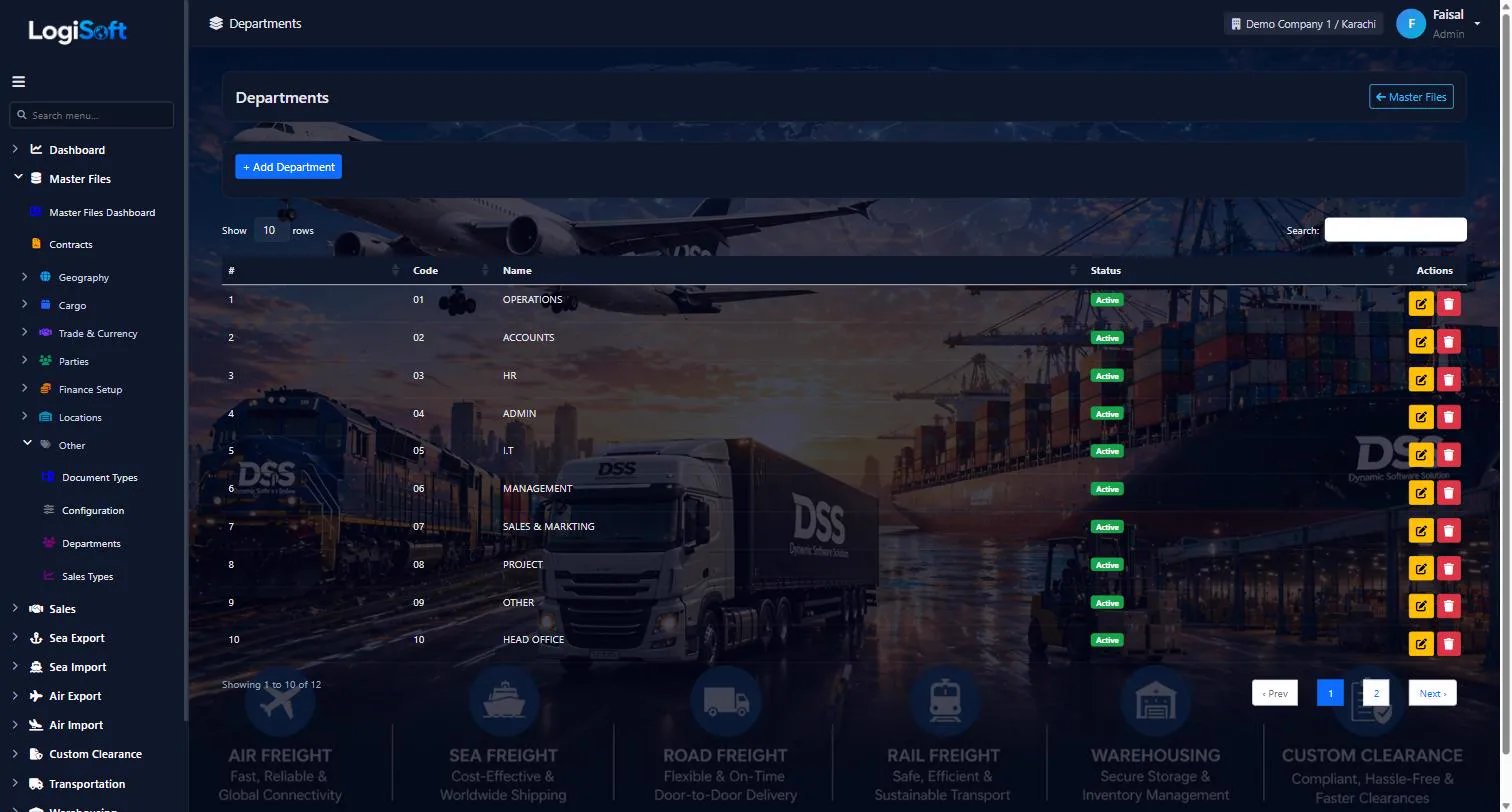
Departments
?LogiSoft help
Departments
Internal departments (Sales, Operations, Accounts, IT). Used on user assignments and reports.
Departments are internal organizational divisions. Optional. Useful for reports that group by department.
Common tasks
- 1. + Add Department, enter Name + Code
- 2. Save
The same help appears on this screen inside LogiSoft.
Internal departments (Sales, Operations, Accounts, IT). Used on user assignments and reports.
-
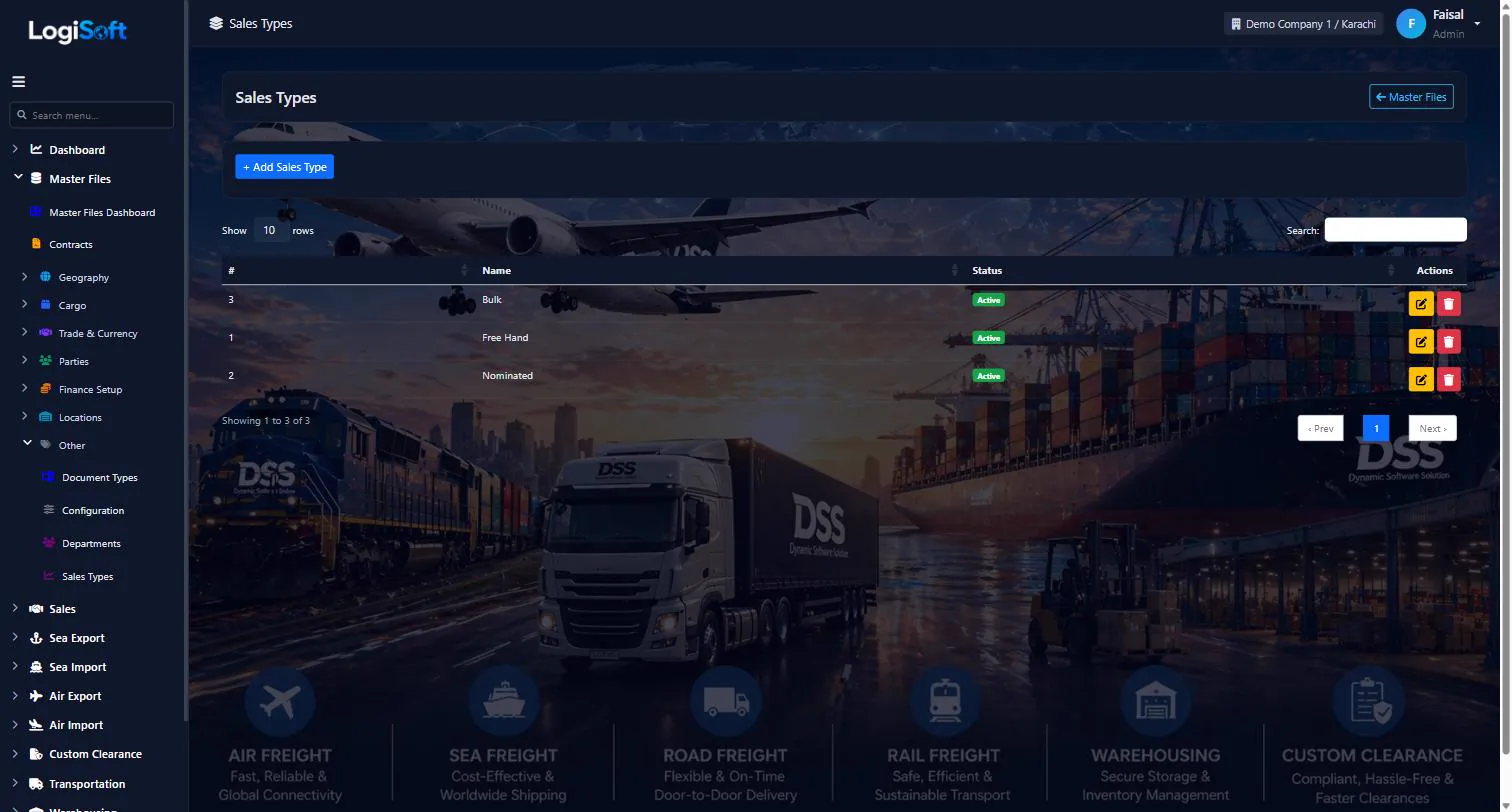
Sales Types
?LogiSoft help
Sales Types
Direct / Co-loader / Spot / Contract — how a sale was sourced.
Sales Types classify how a deal originated. Used in Sales reports for source analysis.
Common tasks
- 1. + Add Sales Type, enter Name
The same help appears on this screen inside LogiSoft.
Direct / Co-loader / Spot / Contract — how a sale was sourced.
What's included
Everything in the Master Files module.
Parties
- Customers, shippers, consignees, agents and carriers in one list
- Party groups and types
- Contacts and addresses
Geography & cargo
- Countries, cities, sea ports and airports
- Terminals, yards and depots
- HS codes, commodities and container types
Trade & currency
- Currencies with daily exchange rates
- Incoterms, freight terms and payment terms
- Vessels and service types
Imports
- Excel and PDF imports for ports, cities and HS codes
- UN/LOCODE import
- Central master sync across companies
Do we have to type in all ports and HS codes?
No. Ports, cities, HS codes and other lists can be imported from Excel, and some from PDF or UN/LOCODE.
Where do exchange rates come from?
They are downloaded automatically every day for every currency against PKR.
Is there one party list or separate customer and vendor lists?
One party list covers customers, shippers, consignees, agents and carriers, grouped by type.
Works together with
See all features →Sea Import
Book space against your carrier contracts, sell it to customers, collect shipping instructions, open the Master and House B/Ls, track every milestone and invoice the job, all in one flow.
Explore Sea ImportSales CRM
Your sales team works in the same system as operations and accounts: leads, opportunities, quotations and tenders, with a clear pipeline for every salesperson.
Explore Sales CRMAdministration
Run several companies and branches in one system, decide exactly who can do what, and keep a record of every change.
Explore AdministrationReady to retire your desktop freight tools?
See LogiSoft on your own workflow in a 30-minute screen share with the founder. No commitment.