
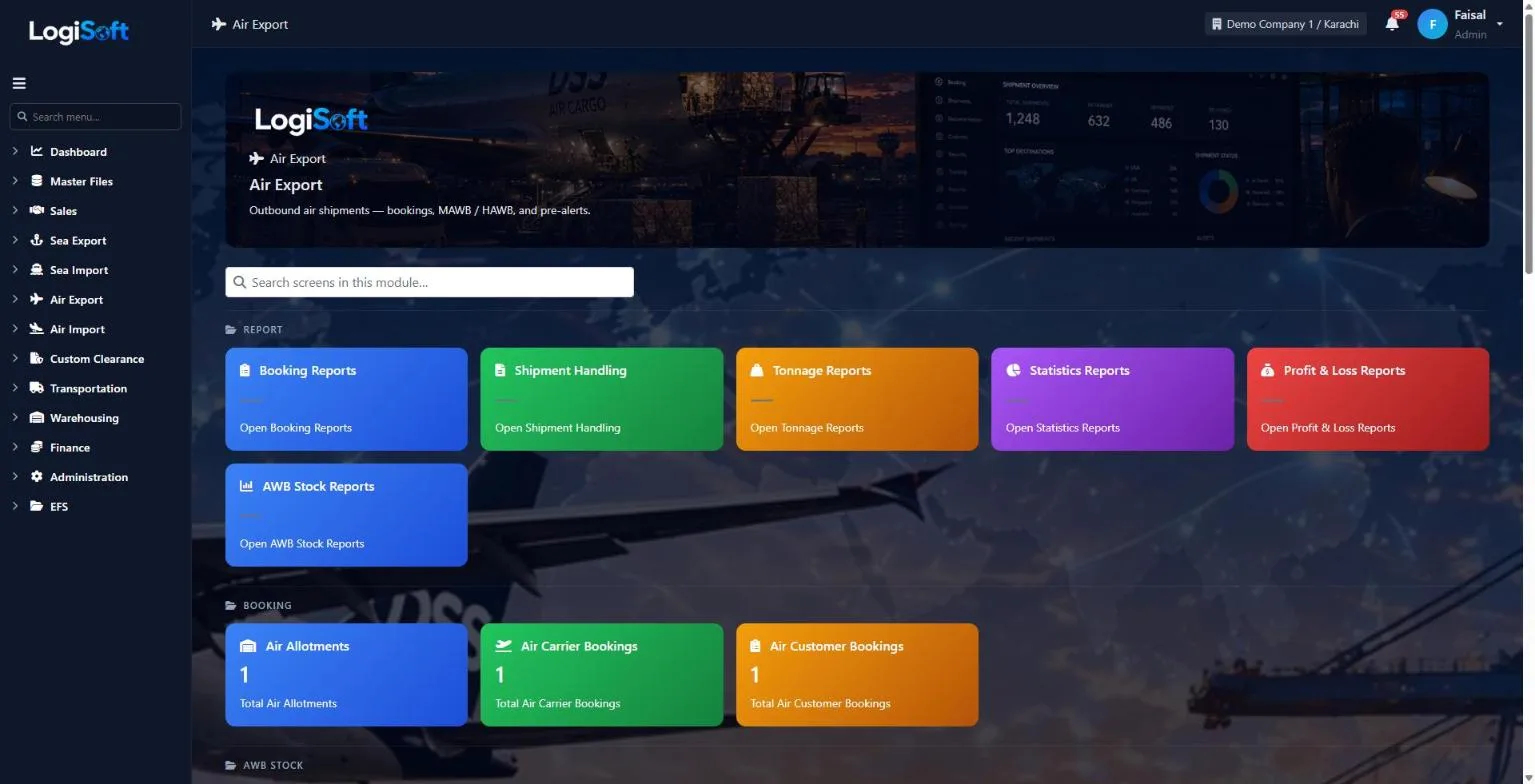
Air export, from booking to pre-alert.
Book the space, build the shipment once with its MAWB and every HAWB, keep track of each air waybill number you hold, then invoice and send the pre-alert to the destination agent.
- screen for MAWB and HAWBs
- 1
- screen for MAWB and HAWBs
- AWB stock reports
- 8
- AWB stock reports
- statistics views
- 13
- statistics views
How it works
6 steps, one system.
Press ? on any step to read the same help your team sees inside LogiSoft.
- 01
Enter the shipment once
?LogiSoft help
Master Air Way Bill (MAWB)
The airline's master bill issued to your office. One MAWB can carry multiple HAWBs.
MAWB (Master Air Waybill) is the contract of carriage between you and the airline.
- The airline issues ONE MAWB per consolidated shipment.
- You issue HAWBs (House Air Waybills) per actual shipper inside.
- MAWB number format:
123-12345678(3-digit airline prefix + 8-digit serial).
The same help appears on this screen inside LogiSoft.
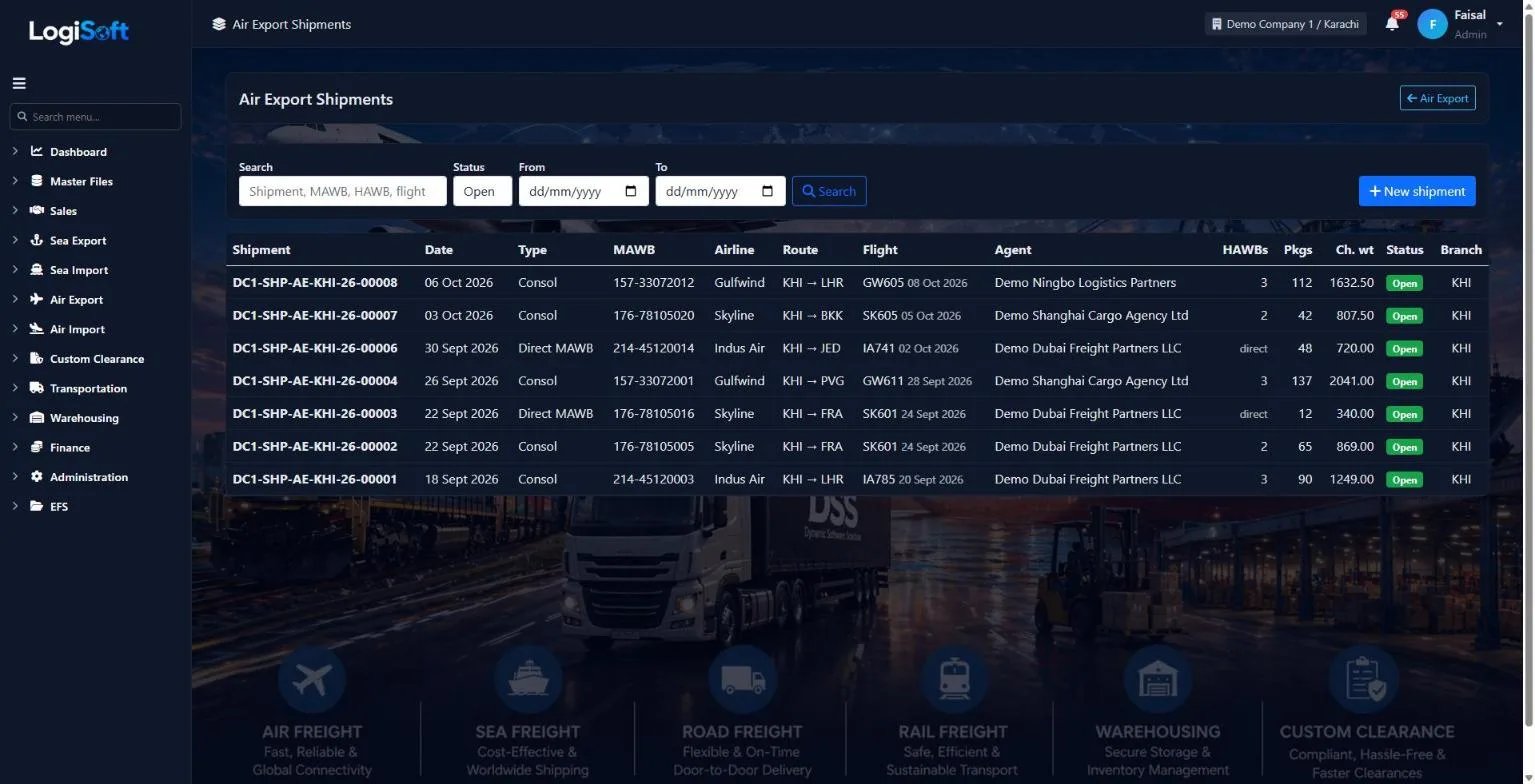
Airline, destination agent, airports and routing are typed once. Every HAWB and the MAWB use them, and the list shows each job with its flight and chargeable weight.
- Consol with HAWBs, or a direct MAWB
- Origin and destination cities with their airports
- Pieces, gross and chargeable weight per HAWB
- 02
Add a HAWB per shipper
?LogiSoft help
Master Air Way Bill (MAWB)
The airline's master bill issued to your office. One MAWB can carry multiple HAWBs.
MAWB (Master Air Waybill) is the contract of carriage between you and the airline.
- The airline issues ONE MAWB per consolidated shipment.
- You issue HAWBs (House Air Waybills) per actual shipper inside.
- MAWB number format:
123-12345678(3-digit airline prefix + 8-digit serial).
The same help appears on this screen inside LogiSoft.
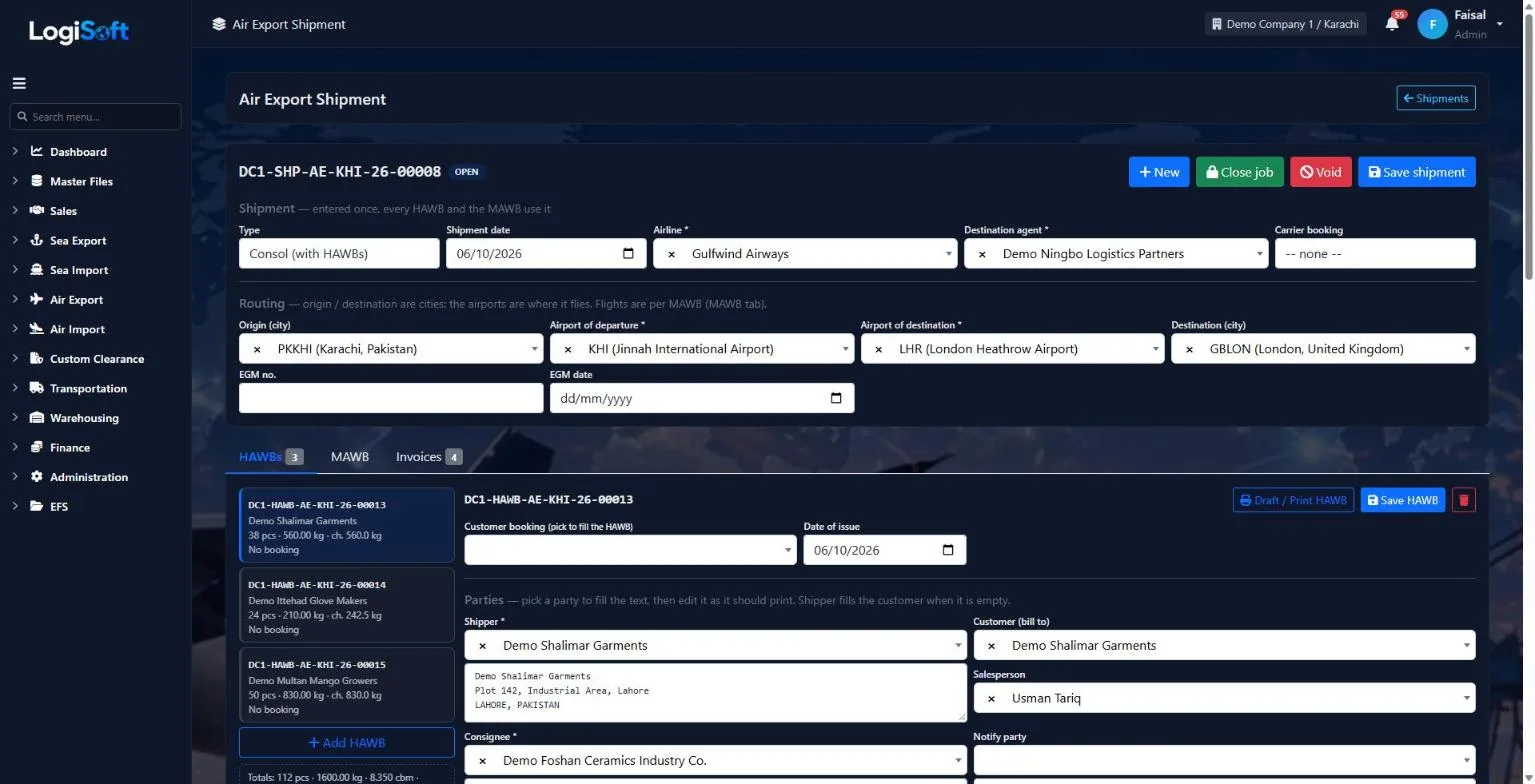
Each HAWB holds its shipper, consignee, customer and salesperson, and can be filled from the customer booking. Print the draft or the final HAWB.
- Shipper, consignee, notify party and bill-to customer
- Fill from the customer booking
- Draft and print each HAWB
- 03
Flights on the MAWB
?LogiSoft help
Master Air Way Bill (MAWB)
The airline's master bill issued to your office. One MAWB can carry multiple HAWBs.
MAWB (Master Air Waybill) is the contract of carriage between you and the airline.
- The airline issues ONE MAWB per consolidated shipment.
- You issue HAWBs (House Air Waybills) per actual shipper inside.
- MAWB number format:
123-12345678(3-digit airline prefix + 8-digit serial).
The same help appears on this screen inside LogiSoft.
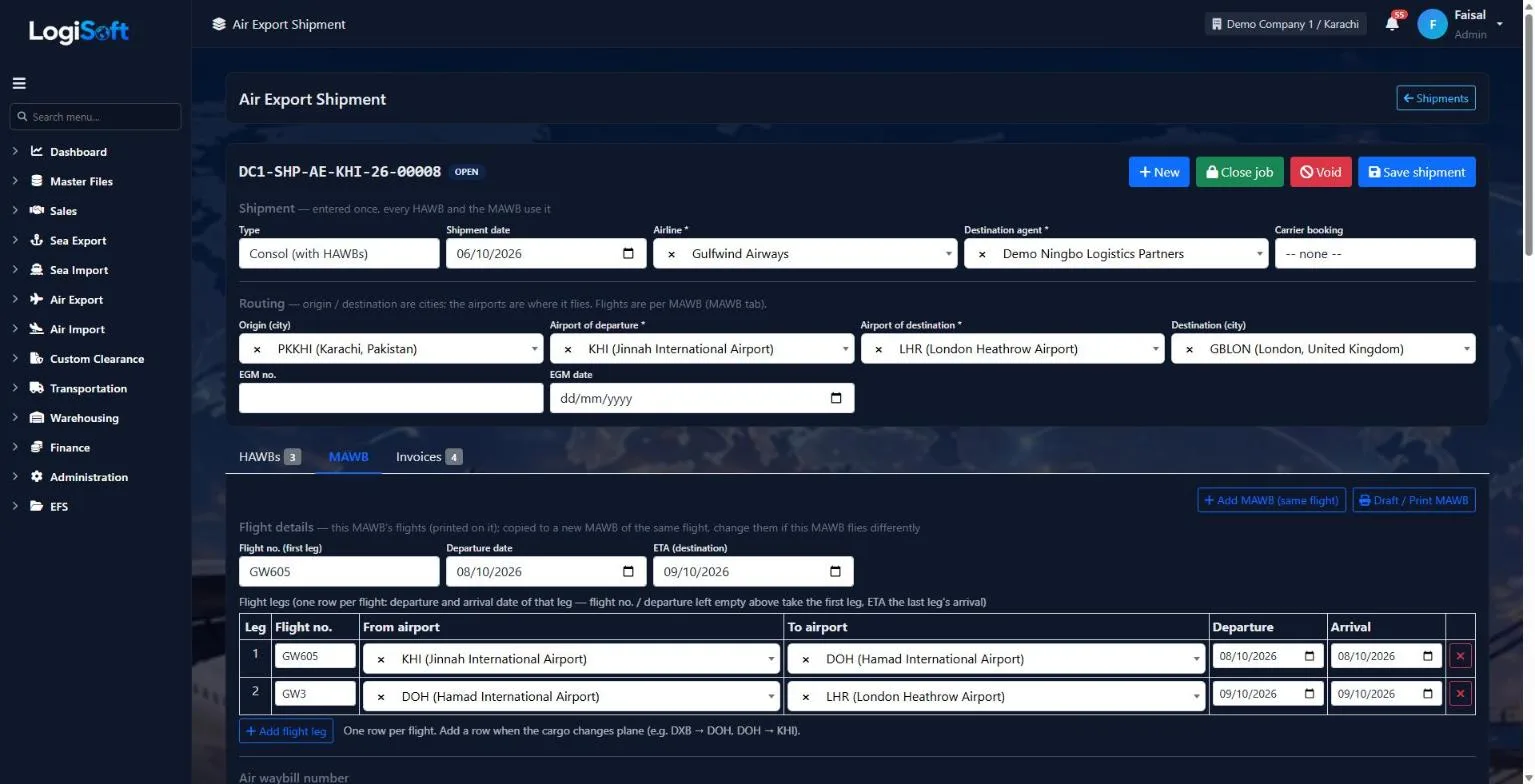
One row per flight. When the cargo changes plane, add a leg; the first leg and the last arrival print on the MAWB.
- Flight number, departure and arrival per leg
- Add another MAWB on the same flight
- Draft and print the MAWB
- 04
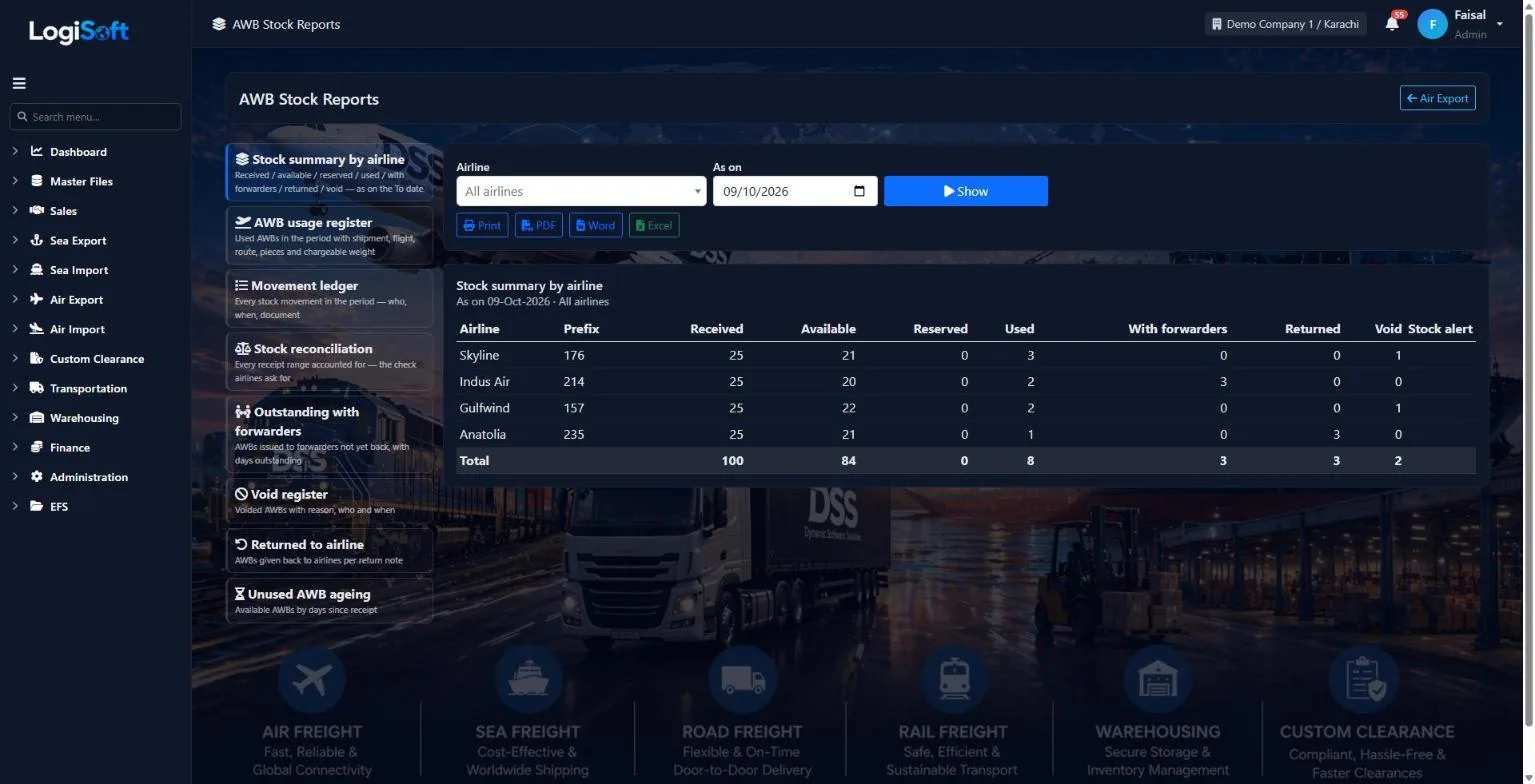
Control your AWB stock
Request AWB numbers from the airline, receive the ranges, issue them to other forwarders and take returns. Every number shows where it is.
- Available, reserved, used, with forwarders, returned and void
- Stock summary by airline
- Usage register, movement ledger and reconciliation
- Unused AWB ageing and void register
- 05
Invoice from the shipment
?LogiSoft help
Master Air Way Bill (MAWB)
The airline's master bill issued to your office. One MAWB can carry multiple HAWBs.
MAWB (Master Air Waybill) is the contract of carriage between you and the airline.
- The airline issues ONE MAWB per consolidated shipment.
- You issue HAWBs (House Air Waybills) per actual shipper inside.
- MAWB number format:
123-12345678(3-digit airline prefix + 8-digit serial).
The same help appears on this screen inside LogiSoft.
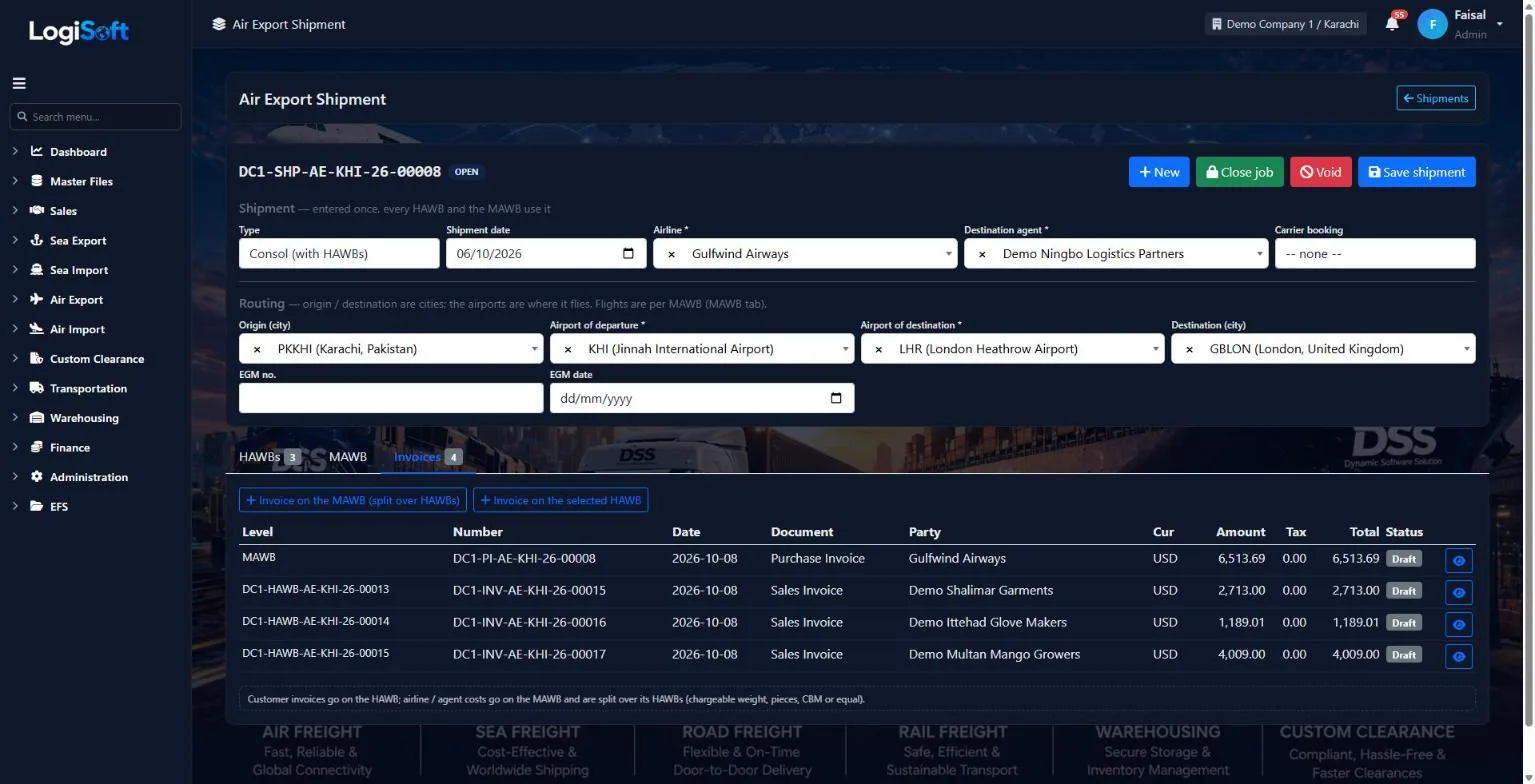
Customer invoices go on the HAWB. The airline or agent cost goes on the MAWB and is split over its HAWBs.
- Sales invoice per HAWB
- Purchase invoice on the MAWB
- Split by chargeable weight, pieces, CBM or equally
- 06
Pre-alert the agent and see the profit
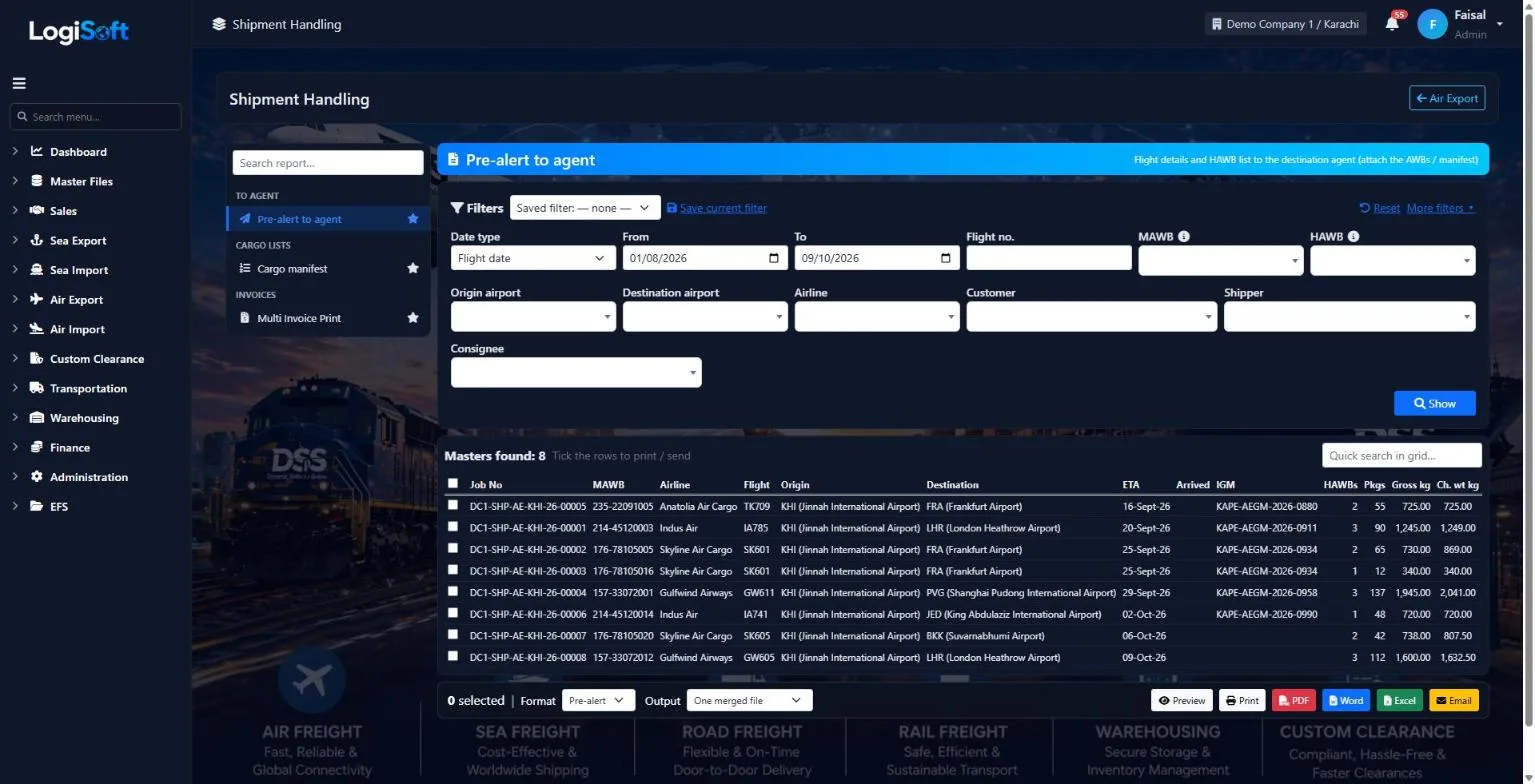
Tick the MAWBs and send the pre-alert or cargo manifest to the destination agent. Tonnage, statistics and profit reports group the same jobs any way you need.
- Pre-alert, cargo manifest and multi-invoice print
- Booking, tonnage and statistics reports
- Profit & loss per HAWB, MAWB, airline or customer
- Print, PDF, Word, Excel or e-mail
Every screen
22 screens in Air Export.
The complete list of screens in this module, described in LogiSoft's own help. Press ? for the full explanation.
Dashboard
-
Air Export Dashboard
?LogiSoft help
Air Export
Handle outbound air cargo: bookings, allotments, MAWB issue, SI to airline.
The Air Export module covers outbound air-cargo operations end-to-end.
- Allotments — block space pre-purchased from airlines.
- Customer Booking — shipper reserves chargeable weight.
- Carrier Booking — your booking against the airline.
- MAWB — Master Air Waybill issued by the airline; HAWBs issued per shipper.
Common tasks
- Open a Customer Booking when the shipper confirms cargo
- Match to a Carrier Booking
- Generate MAWB / HAWB once cargo is at the warehouse
- Send SI to the airline
- Mark flight milestones
The same help appears on this screen inside LogiSoft.
Handle outbound air cargo: bookings, allotments, MAWB issue, SI to airline.
Report
-
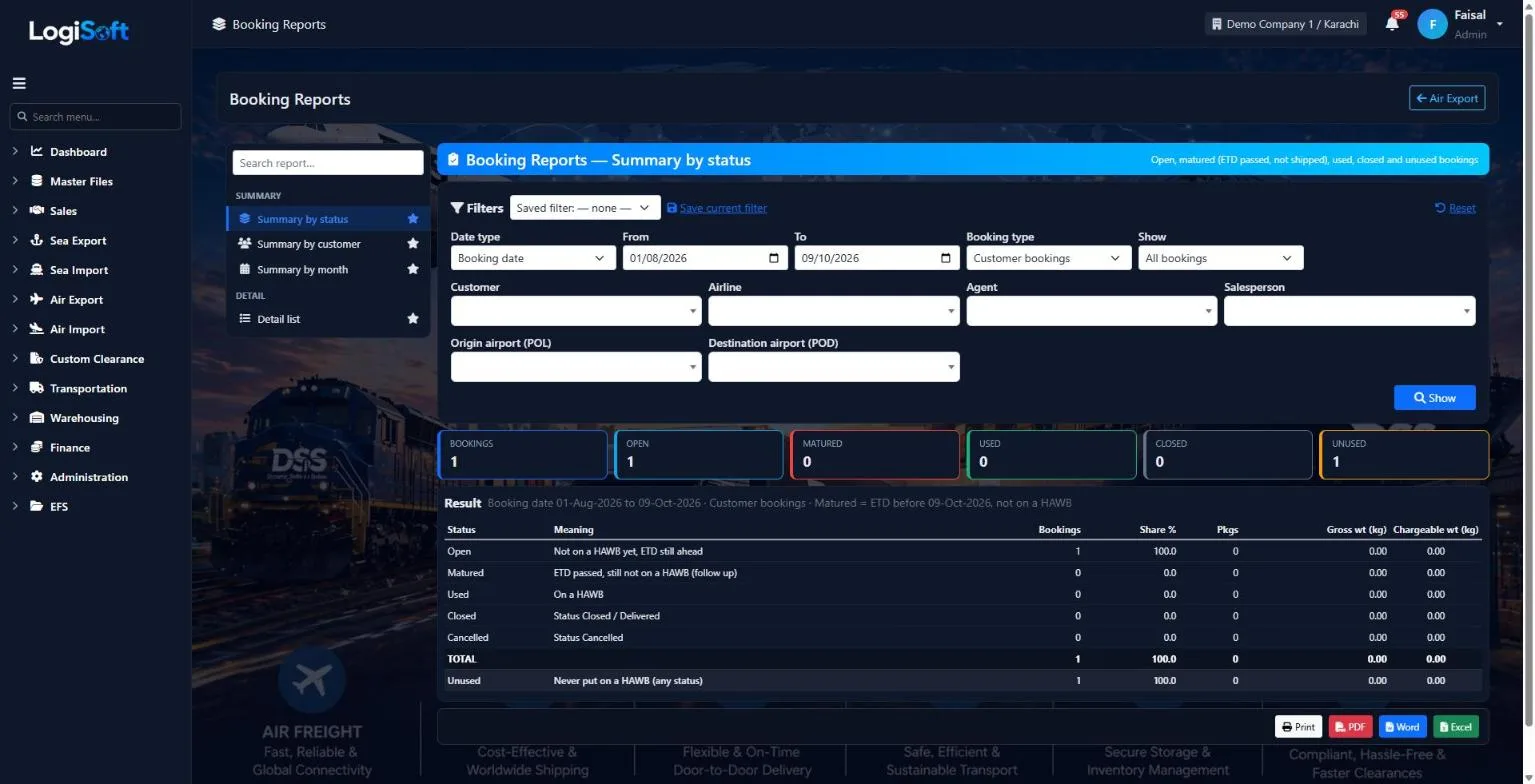
Booking Reports
Part of the Air Export module.
-
Shipment Handling
Part of the Air Export module.
-
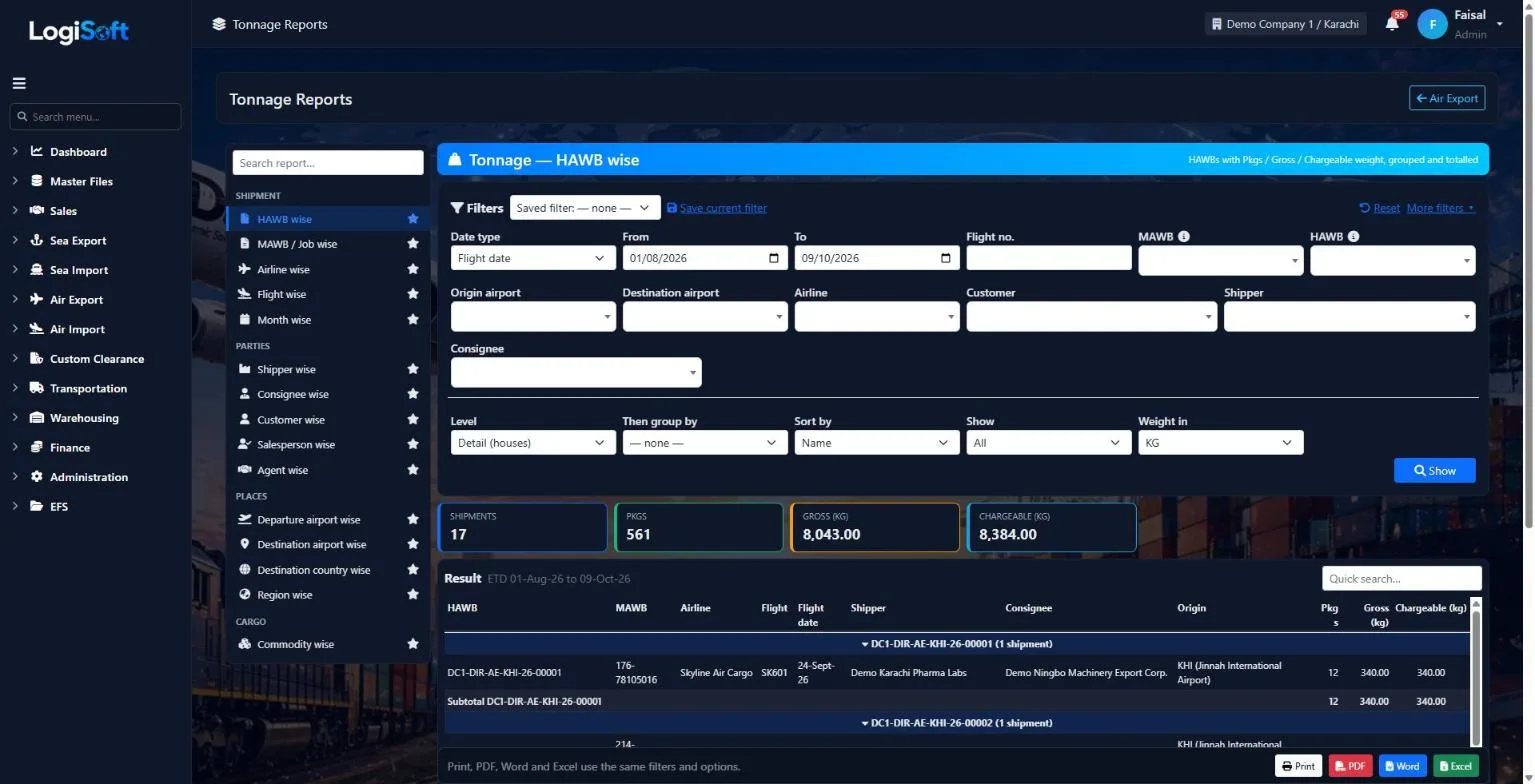
Tonnage Reports
Part of the Air Export module.
-
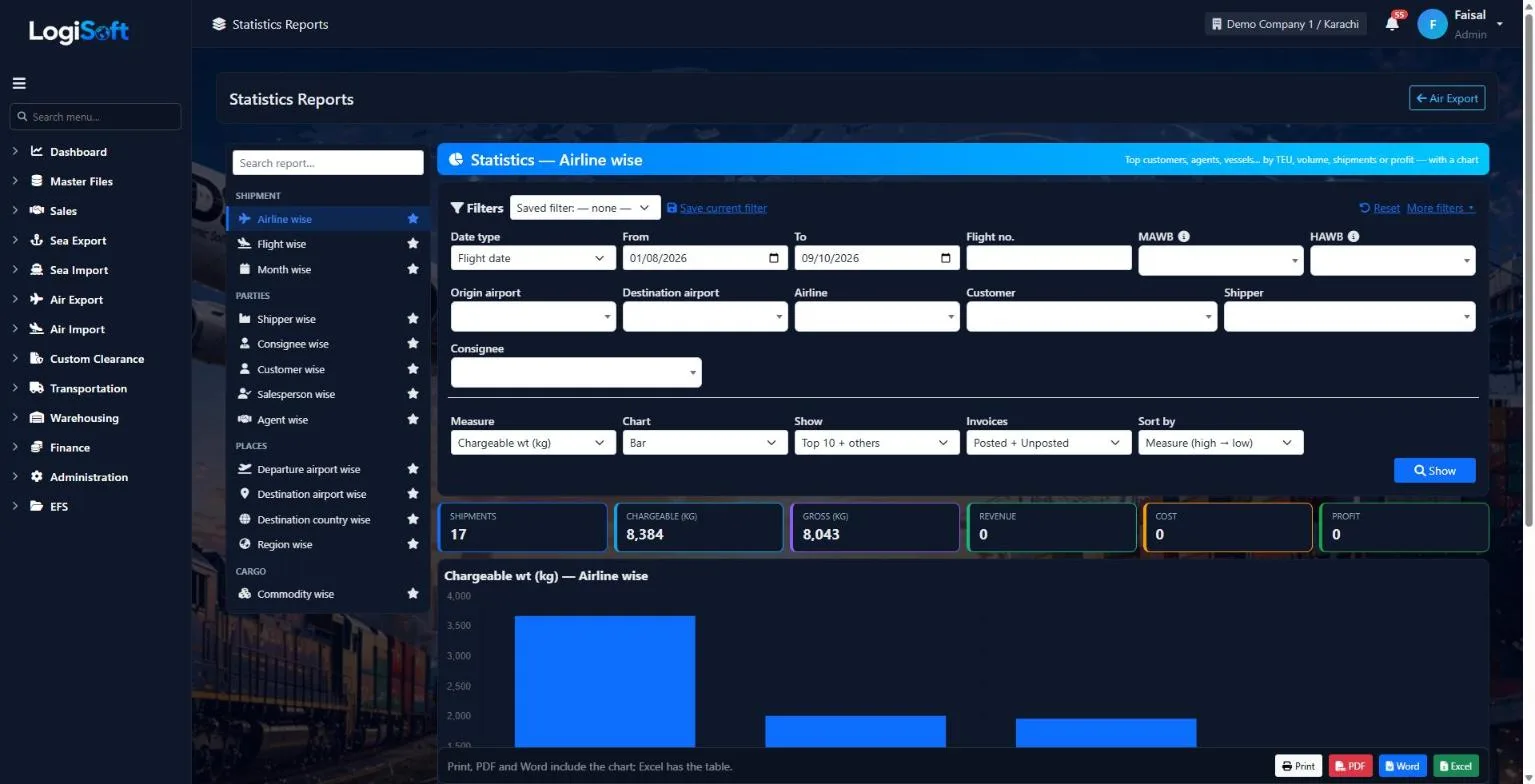
Statistics Reports
Part of the Air Export module.
-
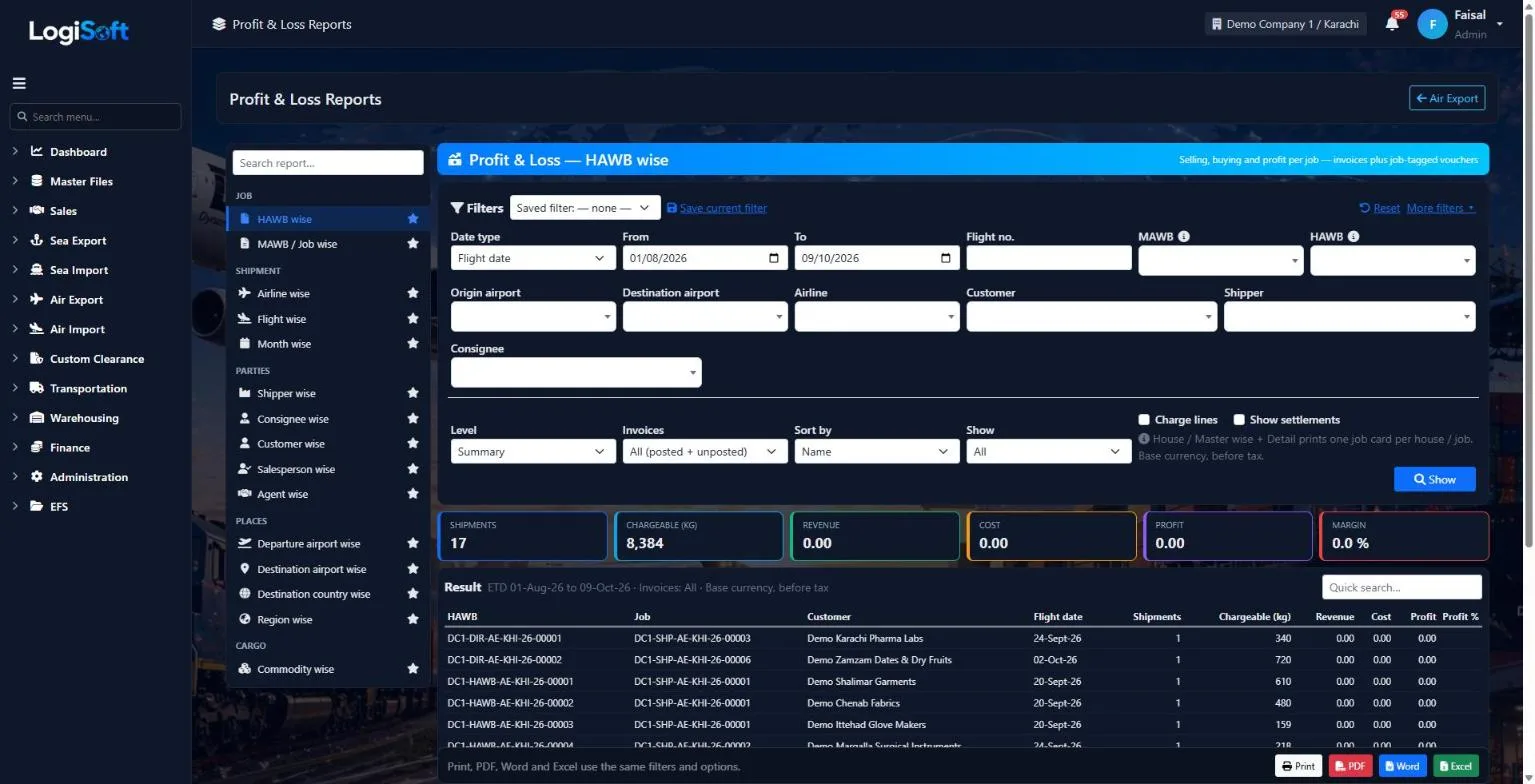
Profit & Loss Reports
Part of the Air Export module.
-
AWB Stock Reports
Part of the Air Export module.
Booking
-
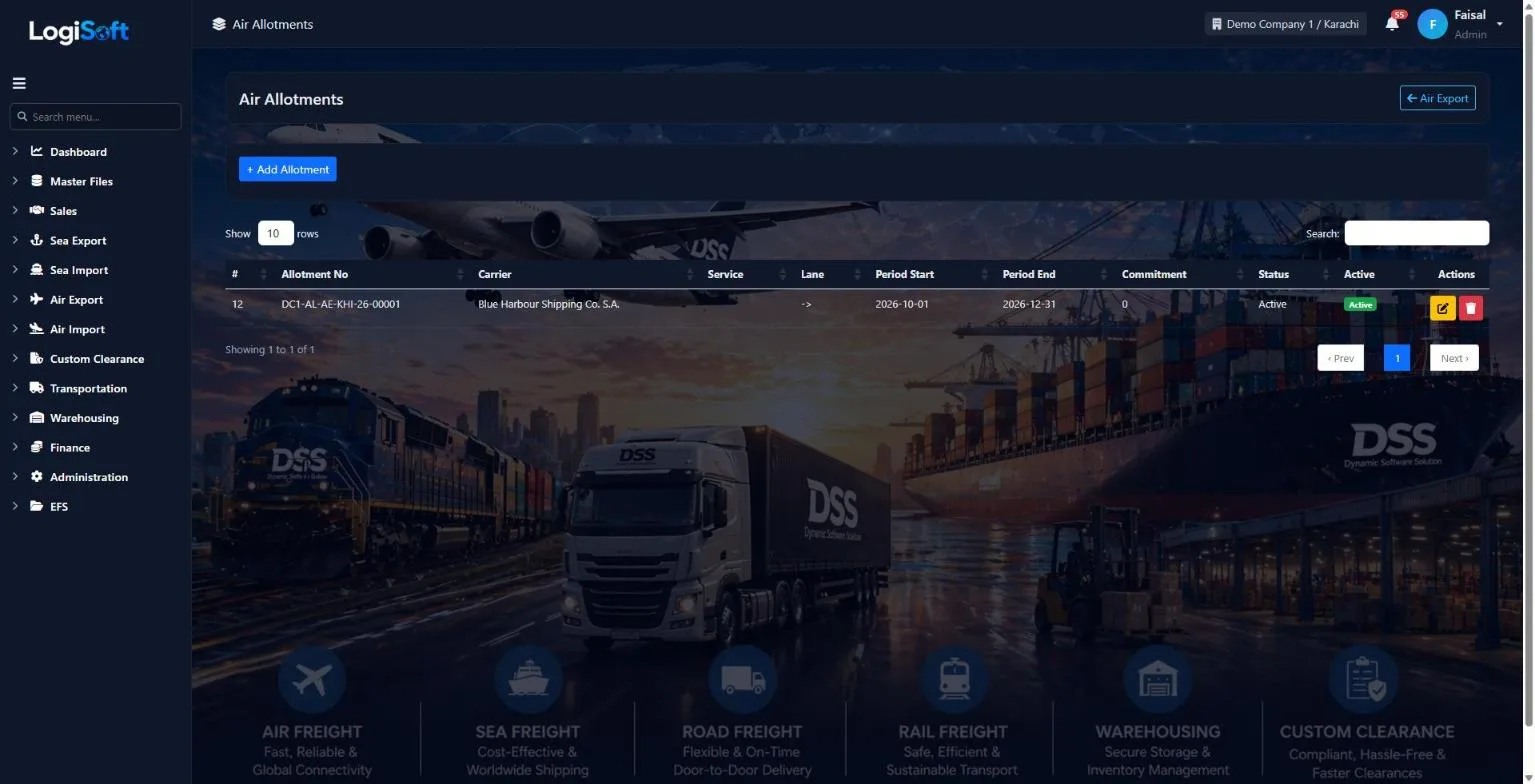
Air Allotments
?LogiSoft help
Air Allotments
Pre-purchased space and locked rates with airlines / co-loaders for a period of time. Customer bookings draw from this stock.
Air Allotments are commercial commitments with airlines or air consolidators — typically known as Allotments, Hard/Soft Allocations, or BSAs (Block Space Agreements).
Air specifics differ from Sea:
- Capacity unit is usually kg of chargeable weight (not TEU/containers). Sometimes ULD positions for hard allocations.
- Period typically tied to a flight series (e.g. "Emirates EK-302 / EK-303 service KHI-LHR-KHI for the quarter")
- "Hard" allotment = guaranteed space + you pay if you don't use it
- "Soft" allotment = priority but no penalty if unused
Equipment-first dashboard view shows at a glance: "Emirates KHI→LHR, +500kg band: 1,800 kg available of 5,000 kg".
Common tasks
- 1. **+ Add Allotment** → pick Carrier, route, period, total commitment in kg
- 2. Capacities tab → add per-weight-band lines (e.g. 5,000 kg total in +500 kg band)
- 3. Save
- 4. Open [Allotment Dashboard](/AllotmentsDashboard/Index) for live utilization
The same help appears on this screen inside LogiSoft.
Pre-purchased space and locked rates with airlines / co-loaders for a period of time. Customer bookings draw from this stock.
-
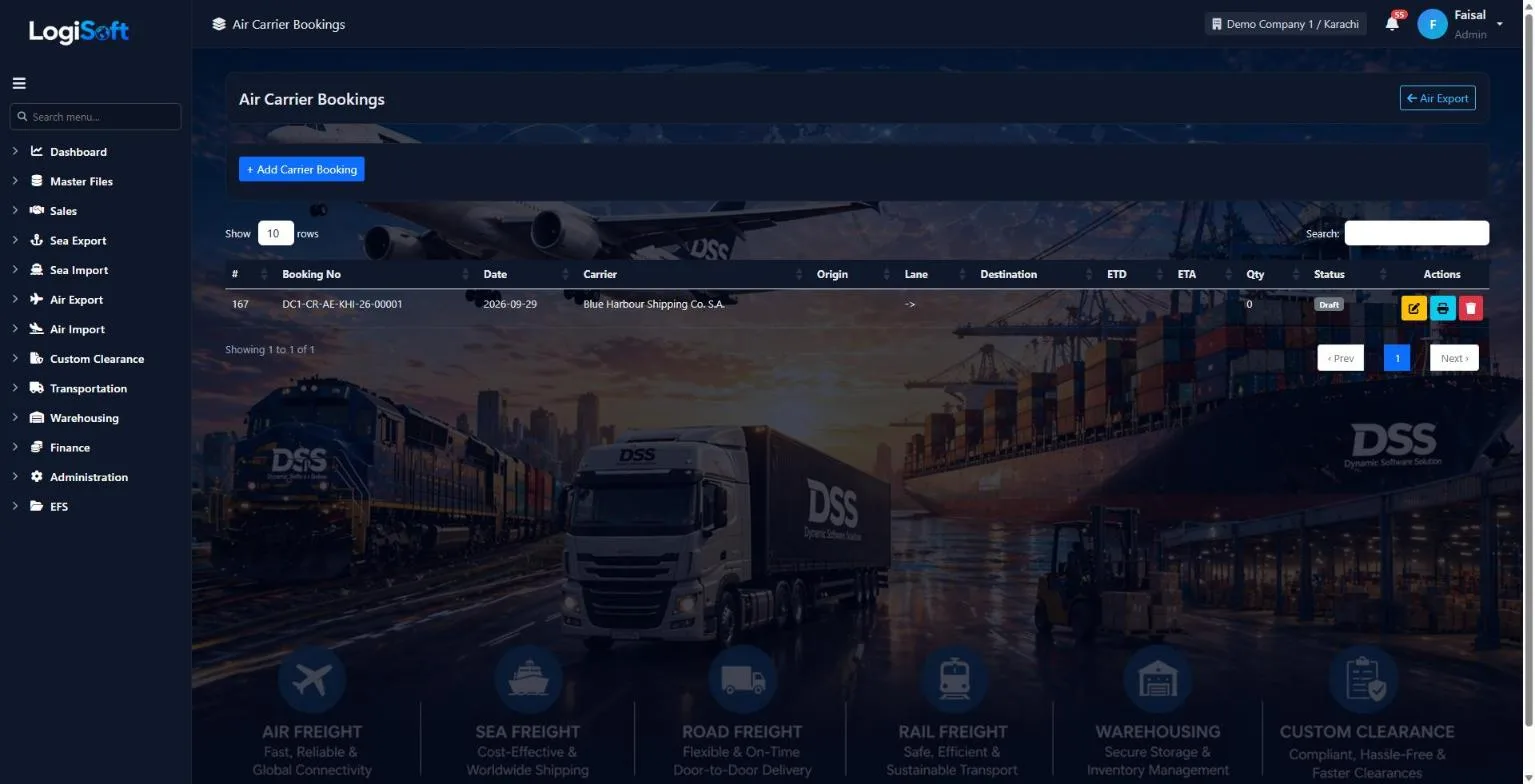
Air Carrier Bookings
?LogiSoft help
Air Carrier Bookings
Records the booking YOU place with the airline / co-loader. The cost-side counterpart of Air Customer Bookings.
A Carrier Booking for air is your reservation with the airline (e.g. Emirates SkyCargo) or air consolidator. Each Customer Booking can link to one Carrier Booking (1-to-many relationship — one carrier flight can serve multiple customer bookings via consolidation).
Cost side: rates here drive carrier-side AP. Sell side stays on the Customer Booking.
Status updates only via the Tracking tab.
Common tasks
- 1. **+ Add Carrier Booking**
- 2. Pick Airline, route, flight date
- 3. Enter MAWB number, weight, DG class if applicable
- 4. Capture cost charges
- 5. Save and use Tracking tab as cargo moves
The same help appears on this screen inside LogiSoft.
Records the booking YOU place with the airline / co-loader. The cost-side counterpart of Air Customer Bookings.
-
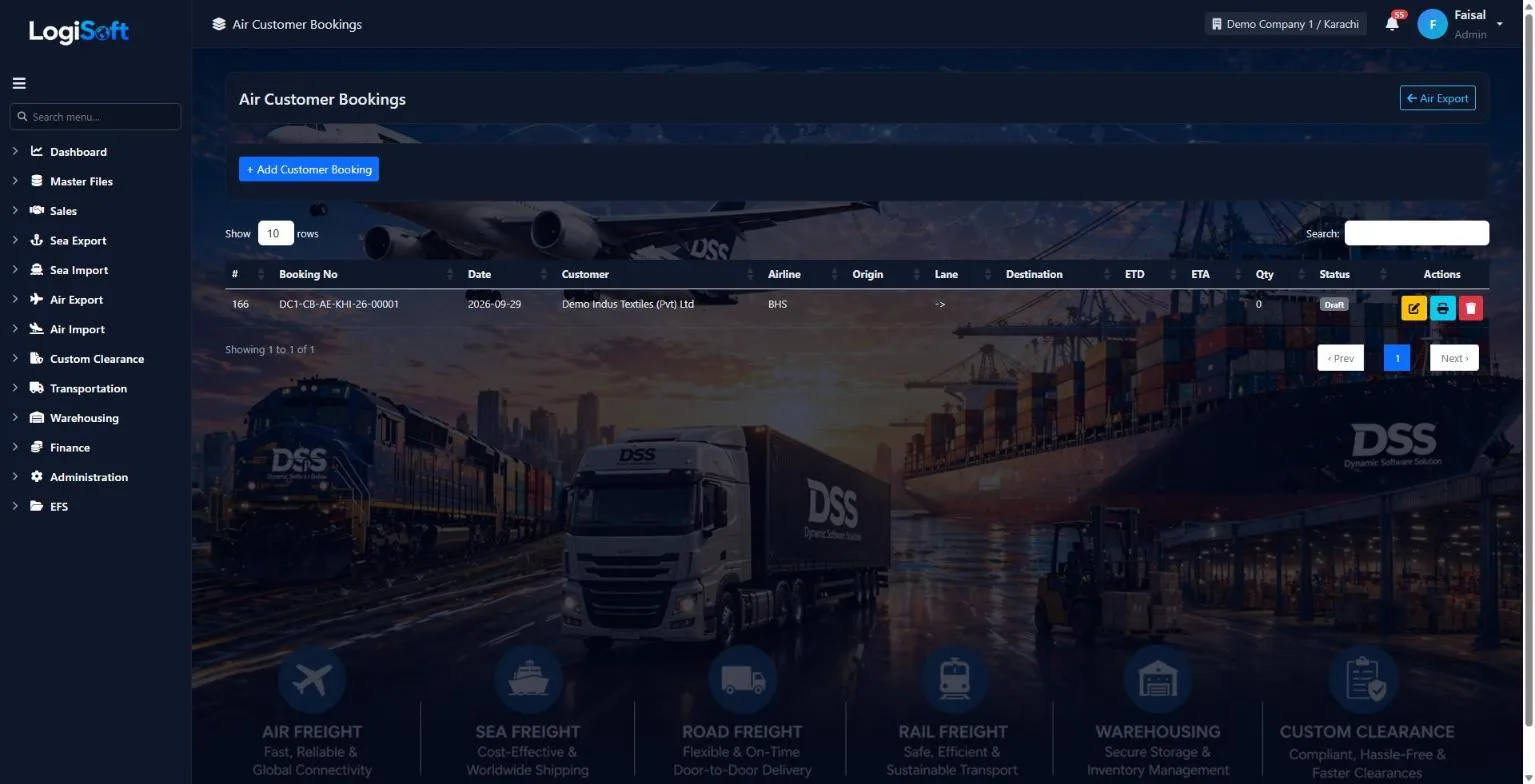
Air Customer Bookings
?LogiSoft help
Air Customer Bookings
Records the booking your customer makes with you for an air export shipment. Drives Shipping Instructions, AWB issuance, and invoicing.
A Customer Booking for air freight captures your customer's demand to ship cargo by air. Air-specific fields (Air Details tab):
- Flight No + Flight Date
- MAWB (Master Air Waybill) and HAWB (House Air Waybill) numbers
- Airline party (can differ from Carrier if booking through a co-loader)
- Weight: choose Chargeable Weight or Gross Weight (toggle on the form)
- DG Class (Dangerous Goods) + Special Handling codes (PER perishable / AVI live animals / VAL valuable / HUM human remains)
Direct shipments are the default; tick Consol if cargo is consolidated with other shippers.
Status updates only via the Tracking tab — header status field is locked.
Common tasks
- 1. **+ Add Customer Booking**
- 2. Header tab: Customer, Airline, Origin/Destination airports, ETD, ETA, Latest Acceptance time
- 3. Air Details tab: flight number, dates, MAWB/HAWB, weight unit, DG class
- 4. Charges tab: capture sell rates
- 5. Save
- 6. Use Tracking tab to mark milestones (Cargo Received → Loaded → Departed → Arrived → Delivered)
The same help appears on this screen inside LogiSoft.
Records the booking your customer makes with you for an air export shipment. Drives Shipping Instructions, AWB issuance, and invoicing.
AWB Stock
-
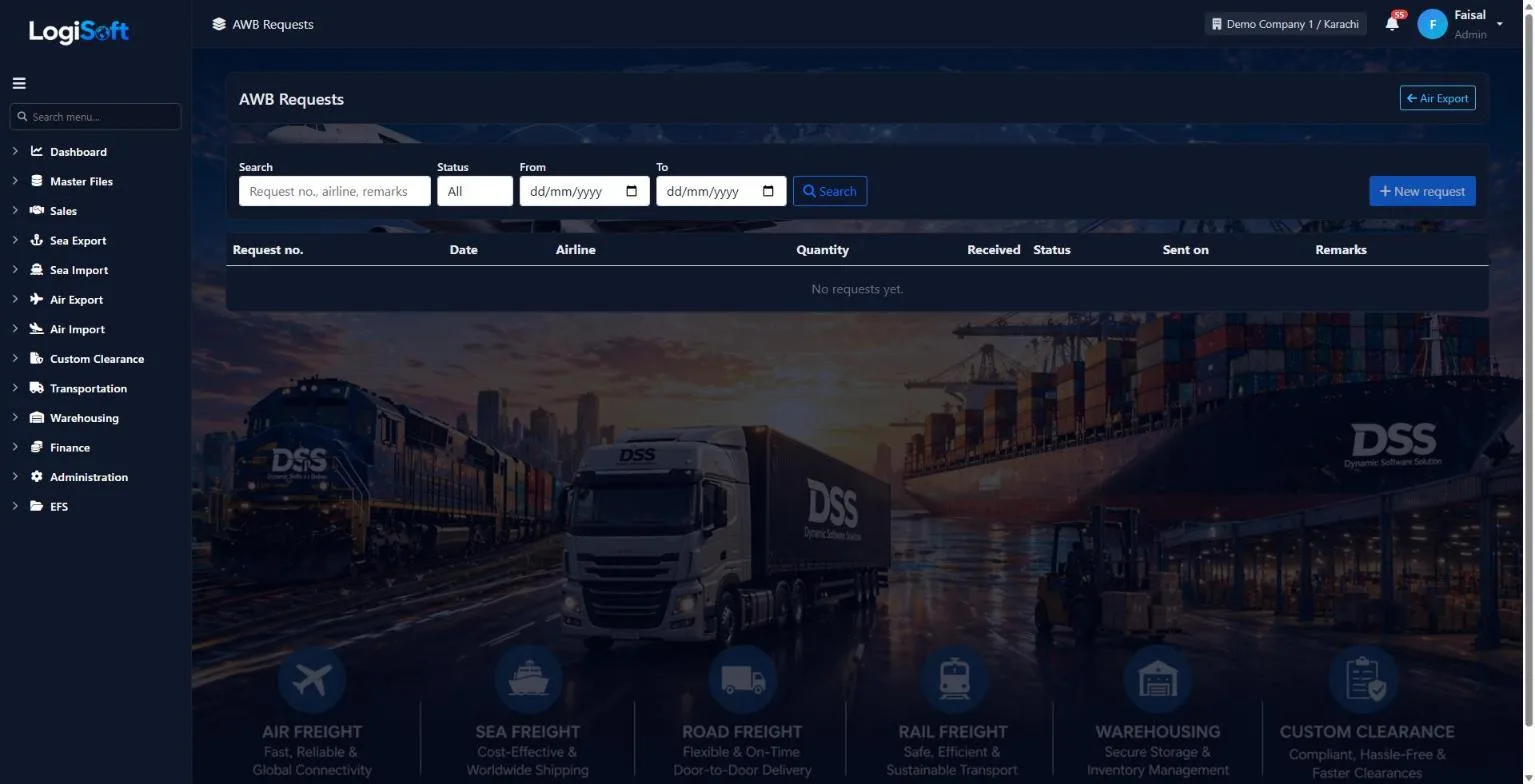
AWB Requests
Part of the Air Export module.
-
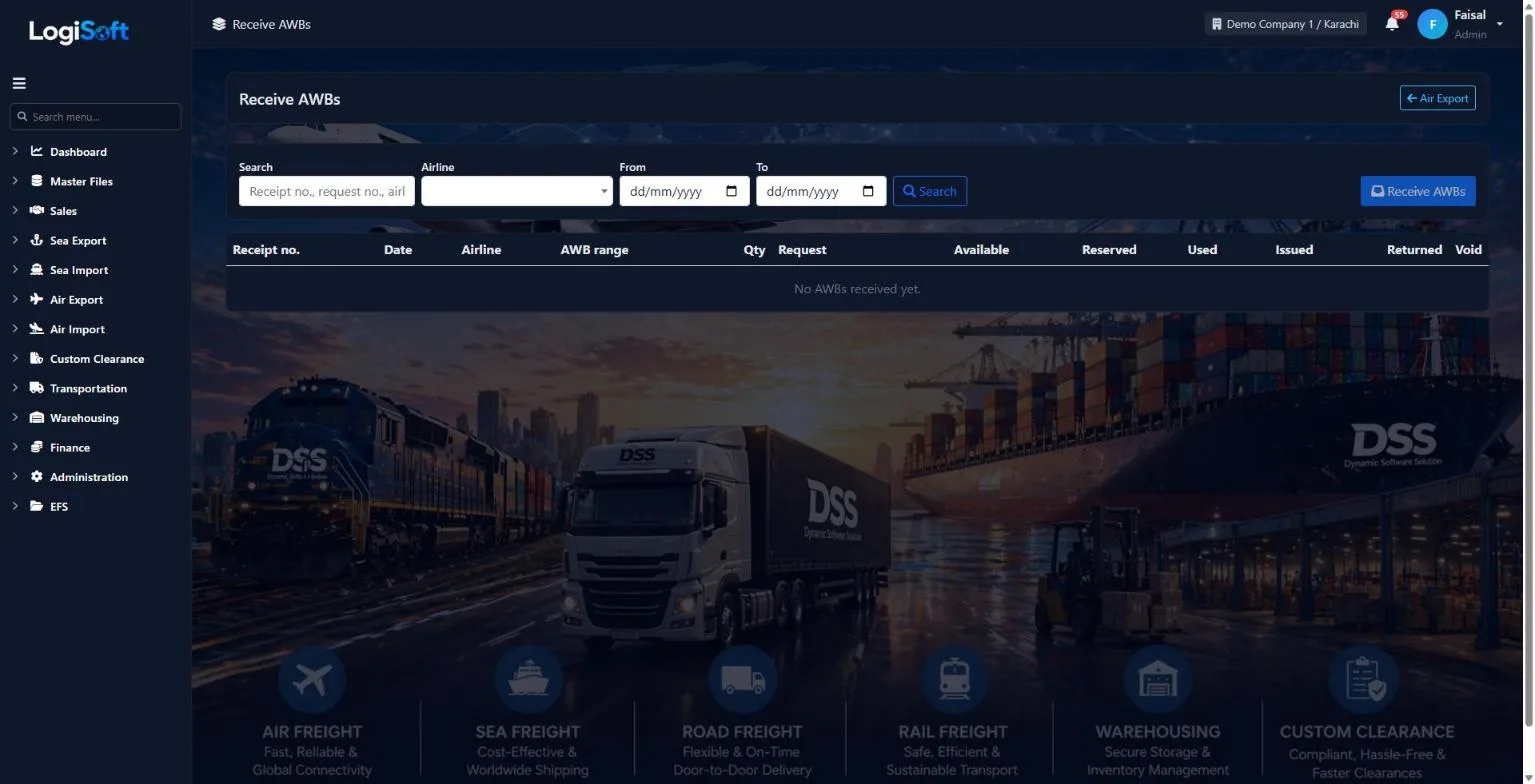
Receive AWBs
Part of the Air Export module.
-
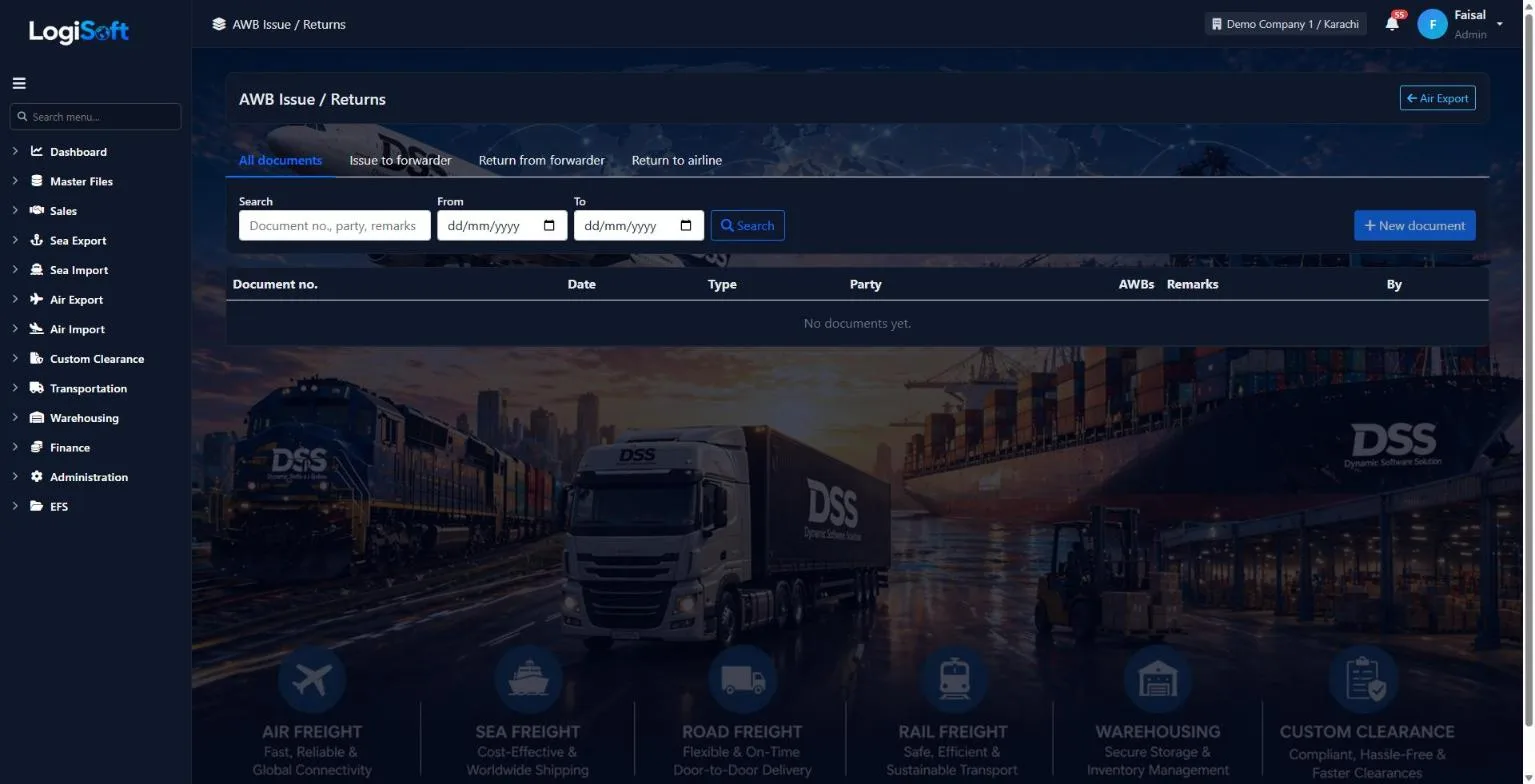
AWB Issue / Returns
Part of the Air Export module.
-
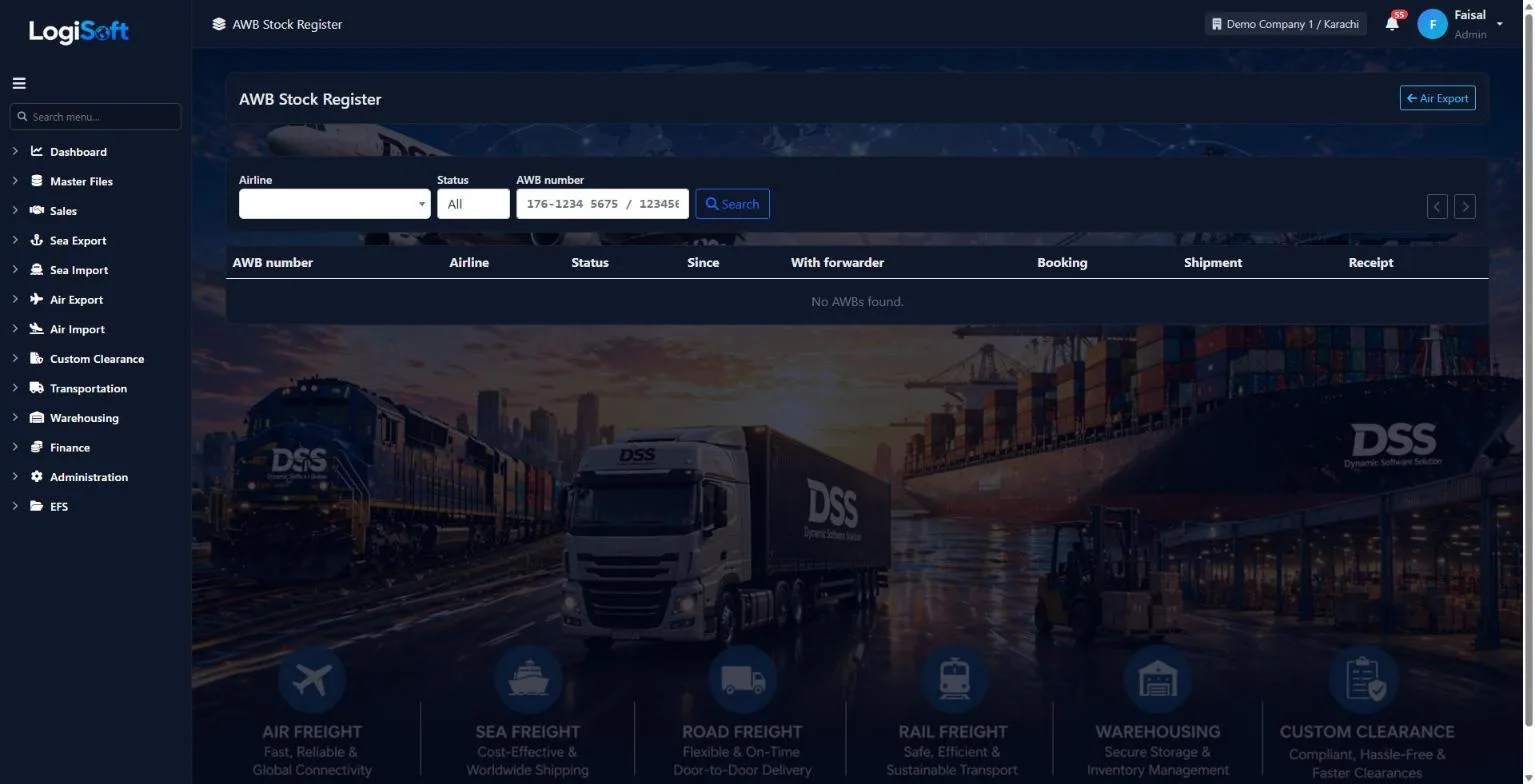
AWB Stock Register
Part of the Air Export module.
Documents
-
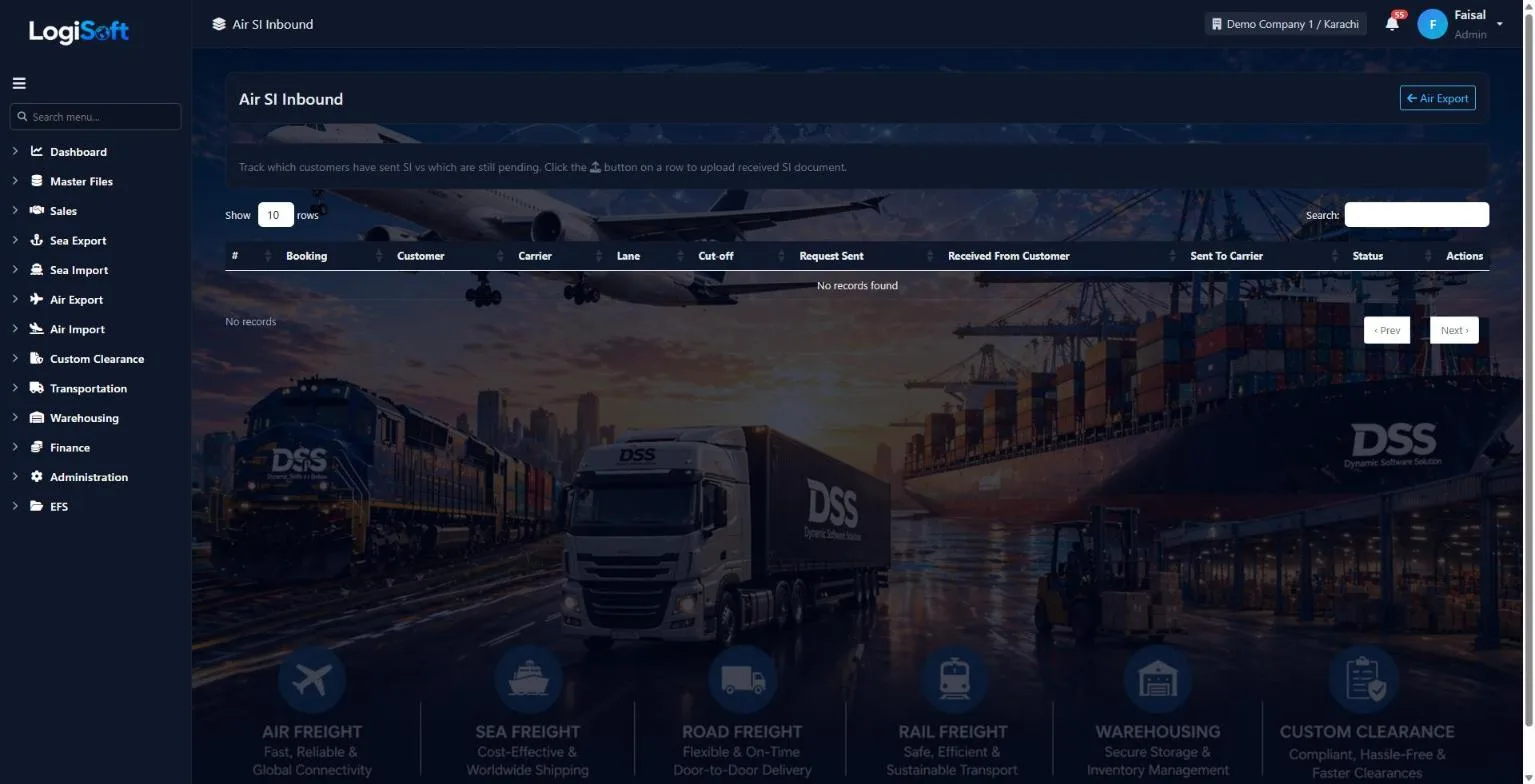
Air SI Inbound
?LogiSoft help
Air SI — Inbound (from Customer)
Track which customers have submitted Shipping Instructions for their air bookings, and which haven't.
Air SI Inbound tracking — same as Sea SI Inbound but for Air bookings. Critical because air cut-offs are tighter (sometimes 6 hours before flight departure).
Status colors:
- 🟢 Received — customer sent the SI
- 🟡 Pending — within Latest Acceptance Time
- 🔴 Late — past Latest Acceptance Time
Mark received: click upload → attach SI document → save.
Common tasks
- 1. Filter by flight to focus on next departure
- 2. Find pending row → click ⬆ upload → attach SI PDF → save
- 3. Bulk-select pending → Email Reminders
The same help appears on this screen inside LogiSoft.
Track which customers have submitted Shipping Instructions for their air bookings, and which haven't.
-
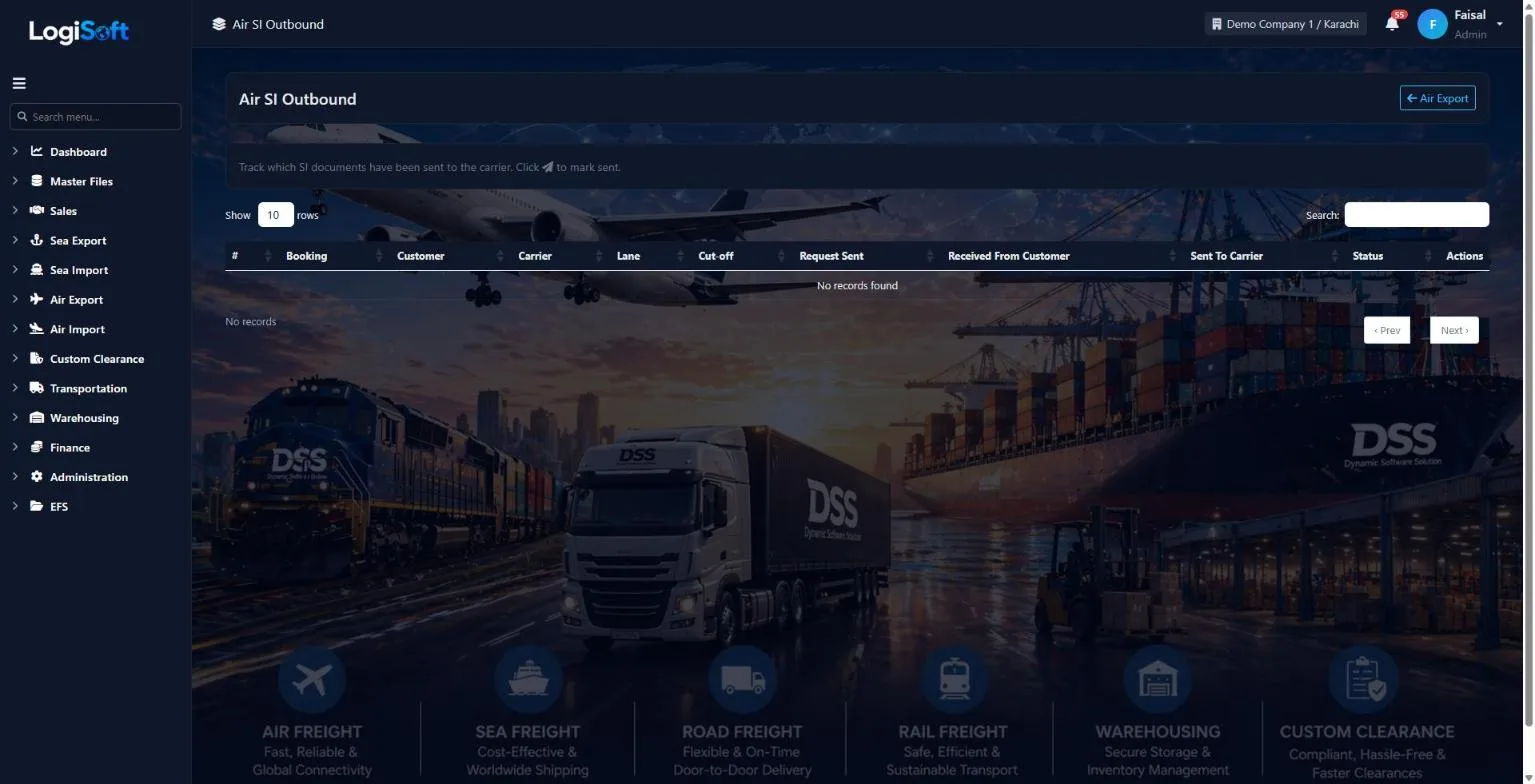
Air SI Outbound
?LogiSoft help
Air SI — Outbound (to Carrier)
Track which Shipping Instructions you've forwarded to the airline. Closes the loop for air SI workflow.
Air SI Outbound tracking — forward customer SIs to the airline / GSA. Air freight typically has tighter cut-offs than sea, so missing the Latest Acceptance Time means rolling to the next flight.
Status colors:
- 🟢 Sent — SI submitted to airline
- ⚠ Awaiting Customer
- 🟡 Pending — have customer SI; not yet sent to airline
- 🔴 Overdue — past Latest Acceptance time
Common tasks
- 1. Filter by flight + date
- 2. Tick rows ready to send
- 3. Click "Send Selected to Carrier" — consolidates into one email per flight
The same help appears on this screen inside LogiSoft.
Track which Shipping Instructions you've forwarded to the airline. Closes the loop for air SI workflow.
Operations
-
Shipments (MAWB / HAWB)
?LogiSoft help
Master Air Way Bill (MAWB)
The airline's master bill issued to your office. One MAWB can carry multiple HAWBs.
MAWB (Master Air Waybill) is the contract of carriage between you and the airline.
- The airline issues ONE MAWB per consolidated shipment.
- You issue HAWBs (House Air Waybills) per actual shipper inside.
- MAWB number format:
123-12345678(3-digit airline prefix + 8-digit serial).
The same help appears on this screen inside LogiSoft.
The airline's master bill issued to your office. One MAWB can carry multiple HAWBs.
SI
-
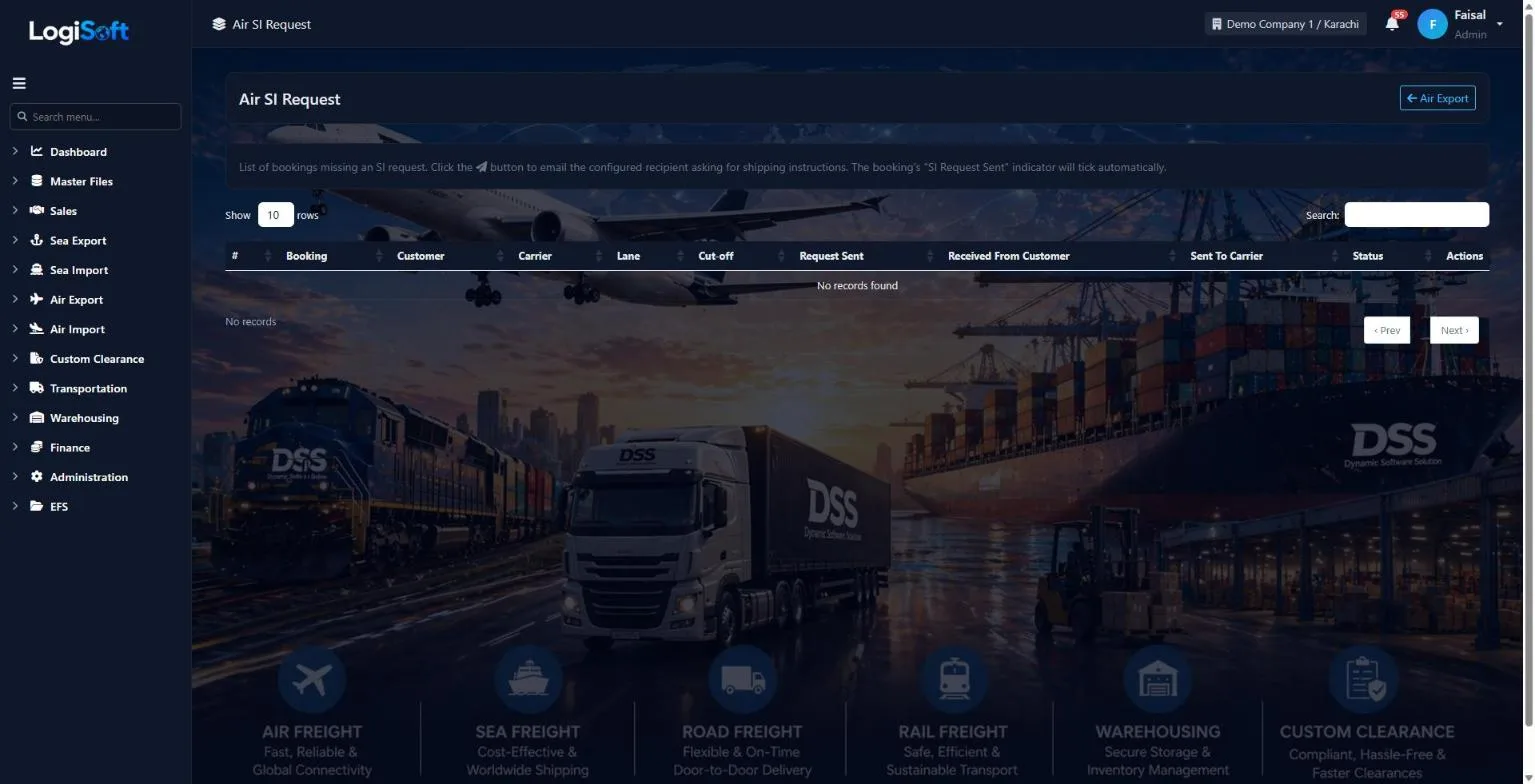
Air SI Request
?LogiSoft help
Air SI Request
Email customers/agents asking them to send Shipping Instructions for Air bookings.
Same flow as Sea SI Request, scoped to Air bookings. Recipient configurable per Direction.
Common tasks
- Click Send Request to email the SI request.\n- Booking's SI Request Sent indicator updates automatically.
The same help appears on this screen inside LogiSoft.
Email customers/agents asking them to send Shipping Instructions for Air bookings.
Tracking
-
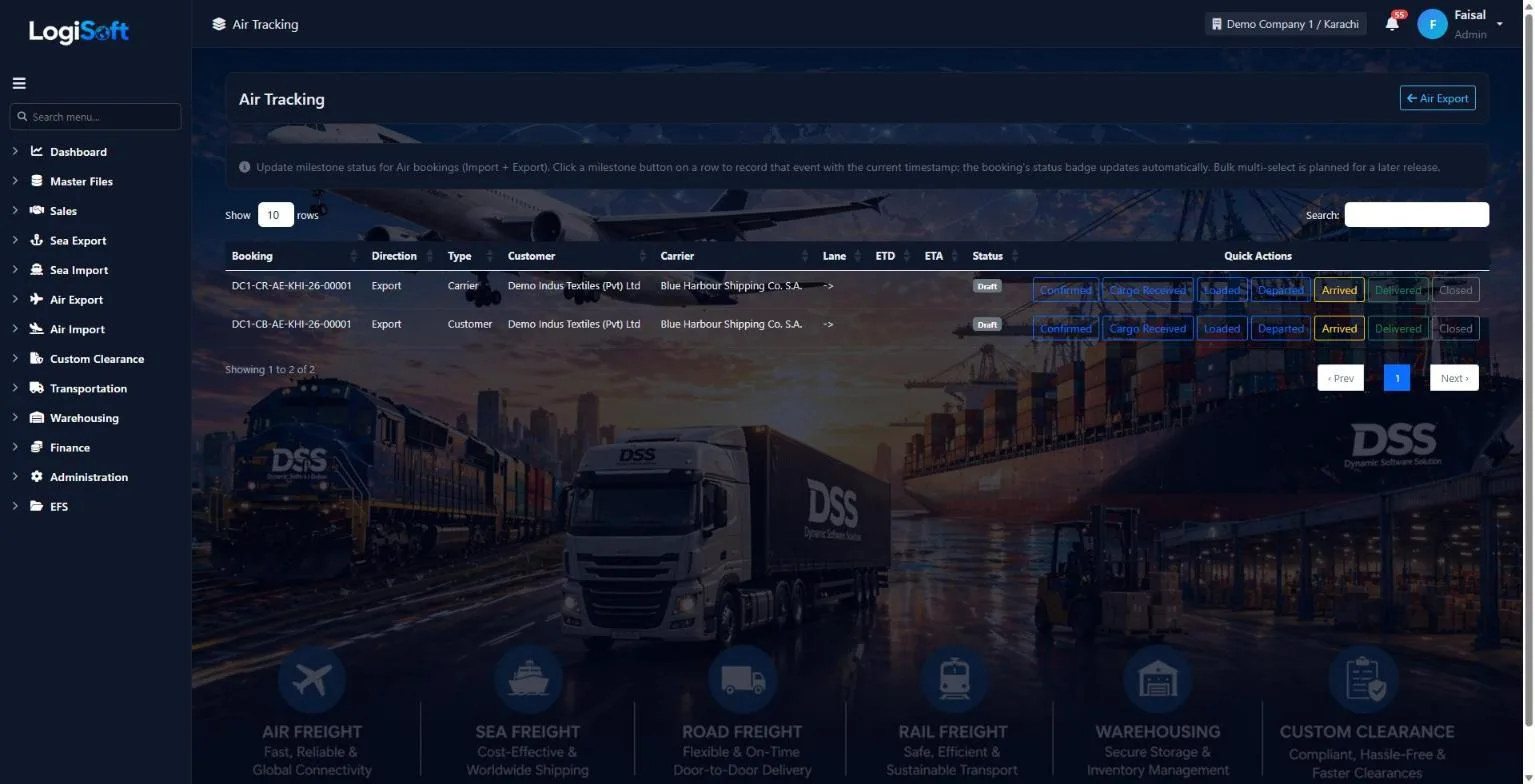
Air Tracking
?LogiSoft help
Air Tracking
Update milestone status for Air bookings (Departed / Arrived etc.).
Air-scoped tracking. Same single-record click pattern as Sea Tracking.
Common tasks
- Click the milestone button on a booking row.
The same help appears on this screen inside LogiSoft.
Update milestone status for Air bookings (Departed / Arrived etc.).
Settings
-
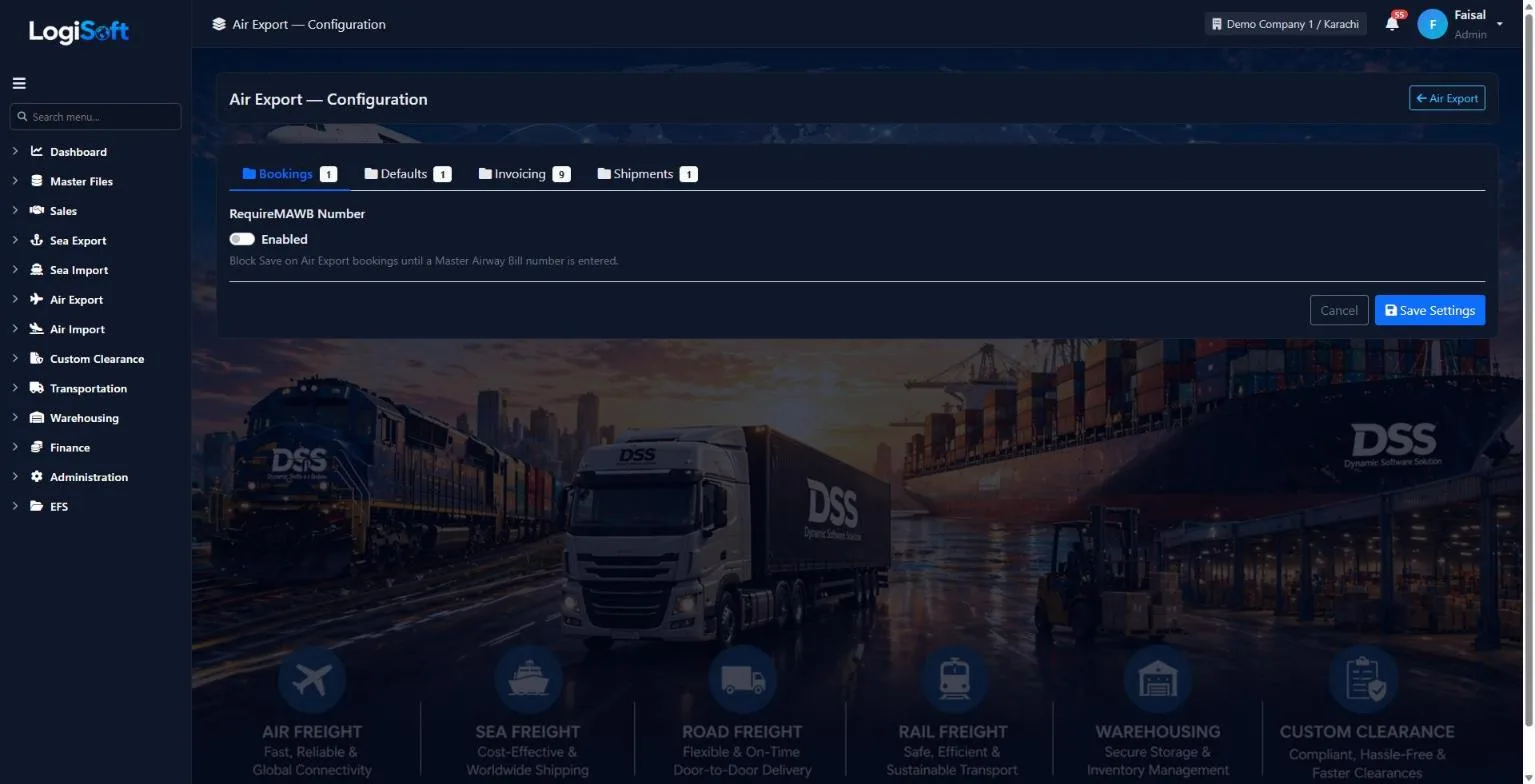
Configuration
?LogiSoft help
Air Export — Configuration
Module-specific settings for Air Export.
Settings that apply across the entire Air Export module. Each setting is grouped under a Category tab — pick the tab, change the value, click Save Settings.
Common tasks
- Browse the tabs to see what's configurable
- Change a setting and Save
The same help appears on this screen inside LogiSoft.
Module-specific settings for Air Export.
Invoicing
-
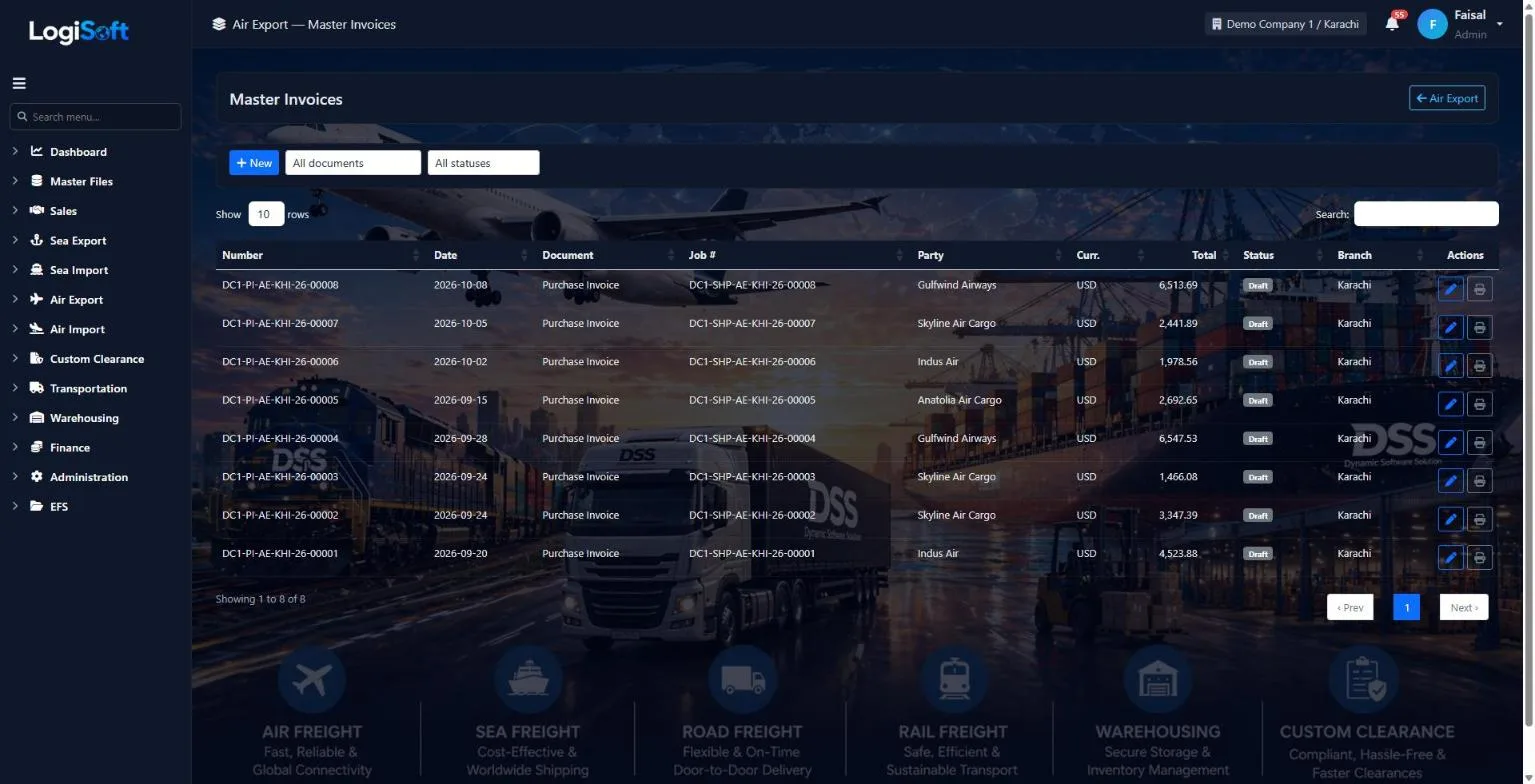
Air Export - Master Invoices
Part of the Air Export module.
-
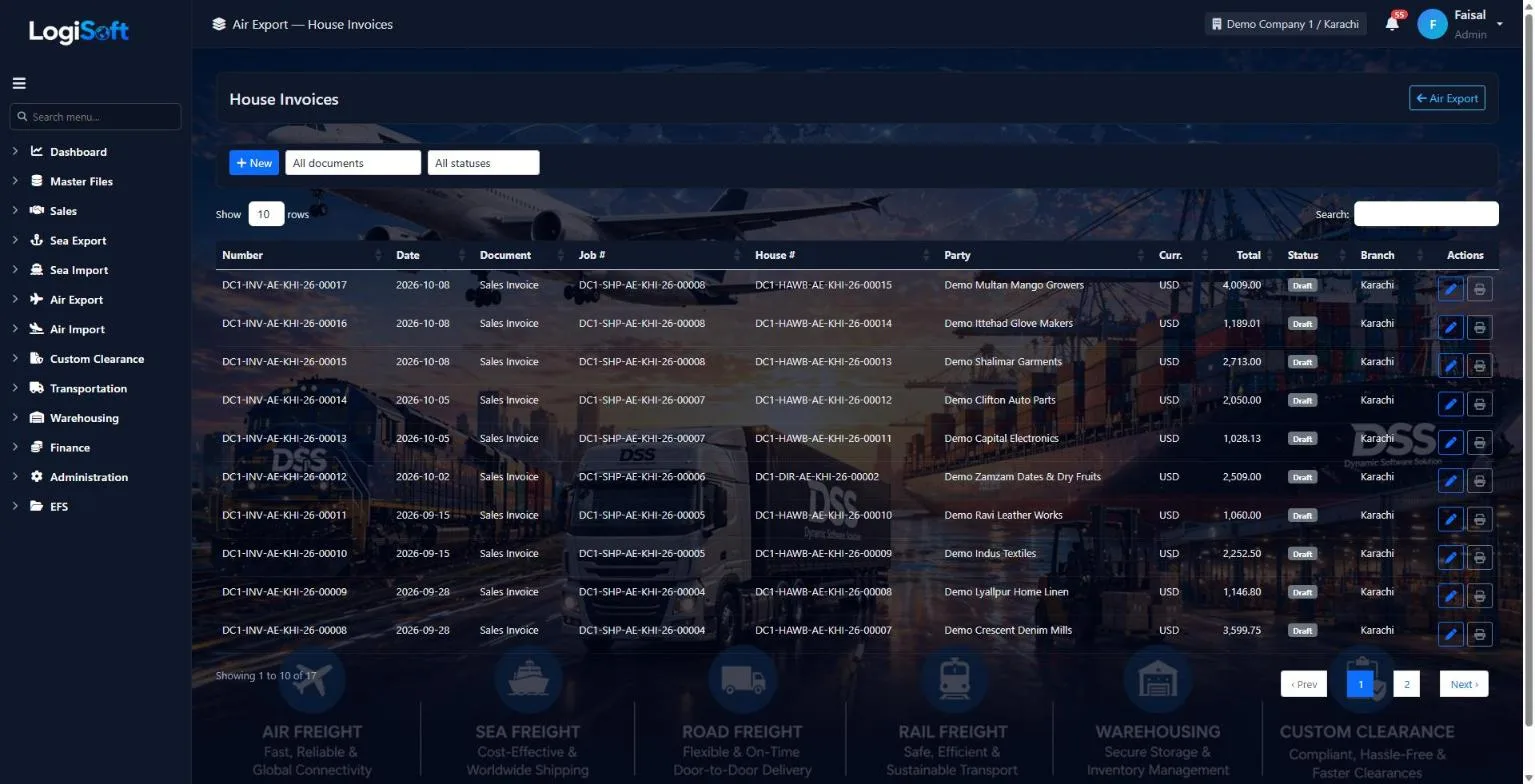
Air Export - House Invoices
Part of the Air Export module.
What's included
Everything in the Air Export module.
Bookings
- Air allotments by weight band
- Carrier and customer bookings
- Shipping instructions request, inbound and outbound
- Tracking milestones
Shipments
- MAWB and HAWBs on one job
- Consol or direct MAWB
- Flight legs per MAWB
- Close or void a job
AWB stock
- Requests to the airline
- Receive AWB ranges
- Issue to and return from forwarders
- Stock register and 8 reports
Invoicing & reports
- HAWB sales invoices
- MAWB costs split over HAWBs
- Tonnage, statistics and profit & loss
- Pre-alert and cargo manifest
Can one shipment carry several HAWBs?
Yes. A consol shipment has one MAWB and a HAWB per shipper. A direct shipment has the MAWB only.
How are airline costs shared between customers?
Put the airline or agent invoice on the MAWB and LogiSoft splits it over the HAWBs by chargeable weight, pieces, CBM or equally, so each HAWB shows its own profit.
Do you keep track of our air waybill stock?
Yes. Request and receive AWB ranges per airline, issue numbers to other forwarders and take them back. Reports show what is available, used, returned or void, and how long unused numbers have been waiting.
What if the cargo changes plane on the way?
Add a flight leg for each plane. The MAWB prints the first flight and the final arrival.
Works together with
See all features →Air Import
One job per MAWB with a HAWB for each consignee. Record the flights and the IGM, tell the consignee the cargo has arrived, issue the delivery order and invoice, all from the same job.
Explore Air ImportSea Export
Book the space, receive the cargo at the CFS, plan your LCL containers, then issue the House and Master B/Ls and invoice from the shipment. We are finishing this module now; the screens below already work.
Explore Sea ExportSales CRM
Your sales team works in the same system as operations and accounts: leads, opportunities, quotations and tenders, with a clear pipeline for every salesperson.
Explore Sales CRMReady to retire your desktop freight tools?
See LogiSoft on your own workflow in a 30-minute screen share with the founder. No commitment.